

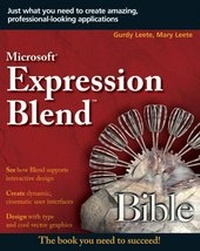
Microsoft Expression Blend Bible
1st Edition
Published on 8. June 2007
Book
Paperback/Softback
734 pages
978-0-470-05503-8 (ISBN)
Description
Create amazing interfaces that encourage visitors
The impact of an aesthetically pleasing user interface is remarkable. Web site visitors respond eagerly to attractive, easy-to-use designs, and Blend allows you to create these with much less effort. This A-to-Z guide shows you how to design a new generation of applications that make the most of digital media, including animation, 3D, audio and video, sophisticated typography, and other stunning visual effects--all without bogging down in code. Here's everything you need to succeed with Blend.
* Apply principles of interactive design, graphic design, and animation
*
Create and transform vector graphics
*
Explore animated transparencies and opacity masks
*
Use ready-made Windows(r) Presentation Foundation controls, or create your own
*
Connect your applications to data sources
Companion Web site
At www.blendtips.com, you can download files to use while working on the examples presented in the book and modify them to create your own features. The site also includes full-color figures from the book and late-breaking news about Blend.
More details
Series
Edition
1., Auflage
Language
English
Place of publication
Chichester
United Kingdom
Publishing group
John Wiley and Sons Ltd
Target group
Professional and scholarly
Illustrations
Illustrations
Dimensions
Height: 23.3 cm
Width: 18.7 cm
Thickness: 40 mm
Weight
1043 gr
ISBN-13
978-0-470-05503-8 (9780470055038)
Schweitzer Classification
Persons
Gurdy and Mary Leete are authors and coauthors of several top-selling books on Flash technology. Gurdy is an instructor of interactive media design and an award-winning user interface designer.
Content
About the Authors.
Acknowledgments.
Introduction.
Part I: Designing Next-Generation User Experiences.
Chapter 1: Exploring New User Interface Techniques.
Chapter 2: Working with the Workspace.
Chapter 3: Designing a Next-Generation Interface.
Chapter 4: Deploying Your Application Securely.
Part II: Creating and Transforming Vector Graphics.
Chapter 5: Drawing Shapes and Manipulating Paths.
Chapter 6: Manipulating Color, Fills, Gradients, and Transparency.
Chapter 7: Creating Styles and Using Resources.
Chapter 8: Using Principles of Graphic Design to Create Next-Generation Interfaces.
Part III: Designing with Type.
Chapter 9: Creating Flow Documents and Formatting Text.
Chapter 10: Styling Text and Using WPF Typographical Features.
Chapter 11: Using Principles of Typographic Design to Enhance the User Experience.
Part IV: Creating Cinematic User Interfaces.
Chapter 12: Using 3D Models.
Chapter 13: Employing Principles of 3D Design to Add Depth to the User Experience.
Chapter 14: Adding Audio, Video, and Animation.
Chapter 15: Applying Principles of Animation to User Interface Design.
Part V: Constructing Controls and Layouts.
Chapter 16: Creating and Customizing Controls.
Chapter 17: Employing Principles of Usability in Next-Generation User Interface Construction.
Chapter 18: Arranging Layout Panels.
Chapter 19: Applying Principles of Usability to Panel Layout.
Part VI: Coding, Data Binding, and XAML.
Chapter 20: Writing Code.
Chapter 21: Data Binding.
Chapter 22: More XAML.
Chapter 23: Putting It All Together.
Glossary.
Index.