

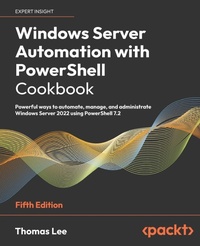
Windows Server Automation with PowerShell Cookbook
Powerful ways to automate, manage, and administrate Windows Server 2022 using PowerShell 7.2
5th Edition
Published on 31. January 2023
Book
Paperback/Softback
714 pages
978-1-80461-423-5 (ISBN)
Description
Use over 100 PowerShell 7.2 recipes to deepen your understanding of Windows Server 2022 and see how to automate common administrative tasks with ease
Purchase of the print or Kindle book includes a free eBook in PDF format
Key Features
New edition updated to the latest version of PowerShell 7.2 and Windows Server 2022
Discover new ways to optimize your PowerShell code by working through easy-to-follow recipes
Learn PowerShell best practices to automate common tasks and manage DHCP in Microsoft Windows Server, objects in Active Directory, Hyper-V, and Azure
Book DescriptionThe Windows Server Automation with PowerShell Cookbook is back with a new edition, featuring over 100 PowerShell recipes that will make your day-to-day work easier. This book is designed to help you learn how to install, configure and use PowerShell 7.2 effectively.
To start with, we'll look at how to install and configure PowerShell 7.2, along with useful new features and optimizations, and show you how the PowerShell compatibility solution bridges the gap to older versions of PowerShell. We'll also be covering a wide range of fundamental and more advanced use cases, including how to create a VM and set up an Azure VPN, as well as looking at how to back up to Azure. As you progress, you'll explore topics such as using PowerShell to manage networking and DHCP in Windows Server, objects in Active Directory, Hyper-V, and Azure. We'll also take a closer look at WSUS, containers and see how to handle modules that are not directly compatible with PowerShell 7. Finally, you'll also learn how to use some powerful tools to diagnose and resolve issues with Windows Server.
By the end of this PowerShell book, you'll know how to use PowerShell 7.2 to automate tasks on Windows Server 2022 with ease, helping your Windows environment to run faster and smoother.What you will learn
Perform key admin tasks on Windows Server
Keep your organization secure with JEA, group policies, logs, and Windows Defender
Use .NET Framework for administrative scripting
Manage data and storage on Windows, including disks, volumes, and filesystems
Report system performance using built-in cmdlets and WMI to obtain single measurements
Apply the right tools and modules to troubleshoot and debug Windows Server
Create, manage, and back up a second VM using the subnetwork in Azure
Learn how to set up a VPN in Azure with PowerShell
Who this book is forThis book is for systems administrators, software architects, developers, consultants, and engineers working with Windows Server 2022 who want to automate tasks more effectively with PowerShell 7.2. You'll need to have conquered the basics of PowerShell and have a rudimentary understanding of PowerShell scripting before you can get started with this book.
Purchase of the print or Kindle book includes a free eBook in PDF format
Key Features
New edition updated to the latest version of PowerShell 7.2 and Windows Server 2022
Discover new ways to optimize your PowerShell code by working through easy-to-follow recipes
Learn PowerShell best practices to automate common tasks and manage DHCP in Microsoft Windows Server, objects in Active Directory, Hyper-V, and Azure
Book DescriptionThe Windows Server Automation with PowerShell Cookbook is back with a new edition, featuring over 100 PowerShell recipes that will make your day-to-day work easier. This book is designed to help you learn how to install, configure and use PowerShell 7.2 effectively.
To start with, we'll look at how to install and configure PowerShell 7.2, along with useful new features and optimizations, and show you how the PowerShell compatibility solution bridges the gap to older versions of PowerShell. We'll also be covering a wide range of fundamental and more advanced use cases, including how to create a VM and set up an Azure VPN, as well as looking at how to back up to Azure. As you progress, you'll explore topics such as using PowerShell to manage networking and DHCP in Windows Server, objects in Active Directory, Hyper-V, and Azure. We'll also take a closer look at WSUS, containers and see how to handle modules that are not directly compatible with PowerShell 7. Finally, you'll also learn how to use some powerful tools to diagnose and resolve issues with Windows Server.
By the end of this PowerShell book, you'll know how to use PowerShell 7.2 to automate tasks on Windows Server 2022 with ease, helping your Windows environment to run faster and smoother.What you will learn
Perform key admin tasks on Windows Server
Keep your organization secure with JEA, group policies, logs, and Windows Defender
Use .NET Framework for administrative scripting
Manage data and storage on Windows, including disks, volumes, and filesystems
Report system performance using built-in cmdlets and WMI to obtain single measurements
Apply the right tools and modules to troubleshoot and debug Windows Server
Create, manage, and back up a second VM using the subnetwork in Azure
Learn how to set up a VPN in Azure with PowerShell
Who this book is forThis book is for systems administrators, software architects, developers, consultants, and engineers working with Windows Server 2022 who want to automate tasks more effectively with PowerShell 7.2. You'll need to have conquered the basics of PowerShell and have a rudimentary understanding of PowerShell scripting before you can get started with this book.
More details
Edition
5th Revised edition
Language
English
Place of publication
Birmingham
United Kingdom
Target group
Professional and scholarly
US School Grade: College Graduate Student
Edition type
Revised edition
Dimensions
Height: 235 mm
Width: 191 mm
Thickness: 39 mm
Weight
1309 gr
ISBN-13
978-1-80461-423-5 (9781804614235)
Copyright in bibliographic data and cover images is held by Nielsen Book Services Limited or by the publishers or by their respective licensors: all rights reserved.
Schweitzer Classification
Other editions
Additional editions
Thomas Lee
Windows Server Automation with PowerShell Cookbook, Fifth Edition
Powerful ways to automate, manage, and administrate Windows Server 2022 using PowerShell 7.2
E-Book
09/2024
5th Edition
Packt Publishing
from
€33.59
Available for download
Person
Thomas Lee is a consultant/trainer/writer based in the UK and has been in the IT business since the late 1960s. After graduating from Carnegie Mellon University, Thomas joined ComShare where he was a systems programmer building the Commander II time-sharing operating system, a forerunner of today's cloud computing paradigm. In the mid-1970s, he moved to ICL to work on the VME/K operating system. After a sabbatical in 1980/81, he joined Accenture, leaving in 1988 to run his own consulting and training business, which is still active today.
Thomas holds numerous Microsoft certifications, including MCSE (one of the first in the world) and later versions, MCT (25 years), and was awarded Microsoft's MVP award 17 times.
Thomas holds numerous Microsoft certifications, including MCSE (one of the first in the world) and later versions, MCT (25 years), and was awarded Microsoft's MVP award 17 times.
Content
Table of Contents
Installing and Configuring PowerShell 7
Managing PowerShell 7 in the Enterprise
Exploring .NET
Managing Active Directory
Managing Networking
Implementing Enterprise Security
Managing Storage
Managing Shared Data
Managing Printing
Exploring Windows Containers
Managing Hyper-V
Debugging and Troubleshooting Windows Server
Managing Window Server with Window Management Instrumentation (WMI)
Managing Windows Update Services
Installing and Configuring PowerShell 7
Managing PowerShell 7 in the Enterprise
Exploring .NET
Managing Active Directory
Managing Networking
Implementing Enterprise Security
Managing Storage
Managing Shared Data
Managing Printing
Exploring Windows Containers
Managing Hyper-V
Debugging and Troubleshooting Windows Server
Managing Window Server with Window Management Instrumentation (WMI)
Managing Windows Update Services