


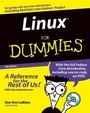
Linux For Dummies
4th Edition
Published on 1. October 2002
Book
Mixed media product
XVIII, 390 pages
978-0-7645-1660-3 (ISBN)
Description
Covers the essentials that first-time Linux users need to know about installing and using Linux on their desktop. Topics include preparing your PC for Linux, installing, connecting to a network or the Internet, working with the GNOME interface, playing media files, and working with the file system. Covers specialized uses of Linux including using Linux as a server as well as an embedded or turnkey system, a supercomputer, a real-time controller. Covers the latest tools for browsing the Internet, being productive, and keeping your connection secure. Series features: Includes the simple and fun reference style that has made the For Dummies series a favorite for over 200,000 first-time Linux users. ABOUT THE CD-ROM Two CDs included with this book contain the latest distribution of Red Hat Linux.
More details
Edition
4., Aufl.
Language
English
Place of publication
Foster City
United States
Publishing group
John Wiley & Sons Inc
Target group
Professional and scholarly
Edition type
Revised edition
Illustrations
illustrations
Dimensions
Height: 23.3 cm
Width: 19 cm
Weight
655 gr
ISBN-13
978-0-7645-1660-3 (9780764516603)
Schweitzer Classification
Other editions
New editions
Dee A. LeBlanc
Linux For Dummies
Book
01/2004
5th Edition
Hungry Minds Inc,U.S.
€32.90
Article exhausted; check for reprint
Previous edition

Craig Witherspoon | Coletta Witherspoon
Linux For Dummies
Book
12/2000
3rd Edition
Hungry Minds Inc,U.S.
€44.75
Article exhausted; check for reprint
Persons
Dee--Ann LeBlanc is a writer and trainer specializing in Linux. Melanie Hoag is a WAN manager, writer, and trainer specializing in Linux and NetWare. Evan Blomquist is a trainer, consultant, and Linux specialist.
Content
Introduction. Part I: Getting Your Feet Wet. Chapter 1: Getting Acquainted with Linux. Chapter 2: Prepping Your Computer for Linux. Chapter 3: Installing Red Hat Linux. Chapter 4: Installing Other Distributions. Chapter 5: Booting and Stopping Linux. Chapter 6: Dip In Those Toes. Part II: Internet NOW. Chapter 7: Connecting to the Internet. Chapter 8: Surfing the Web and Managing E--Mail. Chapter 9: Cool Internet Tools. Part III: Getting Up to Speed with Linux. Chapter 10: Manipulating Files and Directories. Chapter 11: Working without the GUI. Chapter 12: Gettin' Gooey with the GUIs. Chapter 13: Putting the X in Text. Part IV: Sinking Your Teeth into Linux. Chapter 14: Checking Out the Linux File System. Chapter 15: Adding Software to Linux. Chapter 16: A Secure Linux Box Is a Happy Linux Box. Part V: The Part of Tens. Chapter 17: Ten Frequently Asked Questions. Chapter 18: Ten Installation and Setup Troubleshooting Tips. Chapter 19: Ten Everyday Troubleshooting Tips. Chapter 20: Ten Superior Sources of Linux Information. Chapter 21: Ten Cool Tools. Part VI: Appendixes. Appendix A: Common Linux Commands. Appendix B: About the CD--ROMs. Index. End--User License Agreement.