

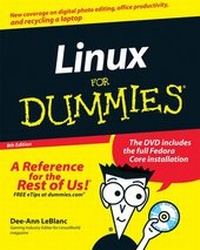
Linux For Dummies
8th Edition
Published on 3. August 2007
Book
Paperback/Softback
432 pages
978-0-470-11649-4 (ISBN)
Description
Everything you need to install, run, and optimize Linux on your desktop
Here's how to start using Linux, the popular and free operating system
Want to do the same tasks you can with Windows, except for free? Linux is the alternative open source operating system that's beloved by users in the know. This newly updated guide gives you just what you need to get started with Linux - plain-English explanations, savvy tips and advice, and, best of all, the full Fedora Core installation on DVD!
* Understand core Linux tasks
*
Use OpenOffice.org for common functions
*
Manage and play multimedia
*
Make your Linux box more secure
*
Use Linux and Windows together
More details
Edition
8., Auflage
Language
English
Place of publication
Chichester
United Kingdom
Publishing group
John Wiley and Sons Ltd
Edition type
Revised edition
Illustrations
Illustrations
Dimensions
Height: 23.5 cm
Width: 18.5 cm
Weight
677 gr
ISBN-13
978-0-470-11649-4 (9780470116494)
Schweitzer Classification
Other editions
New editions
Previous edition
Dee-Ann LeBlanc
Linux For Dummies
Book
05/2006
7th Edition
Hungry Minds Inc,U.S.
€32.90
Article exhausted; check for reprint
Persons
Dee-Ann LeBlanc is an award-winning author and journalist with 13 books and 150 articles to her credit. Richard K. Blum has authored several books on Linux servers and desktops.
Content
Introduction.Part I: Getting Your Feet Wet.Chapter 1: Getting Acquainted with Linux.Chapter 2: Prepping Your Computer for Linux.Chapter 3: Installing Fedora.Chapter 4: Booting and Stopping Fedora.Chapter 5: Checking Out the Desktops.Part II: Getting Up to Speed with Linux.Chapter 6: Working without the GUI.Chapter 7: Getting to Know the Linux Filesystem.Chapter 8: Using the Filesystem in GNOME and Nautilus.Chapter 9: Connecting to the Internet.Part III: Getting Things Done.Chapter 10: Using the Internet.Chapter 11: Putting the X in Text.Chapter 12: Word Processing and More with OpenOffice.org.Chapter 13: Messing with Audio.Chapter 14: Messing with Video and Graphics.Chapter 15: Windows-Only Media Formats and Programs.Part IV: Junior Administrator Boot Camp.Chapter 16: Adding Software to Linux.Chapter 17: Basic System Administration.Chapter 18: A Secure Linux Box Is a Happy Linux Box.Part V: The Part of Tens.Chapter 19: Ten Steps to Making Your Own Wireless Access Point.Chapter 20: Ten Steps to Setting Up a Samba Print Server.Chapter 21: Ten Steps to Setting Up a File Server.Chapter 22: Ten Troubleshooting Tips.Part VI: Appendixes.Appendix A: Common Linux Commands.Appendix B: About the DVD-ROM.Index.