

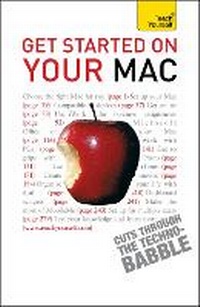
Get Started on your Mac
2nd Edition
Published on 26. November 2010
Book
Paperback/Softback
352 pages
978-1-4441-0084-6 (ISBN)
Description
Are you looking to get the best out your new Mac, either as a complete novice or as a convert from a Windows PC?
Or are you looking to learn about Microsoft Office 2008 or the latest updates of Apple's latest iWork suite and its iLife applications?
Make sure you're getting the most out of your machine and understand its full potential. Get Started on your Mac offers a wider, more beginner-friendly scope - an all-in-one reference for those who want to understand the basic concepts rather than the in-depth technicalities.
Focusing on the iLife applications which are bundled with Macs including email, iPhoto, iCal, iMovie, iTunes and others, it will help you to enjoy the full Mac experience, and see its appeal as a user-friendly computer that's ready to be used straight away. Learn to live life to the full with your music, your photos, DVDs and email.
With straightforward writing from expert authors, the Teach Yourself computing series cuts through the 'technobabble', giving you easy and enjoyable access to all of the computer skills you want to acquire.
NOT GOT MUCH TIME?
One, five and ten-minute introductions to key principles to get you started.
AUTHOR INSIGHTS
Lots of instant help with common problems and quick tips for success, based on the author's many years of experience.
TEST YOURSELF
Tests in the book and online to keep track of your progress.
EXTEND YOUR KNOWLEDGE
Extra online articles at www.teachyourself.com to give you a richer understanding of your Mac.
FIVE THINGS TO REMEMBER
Quick refreshers to help you remember the key facts.
TRY THIS
Innovative exercises illustrate what you've learnt and how to use it.
Or are you looking to learn about Microsoft Office 2008 or the latest updates of Apple's latest iWork suite and its iLife applications?
Make sure you're getting the most out of your machine and understand its full potential. Get Started on your Mac offers a wider, more beginner-friendly scope - an all-in-one reference for those who want to understand the basic concepts rather than the in-depth technicalities.
Focusing on the iLife applications which are bundled with Macs including email, iPhoto, iCal, iMovie, iTunes and others, it will help you to enjoy the full Mac experience, and see its appeal as a user-friendly computer that's ready to be used straight away. Learn to live life to the full with your music, your photos, DVDs and email.
With straightforward writing from expert authors, the Teach Yourself computing series cuts through the 'technobabble', giving you easy and enjoyable access to all of the computer skills you want to acquire.
NOT GOT MUCH TIME?
One, five and ten-minute introductions to key principles to get you started.
AUTHOR INSIGHTS
Lots of instant help with common problems and quick tips for success, based on the author's many years of experience.
TEST YOURSELF
Tests in the book and online to keep track of your progress.
EXTEND YOUR KNOWLEDGE
Extra online articles at www.teachyourself.com to give you a richer understanding of your Mac.
FIVE THINGS TO REMEMBER
Quick refreshers to help you remember the key facts.
TRY THIS
Innovative exercises illustrate what you've learnt and how to use it.
More details
Series
Edition
2nd edition
Language
English
Place of publication
United Kingdom
Publishing group
John Murray Press
Product notice
Paperback (UK-B)
Illustrations
200 approx
Dimensions
Height: 198 mm
Width: 131 mm
Thickness: 22 mm
Weight
336 gr
ISBN-13
978-1-4441-0084-6 (9781444100846)
Copyright in bibliographic data and cover images is held by Nielsen Book Services Limited or by the publishers or by their respective licensors: all rights reserved.
Schweitzer Classification
Other editions
Additional editions

Rod Lawton
Get Started on Your Mac: Teach Yourself
Software
TEACH YOURSELF
€33.79
The article will not be published
Person
Based in Weston Super Mare, Somerset, Rod Lawton is a full-time freelance technology journalist with extensive experience with both PCs and Macs. He writes for both Computer Shopping magazine and Mac User.
Content
: 1. Choosing a Mac:
: 2. How Macs work
: 3. Plug-in devices
: 4. What's new 5. Internet and email
: 6. Word processing and presentations with iWork
: 7. Mac Office 2008
: 8. Working alongside Windows PCs
: 9. Manage your photos with iPhoto
: 10. Using iTunes
: 11. Make movies with iMovie and iDVD
: 12. Organise your life with iCal and Address Book
: 13. Get online with iWeb
: 14. .Mac
: 15. Dashboard Widgets
: 16. Games and utilities
: 17. Multiple users
: 18. System Preferences
: Index
: 2. How Macs work
: 3. Plug-in devices
: 4. What's new 5. Internet and email
: 6. Word processing and presentations with iWork
: 7. Mac Office 2008
: 8. Working alongside Windows PCs
: 9. Manage your photos with iPhoto
: 10. Using iTunes
: 11. Make movies with iMovie and iDVD
: 12. Organise your life with iCal and Address Book
: 13. Get online with iWeb
: 14. .Mac
: 15. Dashboard Widgets
: 16. Games and utilities
: 17. Multiple users
: 18. System Preferences
: Index