

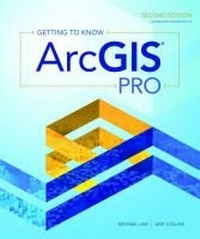
Getting to Know ArcGIS Pro
2nd Edition
Published on 7. February 2019
Book
Paperback/Softback
512 pages
978-1-58948-537-2 (ISBN)
Description
In the tradition of the best-selling Getting to Know series, Getting to Know ArcGIS Pro, second edition teaches new and existing GIS users how to get started solving problems by visualizing, querying, creating, editing, analyzing, and presenting geospatial data in both 2D and 3D environments using ArcGIS Pro. This book teaches the basic functions and capabilities of ArcGIS Pro through practical project workflows and shows how to be productive with this essential component of the ArcGIS platform. The second edition has been updated for ArcGIS Pro 2.3.
Reviews / Votes
This book serves as a valuable resource for GIS users desiring to learn more about the ArcGIS Pro application, educators incorporating ArcGIS Pro into curricula, libraries providing software access to patrons, and individuals interested in exploring GIS software for the first time. - Tara LaLonde, The Pennsylvania State University, in Cartographic PerspectivesMore details
Series
Edition
Second Edition
Language
English
Place of publication
Redlands
United States
Publishing group
ESRI Press
Target group
Professional and scholarly
Edition type
New edition
Product notice
Paperback (trade)
Dimensions
Height: 229 mm
Width: 191 mm
ISBN-13
978-1-58948-537-2 (9781589485372)
Copyright in bibliographic data and cover images is held by Nielsen Book Services Limited or by the publishers or by their respective licensors: all rights reserved.
Schweitzer Classification
Other editions
New editions
Michael Law | Amy Collins
Getting to Know ArcGIS Pro 2.6
Book
11/2020
3rd Edition
Environmental Systems Research Institute Inc.,U.S.
€115.31
Article exhausted; check for reprint
Previous edition
Michael Law | Amy Collins
Getting to Know ArcGIS Pro
Book
03/2016
Environmental Systems Research Institute Inc.,U.S.
€89.32
Article exhausted; check for reprint
Persons
Michael Law has worked professionally with GIS since 2004 when he began at Rand McNally Canada and later worked as a cartographer for Esri Press, where he developed cartography for books, and edited and tested GIS workbooks. Now based in Toronto, Canada, Law continues to work with GIS software, writing technical documentation, teaching training courses, and designing and optimizing user interfaces. Amy Collins was first introduced to GIS in 2002 when she began working as a technical editor at Esri. There, she honed her GIS skills and cultivated an interest in designing effective instructional materials. Now a writer and editor based in Northern California, she continues to develop GIS materials, among other projects.
Law and Collins are the authors of two editions of Getting to Know ArcGIS for Desktop.
Law and Collins are the authors of two editions of Getting to Know ArcGIS for Desktop.
Content
Contents
Preface
Chapter 1 Introducing GIS
Exercise 1a: Explore ArcGIS Online
Chapter 2 A first look at ArcGIS Pro
Exercise 2a: Learn some basics
Exercise 2b: Go beyond the basics
Exercise 2c: Experience 3D GIS
Chapter 3 Exploring geospatial relationships
Exercise 3a: Extract part of a dataset
Exercise 3b: Incorporate tabular data
Exercise 3c: Calculate data statistics
Exercise 3d: Connect spatial datasets
Chapter 4 Creating and editing spatial data
Exercise 4a: Build a geodatabase
Exercise 4b: Create features
Exercise 4c: Modify features
Chapter 5 Facilitating workflows
Exercise 5a: Manage a repeatable workflow using tasks
Exercise 5b: Create a geoprocessing model
Exercise 5c: Run a Python command and script tool
Chapter 6 Collaborative mapping
Exercise 6a: Prepare a database for data collection
Exercise 6b: Prepare a map for data collection
Exercise 6c: Collect data using Collector for ArcGIS
Chapter 7 Geoenabling your project
Exercise 7a: Prepare project data
Exercise 7b: Geocode location data
Exercise 7c: Use geoprocessing tools to analyze vector data
Chapter 8 Analyzing spatial and temporal patterns
Exercise 8a: Create a kernel density map
Exercise 8b: Perform a hot spot analysis
Exercise 8c: Explore the results in 3D
Exercise 8d: Animate the data
Chapter 9 Determining suitability
Exercise 9a: Prepare project data
Exercise 9b: Derive new surfaces
Exercise 9c: Create a weighted suitability model
Chapter 10 Presenting your project
Exercise 10a: Apply detailed symbology
Exercise 10b: Label features
Exercise 10c: Create a page layout
Exercise 10d: Share your project
Appendix A Image and data source credits
Appendix B Data license agreement
Glossary
Task index
Preface
Chapter 1 Introducing GIS
Exercise 1a: Explore ArcGIS Online
Chapter 2 A first look at ArcGIS Pro
Exercise 2a: Learn some basics
Exercise 2b: Go beyond the basics
Exercise 2c: Experience 3D GIS
Chapter 3 Exploring geospatial relationships
Exercise 3a: Extract part of a dataset
Exercise 3b: Incorporate tabular data
Exercise 3c: Calculate data statistics
Exercise 3d: Connect spatial datasets
Chapter 4 Creating and editing spatial data
Exercise 4a: Build a geodatabase
Exercise 4b: Create features
Exercise 4c: Modify features
Chapter 5 Facilitating workflows
Exercise 5a: Manage a repeatable workflow using tasks
Exercise 5b: Create a geoprocessing model
Exercise 5c: Run a Python command and script tool
Chapter 6 Collaborative mapping
Exercise 6a: Prepare a database for data collection
Exercise 6b: Prepare a map for data collection
Exercise 6c: Collect data using Collector for ArcGIS
Chapter 7 Geoenabling your project
Exercise 7a: Prepare project data
Exercise 7b: Geocode location data
Exercise 7c: Use geoprocessing tools to analyze vector data
Chapter 8 Analyzing spatial and temporal patterns
Exercise 8a: Create a kernel density map
Exercise 8b: Perform a hot spot analysis
Exercise 8c: Explore the results in 3D
Exercise 8d: Animate the data
Chapter 9 Determining suitability
Exercise 9a: Prepare project data
Exercise 9b: Derive new surfaces
Exercise 9c: Create a weighted suitability model
Chapter 10 Presenting your project
Exercise 10a: Apply detailed symbology
Exercise 10b: Label features
Exercise 10c: Create a page layout
Exercise 10d: Share your project
Appendix A Image and data source credits
Appendix B Data license agreement
Glossary
Task index