

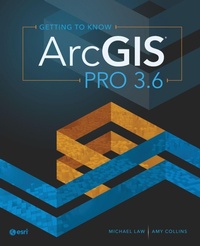
Getting to Know ArcGIS Pro 3.6
6th Edition
Will be published approx. on 16. July 2026
Book
Paperback/Softback
350 pages
978-1-58948-898-4 (ISBN)
Description
Learn how to use ArcGIS Pro with this best-selling, step-by-step workbook and desk reference.
Getting to Know ArcGIS Pro 3.6 explains the basics of how a geographic information system (GIS) works as it teaches readers how to use ArcGIS Pro, the world's most powerful desktop GIS software.
Readers will follow simple step-by-step instructions, accompanied by more than 300 full-color images, to learn core analytic and mapmaking skills.
Topics include:
ArcGIS and ArcGIS Online basics
Geospatial data management, geoprocessing, and Python tools
Map layouts
Spatial analysis
Throughout the book, case studies of real-world GIS applications show how ArcGIS Pro has been used to solve complex issues. Each chapter uses a real-world exercise dataset, and the chapters are designed to build on each other, providing practical, progressive learning. At the conclusion of every chapter, a summary reinforces the skills covered. The book also includes a glossary of technical terms.
Getting to Know is the best-selling series that has been guiding readers in learning about GIS for more than 20 years. Ideal for students, self-learners, and professionals who want to learn the premier GIS desktop application, Getting to Know ArcGIS Pro 3.6 is a textbook and desk reference designed to show users how to use ArcGIS Pro successfully.
Getting to Know ArcGIS Pro 3.6 explains the basics of how a geographic information system (GIS) works as it teaches readers how to use ArcGIS Pro, the world's most powerful desktop GIS software.
Readers will follow simple step-by-step instructions, accompanied by more than 300 full-color images, to learn core analytic and mapmaking skills.
Topics include:
ArcGIS and ArcGIS Online basics
Geospatial data management, geoprocessing, and Python tools
Map layouts
Spatial analysis
Throughout the book, case studies of real-world GIS applications show how ArcGIS Pro has been used to solve complex issues. Each chapter uses a real-world exercise dataset, and the chapters are designed to build on each other, providing practical, progressive learning. At the conclusion of every chapter, a summary reinforces the skills covered. The book also includes a glossary of technical terms.
Getting to Know is the best-selling series that has been guiding readers in learning about GIS for more than 20 years. Ideal for students, self-learners, and professionals who want to learn the premier GIS desktop application, Getting to Know ArcGIS Pro 3.6 is a textbook and desk reference designed to show users how to use ArcGIS Pro successfully.
More details
Edition
Sixth Edition
Language
English
Place of publication
Redlands
United States
Edition type
New edition
Product notice
Paperback (trade)
Illustrations
Screenshots, Illustrations
Dimensions
Height: 235 mm
Width: 191 mm
Thickness: 22 mm
Weight
942 gr
ISBN-13
978-1-58948-898-4 (9781589488984)
Copyright in bibliographic data and cover images is held by Nielsen Book Services Limited or by the publishers or by their respective licensors: all rights reserved.
Schweitzer Classification
Other editions
Additional editions
Michael Law | Amy Collins
Getting to Know ArcGIS Pro 3.6
E-Book
05/2026
6th Edition
Esri Press
€118.99
Available for download
Previous edition
Michael Law | Amy Collins
Getting to Know ArcGIS Pro 3.2
Book
07/2024
5th Edition
ESRI Press
€159.80
Shipment within 10-20 days
Persons
Michael Law is a cartographer and GIS professional. He lives in Toronto, Canada.
Amy Collins is a writer and editor who lives in Northern California.
Amy Collins is a writer and editor who lives in Northern California.
Content
Preface
Chapter 1: Introducing GIS
Exercise 1: Explore ArcGIS Online
Chapter 2: A first look at ArcGIS Pro
Exercise 2a: Learn some basics
Exercise 2b: Go beyond the basics
Exercise 2c: Experience 3D GIS
Chapter 3: Exploring geospatial relationships
Exercise 3a: Extract part of a dataset
Exercise 3b: Incorporate tabular data
Exercise 3c: Calculate data statistics
Exercise 3d: Connect spatial datasets
Chapter 4: Creating and editing spatial data
Exercise 4a: Build a geodatabase
Exercise 4b: Create features
Exercise 4c: Modify features
Chapter 5: Facilitating workflows
Exercise 5a: Manage a repeatable workflow using tasks
Exercise 5b: Create a geoprocessing model
Exercise 5c: Run a Python command and script tool
Chapter 6: Geoenabling your project
Exercise 6a: Prepare project data
Exercise 6b: Geocode location data
Exercise 6c: Use geoprocessing tools to analyze vector data
Chapter 7: Analyzing spatial and temporal patterns
Exercise 7a: Create a kernel density map
Exercise 7b: Perform a hot spot analysis
Exercise 7c: Explore the results in 3D
Exercise 7d: Animate the data
Chapter 8: Determining suitability
Exercise 8a: Prepare project data
Exercise 8b: Derive new surfaces
Exercise 8c: Create a weighted suitability model
Chapter 9: Presenting your project
Exercise 9a: Apply detailed symbology
Exercise 9b: Label features
Exercise 9c: Create a page layout
Exercise 9d: Share your project
Glossary
Task index
Data source credits
Chapter 1: Introducing GIS
Exercise 1: Explore ArcGIS Online
Chapter 2: A first look at ArcGIS Pro
Exercise 2a: Learn some basics
Exercise 2b: Go beyond the basics
Exercise 2c: Experience 3D GIS
Chapter 3: Exploring geospatial relationships
Exercise 3a: Extract part of a dataset
Exercise 3b: Incorporate tabular data
Exercise 3c: Calculate data statistics
Exercise 3d: Connect spatial datasets
Chapter 4: Creating and editing spatial data
Exercise 4a: Build a geodatabase
Exercise 4b: Create features
Exercise 4c: Modify features
Chapter 5: Facilitating workflows
Exercise 5a: Manage a repeatable workflow using tasks
Exercise 5b: Create a geoprocessing model
Exercise 5c: Run a Python command and script tool
Chapter 6: Geoenabling your project
Exercise 6a: Prepare project data
Exercise 6b: Geocode location data
Exercise 6c: Use geoprocessing tools to analyze vector data
Chapter 7: Analyzing spatial and temporal patterns
Exercise 7a: Create a kernel density map
Exercise 7b: Perform a hot spot analysis
Exercise 7c: Explore the results in 3D
Exercise 7d: Animate the data
Chapter 8: Determining suitability
Exercise 8a: Prepare project data
Exercise 8b: Derive new surfaces
Exercise 8c: Create a weighted suitability model
Chapter 9: Presenting your project
Exercise 9a: Apply detailed symbology
Exercise 9b: Label features
Exercise 9c: Create a page layout
Exercise 9d: Share your project
Glossary
Task index
Data source credits