

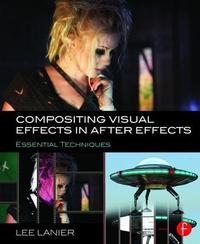
Compositing Visual Effects in After Effects
Essential Techniques
1st Edition
Published on 6. November 2015
Book
Paperback/Softback
286 pages
978-1-138-80328-2 (ISBN)
Description
Create vibrant visual effects with Adobe After Effects. Gain the tips, tricks, and applied knowledge you need to carry out essential visual effects tasks and bring your digital compositing to the next level.
In Compositing Visual Effects in After Effects, industry veteran Lee Lanier covers all the common After Effects techniques any serious visual effects artist needs to know, combining the latest, professionally-vetted studio practices and workflows with multi-chapter projects and hands-on lessons.
Engaging, full-color tutorials cover:
Altering resolutions and frame rates
Channel and color space manipulation
Rotoscoping and masking
Matchmoving and motion tracking
Keying green screen
Working in the 3D environment and integrating 3D render passes
Particle simulation
Color grading and distressing
Expressions and project management
The companion website (www.focalpress.com/cw/lanier) features video image sequences, 3D renders, matte paintings, and other tutorial materials, allowing you to immediately apply the techniques taught in the book.
In Compositing Visual Effects in After Effects, industry veteran Lee Lanier covers all the common After Effects techniques any serious visual effects artist needs to know, combining the latest, professionally-vetted studio practices and workflows with multi-chapter projects and hands-on lessons.
Engaging, full-color tutorials cover:
Altering resolutions and frame rates
Channel and color space manipulation
Rotoscoping and masking
Matchmoving and motion tracking
Keying green screen
Working in the 3D environment and integrating 3D render passes
Particle simulation
Color grading and distressing
Expressions and project management
The companion website (www.focalpress.com/cw/lanier) features video image sequences, 3D renders, matte paintings, and other tutorial materials, allowing you to immediately apply the techniques taught in the book.
More details
Language
English
Place of publication
London
United Kingdom
Publishing group
Taylor & Francis Ltd
Target group
College/higher education
Professional and scholarly
Postgraduate, Professional, Professional Practice & Development, and Undergraduate
Product notice
Paperback (trade)
Unsewn / adhesive bound
Illustrations
53 Farbfotos bzw. farbige Rasterbilder, 1 farbige Zeichnung, 197 farbige Abbildungen
1 Line drawings, color; 53 Halftones, color; 197 Illustrations, color
Dimensions
Height: 234 mm
Width: 192 mm
Thickness: 20 mm
Weight
604 gr
ISBN-13
978-1-138-80328-2 (9781138803282)
Copyright in bibliographic data and cover images is held by Nielsen Book Services Limited or by the publishers or by their respective licensors: all rights reserved.
Schweitzer Classification
Other editions
Additional editions
Book
09/2018
1st Edition
Routledge
€252.55
Shipment within 10-20 days
E-Book
11/2015
Routledge
€69.99
Available for download
E-Book
11/2015
Routledge
€69.99
Available for download
Person
Lee Lanier has worked in the motion picture industry since 1989, having spent hundreds of hours on live-action sets and thousands of hours working with high-end animation and compositing software. He's created visual effects for Walt Disney Studios and served as a senior animator in the modeling and lighting departments at PDI/DreamWorks on Antz and Shrek. In addition to having taught at the Academy of Art University and Gnomon School of Visual Effects, Lee has written seven books on visual effects and digital compositing, has recorded tutorials for lynda.com and The Foundry, and is a member of the Visual Effects Society.
Content
Chapter 1: Selecting Color Spaces, Resolutions, and Frames Rates
Chapter 2: Generating Alpha with Keyers and Mattes
Chapter 3: Masking, Rotoscoping, and Basic Keyframing
Chapter 4: Transforming and Motion Tracking
Chapter 5: Working with the 3D Environment
Chapter 6: Creating Particle Simulations
Chapter 7: Integrating Render Passes
Chapter 8: Color Effects, Color Grading, and HDRI
Chapter 9: Damage Repair and Distressing
Chapter 10: Expressions, Scripting, and Project Management
Chapter 2: Generating Alpha with Keyers and Mattes
Chapter 3: Masking, Rotoscoping, and Basic Keyframing
Chapter 4: Transforming and Motion Tracking
Chapter 5: Working with the 3D Environment
Chapter 6: Creating Particle Simulations
Chapter 7: Integrating Render Passes
Chapter 8: Color Effects, Color Grading, and HDRI
Chapter 9: Damage Repair and Distressing
Chapter 10: Expressions, Scripting, and Project Management