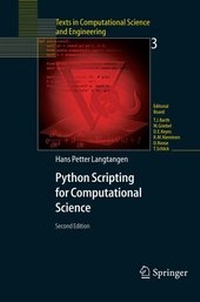
Scripting with Python makes you productive and increases the reliability of your scientific work. Here, the author teaches you how to develop tailored, flexible, and efficient working environments built from small programs (scripts) written in Python. The focus is on examples and applications of relevance to computational science: gluing existing applications and tools, e.g. for automating simulation, data analysis, and visualization; steering simulations and computational experiments; equipping programs with graphical user interfaces; making computational Web services; creating interactive interfaces with a Maple/Matlab-like syntax to numerical applications in C/C++ or Fortran; and building flexible object-oriented programming interfaces to existing C/C++ or Fortran libraries.
Reviews / Votes
From the reviews of the second edition:
"This book addresses primarily a CSE (computational science and engineering) audience. . gives a clear and detailed account on the ways in which the surprisingly powerful Python language may aid the CSE community." (H. Muthsam, Monatshefte für Mathematik, Vol. 151 (4), 2007)
Series
Edition
2004. Corr 2nd Printing ed.
Language
Place of publication
Publishing group
Target group
College/higher education
Professional and scholarly
Illustrations
446
446 s/w Abbildungen
62 illus.
Dimensions
Height: 23.5 cm
Width: 15.5 cm
Weight
ISBN-13
978-3-540-43508-2 (9783540435082)
DOI
10.1007/978-3-662-05450-5
Schweitzer Classification
1 Introduction.- 2 Getting Started with Python Scripting.- 3 Basic Python.- 4 Numerical Computing in Python.- 5 Combining Python with Fortran, C, and C++.- 6 Introduction to GUI Programming.- 7 Web Interfaces and CGI Programming.- 8 Advanced Python.- 9 Fortran Programming with NumPy Arrays.- 10 C and C++ Programming with NumPy Arrays.- 11 More Advanced GUI Programming.- 12 Tools and Examples.- A Setting up the Required Software Environment.- A.1 Installation on Unix Systems.- A.1.1 A Suggested Directory Structure.- A.1.2 Setting Some Environment Variables.- A.1.3 Installing Tcl/Tk and Additional Modules.- A.1.4 Installing Python.- A.1.5 Installing Python Modules.- A.1.6 Installing Gnuplot.- A.1.7 Installing SWIG.- A.1.8 Summary of Environment Variables.- A.1.9 Testing the Installation of Scripting Utilities.- A.2 Installation on Windows Systems.- B Elements of Software Engineering.- B.1 Building and Using Modules.- B.1.1 Single-File Modules.- B.1.2 Multi-File Modules.- B.1.3 Debugging and Troubleshooting.- B.2 Tools for Documenting Python Software.- B.2.1 Doc Strings.- B.2.2 Tools for Automatic Documentation.- B.3 Coding Standards.- B.3.1 Style Guide.- B.3.2 Pythonic Programming.- B.4 Verification of Scripts.- B.4.1 Automating Regression Tests.- B.4.2 Implementing a Tool for Regression Tests.- B.4.3 Writing a Test Script.- B.4.4 Verifying Output from Numerical Computations.- B.4.5 Automatic Doc String Testing.- B.4.6 Unit Testing.- B.5 Version Control Management.- B.5.1 Getting Started with CVS.- B.5.2 Building Scripts to Simplify the Use of CVS.- B.6 Exercises.