

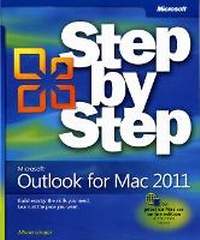
Microsoft Outlook for Mac 2011 Step by Step
Published on 15. April 2011
Book
Paperback/Softback
448 pages
978-0-7356-5189-0 (ISBN)
Description
The smart way to learn Microsoft Outlook 2011 for Mac-one step at a time!
Experience learning made easy-and quickly teach yourself how to organize your email, arrange your calendar, and manage tasks using Outlook on your Mac. With Step by Step, you set the pace-building and practicing the skills you need, just when you need them!
Switch from Microsoft Entourage with minimal disruption
Manage all your e-mail accounts in one place with Outlook
Use the Calendar to schedule meetings and appointments
Set custom rules to sort your email automatically
Prioritize and track every task-business and personal
Customize Outlook to accommodate the way you work
Your Step by Step digital content includes:
All the book's practice files-ready to download and put to work.
Fully searchable online edition of this book-with unlimited access on the Web. Free online account required.
Video tutorials illustrating important procedures and concepts.
Experience learning made easy-and quickly teach yourself how to organize your email, arrange your calendar, and manage tasks using Outlook on your Mac. With Step by Step, you set the pace-building and practicing the skills you need, just when you need them!
Switch from Microsoft Entourage with minimal disruption
Manage all your e-mail accounts in one place with Outlook
Use the Calendar to schedule meetings and appointments
Set custom rules to sort your email automatically
Prioritize and track every task-business and personal
Customize Outlook to accommodate the way you work
Your Step by Step digital content includes:
All the book's practice files-ready to download and put to work.
Fully searchable online edition of this book-with unlimited access on the Web. Free online account required.
Video tutorials illustrating important procedures and concepts.
More details
Other editions
Additional editions
Maria Langer
Microsoft Outlook for Mac 2011 Step by Step
E-Book
04/2011
1st Edition
Microsoft Press
€22.49
Available for download
Person
Maria Langer has written over 50 books about business and productivity software (Microsoft Office, FileMaker Pro), Web publishing software (WordPress), social networking services (Twitter), financial software (QuickBooks, Quicken), and operating system software (Mac OS). In addition to being a bestselling author, she also writes, narrates, and creates video training materials for Lynda.com.
Content
Introducing Microsoft Outlook for Mac 2011
Modifying the Display of the Ribbon
Features and Conventions of This Book
Using the Practice Files
Getting Support and Giving Feedback
How to Access Your Online Edition Hosted by Safari
Acknowledgments
Part 1: Start Here
Chapter 1: Getting Started Using Outlook
Chapter 2: Introducing the Outlook Interface
Part 2: Mail
Chapter 3: Composing and Sending Email Messages
Chapter 4: Reading and Responding to Email Messages
Chapter 5: Organizing Your Inbox
Chapter 6: Fine-Tuning Email Settings
Part 3: Calendar
Chapter 7: Scheduling Appointments and Meetings
Chapter 8: Managing Your Calendar
Part 4: Contacts
Chapter 9: Managing Contact Information
Chapter 10: Organizing Your Contacts List
Chapter 11: Working with Contact Records
Part 5: Tasks and Notes
Chapter 12: Tracking Tasks
Chapter 13: Taking Notes
Part 6: Program Management
Chapter 14: Using Shared Features
Glossary
Modifying the Display of the Ribbon
Features and Conventions of This Book
Using the Practice Files
Getting Support and Giving Feedback
How to Access Your Online Edition Hosted by Safari
Acknowledgments
Part 1: Start Here
Chapter 1: Getting Started Using Outlook
Chapter 2: Introducing the Outlook Interface
Part 2: Mail
Chapter 3: Composing and Sending Email Messages
Chapter 4: Reading and Responding to Email Messages
Chapter 5: Organizing Your Inbox
Chapter 6: Fine-Tuning Email Settings
Part 3: Calendar
Chapter 7: Scheduling Appointments and Meetings
Chapter 8: Managing Your Calendar
Part 4: Contacts
Chapter 9: Managing Contact Information
Chapter 10: Organizing Your Contacts List
Chapter 11: Working with Contact Records
Part 5: Tasks and Notes
Chapter 12: Tracking Tasks
Chapter 13: Taking Notes
Part 6: Program Management
Chapter 14: Using Shared Features
Glossary