

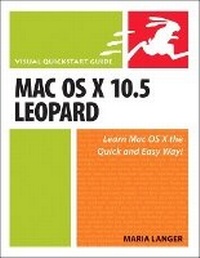
Mac OS X 10.5 Leopard
Visual QuickStart Guide
Published on 1. November 2007
Book
Paperback/Softback
696 pages
978-0-321-49600-3 (ISBN)
Description
Apple's next version of its OS, code-named Leopard, will keep Mac users in the forefront of making the most from their computers. Respected, best-selling author Maria Langer takes readers through Mac OS X's groundbreaking capabilities, including new applications such as Time Machine and Spaces and revamped applications such as Mail, Dashboard, Spotlight, and iCal. With plenty of screenshots to clearly illustrate techniques, this reasonably priced guide is a great reference to the essentials of Mac OS X Leopard.
Easy visual approach uses pictures to guide you through Mac OS X and show you what to do.
Concise steps and explanations let you get up and running in no time.
Page for page, the best content and value around.
Companion Web site offers tips, links, updates, and more at www.marialanger.com/category/book-support/macosquickstart/.
Maria Langer has written more than 70 computer books, including best-selling Visual QuickStart Guides on Mac OS X, Microsoft Word, and Microsoft Excel, as well as hundreds of articles for magazines and Web sites. A Macintosh user since 1989, Maria never tires of teaching her Macs new tricks. When she's not writing, Maria is working hard to build her helicopter tour and charter business, Flying M Air. Visit Maria on the Web at www.marialanger.com.
Easy visual approach uses pictures to guide you through Mac OS X and show you what to do.
Concise steps and explanations let you get up and running in no time.
Page for page, the best content and value around.
Companion Web site offers tips, links, updates, and more at www.marialanger.com/category/book-support/macosquickstart/.
Maria Langer has written more than 70 computer books, including best-selling Visual QuickStart Guides on Mac OS X, Microsoft Word, and Microsoft Excel, as well as hundreds of articles for magazines and Web sites. A Macintosh user since 1989, Maria never tires of teaching her Macs new tricks. When she's not writing, Maria is working hard to build her helicopter tour and charter business, Flying M Air. Visit Maria on the Web at www.marialanger.com.
More details
Language
English
Place of publication
Berkeley
United States
Publishing group
Pearson Education (US)
Target group
College/higher education
Dimensions
Height: 229 mm
Width: 174 mm
Thickness: 38 mm
Weight
1050 gr
ISBN-13
978-0-321-49600-3 (9780321496003)
Copyright in bibliographic data and cover images is held by Nielsen Book Services Limited or by the publishers or by their respective licensors: all rights reserved.
Schweitzer Classification
Other editions
Additional editions
E-Book
10/2007
1st Edition
Peachpit Press Publications
€10.99
Available for download
Person
Maria Langer is the author of 70 computer books, including bestselling Visual QuickStart Guides for Mac OS X, Microsoft Excel, and WordPress. Using the Apple, Microsoft, and Adobe software she writes about, she creates the documents she needs to run her writing and helicopter tour and charter businesses. When she's not writing, Maria is probably touring Arizona by helicopter or horseback or teaching her parrot how to make animal noises. Visit Maria on the Web at www.marialanger.com.
Content
Mac OS X 10.5 Leopard: Visual QuickStart Guide
(Working Outline)
Introduction:
New Features in Mac OS X 10.5
Setting Up Mac OS X 10.5
Chapter 1: Setting Up Mac OS X 10.5
Chapter 2: Finder Basics
Chapter 3: File Management
Chapter 4: Using Spotlight
Chapter 5: Advanced Finder Techniques
Chapter 6: Customizing the Finder
Chapter 7: Desktop Management
Chapter 8: Application Basics
Chapter 9: TextEdit
Chapter 10: Personal Information Software
Chapter 11: Front Row
Chapter 12: Other Mac OS X Applications
Chapter 13: Dashboard
Chapter 14: Fonts
Chapter 15: Printing and Faxing
Chapter 16: Connecting to the Internet
Chapter 17: Using Internet Applications
Chapter 19: Multiple Users
Chapter 20: Security
Chapter 21: System Preferences
Chapter 22: Mac OS Utilities
Chapter 23: Automation Tools
Chapter 24: Unix Basics for Mac OS X
Chapter 25: Boot Camp
Chapter 26: Getting Help
Appendix A: Menus and Keyboard Equivalents
(Working Outline)
Introduction:
New Features in Mac OS X 10.5
Setting Up Mac OS X 10.5
Chapter 1: Setting Up Mac OS X 10.5
Chapter 2: Finder Basics
Chapter 3: File Management
Chapter 4: Using Spotlight
Chapter 5: Advanced Finder Techniques
Chapter 6: Customizing the Finder
Chapter 7: Desktop Management
Chapter 8: Application Basics
Chapter 9: TextEdit
Chapter 10: Personal Information Software
Chapter 11: Front Row
Chapter 12: Other Mac OS X Applications
Chapter 13: Dashboard
Chapter 14: Fonts
Chapter 15: Printing and Faxing
Chapter 16: Connecting to the Internet
Chapter 17: Using Internet Applications
Chapter 19: Multiple Users
Chapter 20: Security
Chapter 21: System Preferences
Chapter 22: Mac OS Utilities
Chapter 23: Automation Tools
Chapter 24: Unix Basics for Mac OS X
Chapter 25: Boot Camp
Chapter 26: Getting Help
Appendix A: Menus and Keyboard Equivalents