

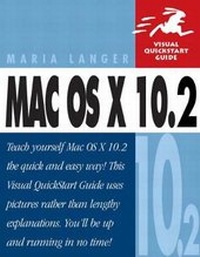
Mac OS X 10.2
Visual QuickStart Guide
Published on 17. September 2002
Book
Paperback/Softback
384 pages
978-0-321-15801-7 (ISBN)
Description
Along with a major upgrade to Apple's core operating system comes a comprehensive upgrade to the best-selling Mac OS X: Visual QuickStart Guide. Mac OS X 10.x promises to offer exciting new features that will change how people use their Macs, such as iChat, improved Unix tools, Bluetooth-enabled contact management software, QuickTime 6, and advanced handwriting recognition. This newest revision to Maria Langer's best-selling book covers all of the new features and more in the familiar step-by-step, task-based approach that millions of readers have come to rely on when they need to quickly and easily master complex, new technologies. Whether you're a newbie or a Mac veteran, getting used to a new operating system can be a frustrating, and at times, frightening experience. Mac OS X 10.x: Visual QuickStart Guide takes the fear out of upgrading for all levels of users. Beginning Mac users can use this book to get up and running on their new system, while seasoned Mac veterans can quickly reference the new features in this new OS release.
More details
Series
Language
English
Place of publication
Berkeley
United States
Publishing group
Pearson Education (US)
Target group
College/higher education
Illustrations
illustrations
ISBN-13
978-0-321-15801-7 (9780321158017)
Copyright in bibliographic data and cover images is held by Nielsen Book Services Limited or by the publishers or by their respective licensors: all rights reserved.
Schweitzer Classification
Other editions
New editions
Book
11/2003
Peachpit Press Publications
€23.51
Article exhausted; check for reprint
Previous edition
Book
05/2002
Peachpit Press Publications
€18.56
Article exhausted; check for reprint
Person
Maria Langer has written dozens of computer books, including best-selling Visual QuickStart Guides on Mac OS X, Word, and Excel. A columnist for FileMaker Pro Advisor, she also writes for MacAddict and other publications.
Content
Author Note.
Introduction to Mac OS X.
1. Setting Up Mac OS X 10.2.
2. Finder Basics.
3. File Management.
4. Advanced Finder Techniques.
5. Application Basics.
6. Using Mac OS Applications.
7. Using TextEdit.
8. Printing.
9. Connecting to the Internet.
10. Using Sherlock.
11. Using Mac OS i-Applications.
12. AppleScript Basics.
13. Getting Help.
Appendix A. Menus & Keyboard Equivalents.
Appendix B. Getting Started with .Mac.
Index.
Introduction to Mac OS X.
1. Setting Up Mac OS X 10.2.
2. Finder Basics.
3. File Management.
4. Advanced Finder Techniques.
5. Application Basics.
6. Using Mac OS Applications.
7. Using TextEdit.
8. Printing.
9. Connecting to the Internet.
10. Using Sherlock.
11. Using Mac OS i-Applications.
12. AppleScript Basics.
13. Getting Help.
Appendix A. Menus & Keyboard Equivalents.
Appendix B. Getting Started with .Mac.
Index.