

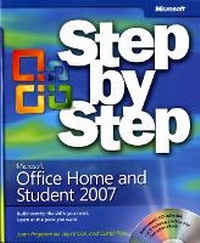
Microsoft Office Home and Student 2007 Step by Step
Published on 12. December 2007
Book
Mixed media product
512 pages
978-0-7356-2560-0 (ISBN)
Description
The smart way to learn Microsoft Office Excel 2007, Office OneNote 2007, Office PowerPoint 2007, and Office Word 2007-one step at a time! Work at your own pace through the easy, numbered steps, practice files on CD, helpful hints, and troubleshooting help to master the fundamentals of working with the Microsoft Office programs in Office Home and Student 2007, including how to navigate the new user interface. You will discover how to create, edit, and proofread documents and create polished presentations that you can really be proud of. You'll also learn how to create spreadsheets and quickly calculate data. Plus-learn how to digitally manage all of your notes so that you can easily find them and take action! With STEP BY STEP, you can take just the lessons you need or work from cover to cover. Either way, you drive the instruction-building and practicing the skills you need, just when you need them! Includes a companion CD with hands-on practice files.
For customers who purchase an ebook version of this title, instructions for downloading the CD files can be found in the ebook.
For customers who purchase an ebook version of this title, instructions for downloading the CD files can be found in the ebook.
More details
Language
English
Place of publication
Redmond
United States
Dimensions
Height: 228 mm
Width: 189 mm
Thickness: 33 mm
Weight
1026 gr
ISBN-13
978-0-7356-2560-0 (9780735625600)
Copyright in bibliographic data and cover images is held by Nielsen Book Services Limited or by the publishers or by their respective licensors: all rights reserved.
Schweitzer Classification
Other editions
New editions
Joan Lambert | Joyce Cox | Curtis Frye
Microsoft Office Home and Student 2010 Step by Step
Book
06/2010
Microsoft Press
€47.22
Article exhausted; check for reprint
Persons
Curtis Frye is the author of numerous books on Excel and other Office products, most recently the Excel 2007 Pocket Guide. He graduated from Syracuse in 1990 with a degree in political science, and then moved to Washington, DC, where he worked as a defense trade analyst for four years and as the director of sales and marketing for an ISP for one year. He moved to Portland, Oregon, in 1995 to launch his freelance writing career. When Curt's not writing, and often while he is writing, he is a keynote speaker, mentalist, and professional improvisational comedian.
Joan Lambert has worked closely with Microsoft technologies since 1986, and in the training and certification industry since 1997. As President and CEO of Online Training Solutions, Inc. (OTSI), Joan guides the translation of technical information and requirements into useful, relevant, and measurable resources for people who are seeking certification of their computer skills or who simply want to get things done efficiently.
Joan is the author or coauthor of more than three dozen books about Windows and Office (for the Windows, Mac, and iPad platforms) and three generations of Microsoft Office Specialist certification study guides. Joan is a Microsoft Certified Professional, Microsoft Office Specialist Master (for Office 2013, Office 2010, and Office 2007), Microsoft Certified Technology Specialist (for Windows and Windows Server), Microsoft Certified Technology Associate (for Windows), Microsoft Dynamics Specialist, and Microsoft Certified Trainer.
Joan Lambert has worked closely with Microsoft technologies since 1986, and in the training and certification industry since 1997. As President and CEO of Online Training Solutions, Inc. (OTSI), Joan guides the translation of technical information and requirements into useful, relevant, and measurable resources for people who are seeking certification of their computer skills or who simply want to get things done efficiently.
Joan is the author or coauthor of more than three dozen books about Windows and Office (for the Windows, Mac, and iPad platforms) and three generations of Microsoft Office Specialist certification study guides. Joan is a Microsoft Certified Professional, Microsoft Office Specialist Master (for Office 2013, Office 2010, and Office 2007), Microsoft Certified Technology Specialist (for Windows and Windows Server), Microsoft Certified Technology Associate (for Windows), Microsoft Dynamics Specialist, and Microsoft Certified Trainer.
Content
1. Microsoft Office Word 2007 Exploring Word 2007 Editing and Proofreading Documents Changing the Look of Text Presenting Information in Columns and Tables 2. Microsoft Office Excel 2007 Setting Up a Workbook Working with Data and Data Tables Performing Calculations on Data Changing Workbook Appearance 3. Microsoft Office PowerPoint 2007 Starting a New Presentation Working with Slide Text Adjusting the Layout, Order, and Look of Slides Delivering a Presentation Electronically 4. Microsoft Office One Note 2007 Getting Started with OneNote Creating and Configuring NoteBooks Collecting Information in a Notebook Organizing and Locating Information