

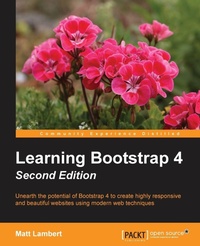
Learning Bootstrap 4
Modern, Elegant and Responsive Web Design Made Easy
2nd Edition
Published on 26. August 2016
Book
Paperback/Softback
246 pages
978-1-78588-100-8 (ISBN)
Description
Unearth the potential of Bootstrap 4 to create highly responsive and beautiful websites using modern web techniques
Key Features
[*] This book shows how to take advantage of the all new features introduced in Bootstrap
[*] Learn responsive web design and discover how to build mobile-ready websites with ease
[*] Find out how to extend the capabilities of Bootstrap with a huge range of tools and plugins, including jQuery,
[*] Do more with JavaScript and learn how to create an enhanced user experience
Book DescriptionBootstrap, the most popular front-end framework built to design elegant, powerful, and responsive interfaces for professional-level web pages has undergone a major overhaul. Bootstrap 4 introduces a wide range of new features that make front-end web design even simpler and exciting.
In this gentle and comprehensive book, we'll teach you everything that you need to know to start building websites with Bootstrap 4 in a practical way. You'll learn about build tools such as Node, Grunt, and many others. You'll also discover the principles of mobile-first design in order to ensure your pages can fit any screen size and meet the responsive requirements. Learn to play with Bootstrap's grid system and base CSS to ensure your designs are robust and that your development process is speedy and efficient. Then, you'll find out how you can extend your current build with some cool JavaScript Plugins, and throw in some Sass to spice things up and customize your themes. This book will make sure you're geared up and ready to build amazingly beautiful and responsive websites in a jiffy.What you will learn
[*] Fire up Bootstrap and set up the required build tools to get started
[*] See how and when to use Flexbox with the Bootstrap layouts
[*] Find out how to make your websites responsive, keeping in mind Mobile First design
[*] Work with content such as tables and figures
[*] Play around with the huge variety of components that Bootstrap offers
[*] Extend your build using plugins developed from JavaScript
[*] Use Sass to customize your existing themes
Who this book is forIf you want to learn to build enterprise-level websites efficiently with Bootstrap, this book is for you. You must have a basic and fundamental understanding of HTML, CSS, and JavaScript; however, there is no need to have prior Bootstrap experience.
Key Features
[*] This book shows how to take advantage of the all new features introduced in Bootstrap
[*] Learn responsive web design and discover how to build mobile-ready websites with ease
[*] Find out how to extend the capabilities of Bootstrap with a huge range of tools and plugins, including jQuery,
[*] Do more with JavaScript and learn how to create an enhanced user experience
Book DescriptionBootstrap, the most popular front-end framework built to design elegant, powerful, and responsive interfaces for professional-level web pages has undergone a major overhaul. Bootstrap 4 introduces a wide range of new features that make front-end web design even simpler and exciting.
In this gentle and comprehensive book, we'll teach you everything that you need to know to start building websites with Bootstrap 4 in a practical way. You'll learn about build tools such as Node, Grunt, and many others. You'll also discover the principles of mobile-first design in order to ensure your pages can fit any screen size and meet the responsive requirements. Learn to play with Bootstrap's grid system and base CSS to ensure your designs are robust and that your development process is speedy and efficient. Then, you'll find out how you can extend your current build with some cool JavaScript Plugins, and throw in some Sass to spice things up and customize your themes. This book will make sure you're geared up and ready to build amazingly beautiful and responsive websites in a jiffy.What you will learn
[*] Fire up Bootstrap and set up the required build tools to get started
[*] See how and when to use Flexbox with the Bootstrap layouts
[*] Find out how to make your websites responsive, keeping in mind Mobile First design
[*] Work with content such as tables and figures
[*] Play around with the huge variety of components that Bootstrap offers
[*] Extend your build using plugins developed from JavaScript
[*] Use Sass to customize your existing themes
Who this book is forIf you want to learn to build enterprise-level websites efficiently with Bootstrap, this book is for you. You must have a basic and fundamental understanding of HTML, CSS, and JavaScript; however, there is no need to have prior Bootstrap experience.
More details
Edition
2nd Revised edition
Language
English
Place of publication
Birmingham
United Kingdom
Target group
Professional and scholarly
US School Grade: College Graduate Student
Edition type
Revised edition
Dimensions
Height: 235 mm
Width: 191 mm
Thickness: 14 mm
Weight
467 gr
ISBN-13
978-1-78588-100-8 (9781785881008)
Copyright in bibliographic data and cover images is held by Nielsen Book Services Limited or by the publishers or by their respective licensors: all rights reserved.
Schweitzer Classification
Other editions
Additional editions
E-Book
07/2025
2nd Edition
Packt Publishing
from
€33.59
Available for download
Person
Matt Lambert is a designer and developer with 15+ years of experience. He currently works full-time as a Senior Software Engineer for CA Technologies in Vancouver, BC, Canada. In his free time he is an author, artist, and musician. In 2005, Matt founded Cardeo Creative, which is a small web design studio based in Vancouver. He works with a select list of clients on a part-time basis while producing his own products on the side. To date, Matt has self-published 3 additional development books titled: Mastering Bootstrap, CSS3 Handbook, and the Freelance Startup Guide.
Content
Table of Contents
Introducing Bootstrap 4
Using Bootstrap Build Tools
Jumping into Flexbox
Working with Layouts
Working with Content
Playing with Components
Extending Bootstrap with JavaScript Plugins
Throwing in Some Sass
Migrating from Version 3
Introducing Bootstrap 4
Using Bootstrap Build Tools
Jumping into Flexbox
Working with Layouts
Working with Content
Playing with Components
Extending Bootstrap with JavaScript Plugins
Throwing in Some Sass
Migrating from Version 3