

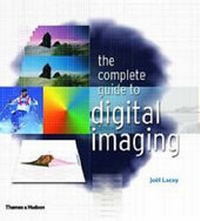
Complete Guide to Digital Imaging
Published on 8. April 2002
Book
Paperback/Softback
224 pages
978-0-500-28314-1 (ISBN)
Description
Comprehensive, detailed, but easy to follow, The Complete Guide to Digital Imaging is both a manual and an inspirational guide to achieving stunning visual images. It is targeted at all those involved in image processing, whether in digital photography, print, Web output, animation or video. Through inspirational examples, detailed technical information and practical work-throughs, this book resolves the many mystifying technical issues involved in the creation, manipulation, processing and output of digital images.
More details
Language
English
Place of publication
London
United Kingdom
Target group
College/higher education
Professional and scholarly
Illustrations
655 colour illustrations
Weight
300 gr
ISBN-13
978-0-500-28314-1 (9780500283141)
Copyright in bibliographic data and cover images is held by Nielsen Book Services Limited or by the publishers or by their respective licensors: all rights reserved.
Schweitzer Classification
Person
Joel Lacey has been writing on imaging, both analogue and digital, for 20 years. He was technical editor of Amateur Photography, launch editor of Total Imaging magazine and contributes to various newspapers and magazines.
Content
Chapter 1 - The Basics: what are digital images? How do they work? How can they be manipulated? Chapter 2 - The various types of Output and how best to optimize images for them. Chapter 3 - Editing and enhancing the 'captured' image. Chapter 4 - The pros and cons of a variety of sophisticated creative techniques, including combining image and layering, and numerous work-throughs. Chapter 5 - The mechanics of achieving effective digital image input. Includes advanced technical information on resolution, file format and the dynamic range of an image. Chapter 6 - Exploration of the vast array of digital imaging hardware. Chapter 7 - A thorough review of available software. Chapter 8 - How to deliver your image to the end user. Chapter 9 - Practice routines to help you hone the skills described in the book.