

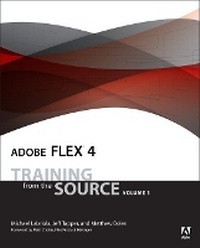
Adobe Flex 4
Training from the Source, Volume 1
Published on 20. May 2010
Book
Mixed media product
504 pages
978-0-321-66050-3 (ISBN)
Description
Adobe Flex: Training from the Source is the best-selling and most trusted resource for learning about Adobe Flex. Written by a team of authors with practical experience as consultants, mentors and developers of courseware, this book/CD uses project-based tutorials, and is designed to teach beginning Flex developers the details of building and architecting real-world rich internet applications using Flash Builder incorporating MXML and ActionScript 3.0. The book includes a CD that contains all the files used in the lessons, plus completed projects for comparison. This latest edition includes complete coverage of New Flex 4 features such as the Spark Component model, Advanced Skinning, Component Creation, and much more.
More details
Language
English
Place of publication
Indianapolis
United States
Publishing group
Pearson Education (US)
Target group
Professional and scholarly
Dimensions
Height: 189 mm
Width: 228 mm
Thickness: 27 mm
Weight
846 gr
ISBN-13
978-0-321-66050-3 (9780321660503)
Copyright in bibliographic data and cover images is held by Nielsen Book Services Limited or by the publishers or by their respective licensors: all rights reserved.
Schweitzer Classification
Other editions
Previous edition
Book
04/2008
Adobe Press,U.S.
€52.18
Article exhausted; check for reprint
Content
Chapter 1 - Understanding Rich Internet Applications
Chapter 2 - Getting Started
Chapter 3 - Laying Out the Interface
Chapter 4 - Using Simple Controls
Chapter 5 - Handling Events
Chapter 6 - Using Remote XML Data with Controls
Chapter 7 - Creating Classes and Managing Collections
Chapter 8 - DataBinding and Collections
Chapter 9 - Breaking the Application into Components
Chapter 10 - Using Lists and DataGroups
Chapter 11 - Creating Event Classes
Chapter 12 - Using DataGrids and ItemRenderers
Chapter 13 - Using Drag and Drop
Chapter 14 - Implementing Navigation
Chapter 15 - Using Formatters and Validators
Chapter 16 - Customizing the Look and Feel of a Flex Application with Styles
Chapter 17 - Customizing the Look and Feel of a Flex Application with Skins
Chapter 18 - Creating Custom Components
Appendix - Setup
Chapter 2 - Getting Started
Chapter 3 - Laying Out the Interface
Chapter 4 - Using Simple Controls
Chapter 5 - Handling Events
Chapter 6 - Using Remote XML Data with Controls
Chapter 7 - Creating Classes and Managing Collections
Chapter 8 - DataBinding and Collections
Chapter 9 - Breaking the Application into Components
Chapter 10 - Using Lists and DataGroups
Chapter 11 - Creating Event Classes
Chapter 12 - Using DataGrids and ItemRenderers
Chapter 13 - Using Drag and Drop
Chapter 14 - Implementing Navigation
Chapter 15 - Using Formatters and Validators
Chapter 16 - Customizing the Look and Feel of a Flex Application with Styles
Chapter 17 - Customizing the Look and Feel of a Flex Application with Skins
Chapter 18 - Creating Custom Components
Appendix - Setup