

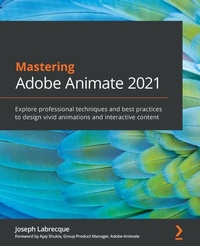
Mastering Adobe Animate 2021
Explore professional techniques and best practices to design vivid animations and interactive content
Published on 4. February 2021
Book
Paperback/Softback
404 pages
978-1-80107-416-2 (ISBN)
Description
Step into the world of animation and go beyond the fundamentals of Adobe Animate to bring experiences to life through expert-led content
Key Features
Produce rich motion graphics and interactive animations for multiple platforms and discover different ways to use Animate
Explore the key features and enhancements in the latest Adobe Animate release
Take your Adobe Animate projects to the next level by delving into creative workflows
Book DescriptionAdobe Animate is platform-agnostic asset creation, motion design, animation, and interactivity software. Complete with step-by-step explanations of essential concepts, practical examples, and hands-on walkthroughs, this book shows you how to use Adobe Animate to create immersive experiences by breaking through creative limitations across every medium.
You will begin by getting up to speed with what you need to know about Adobe Animate quickly. Next, you will learn how to get started with Animate as a creative platform and explore the features introduced in the most recent version of the software. Moving on, you'll consume and produce media assets for multiple platforms through both the publish and export workflows. Following this, you'll delve into advanced rigging techniques and discover how to create more dynamic animation with advanced depth and movement techniques. You'll also find out how to build projects such as games, virtual reality experiences, and apps for various platforms. The book concludes with an examination of different methods used to extend the software for various needs.
By the end of this book, you'll be able to produce a variety of media assets, motion design materials and animated artifacts, and interactive content pieces - all while targeting a variety of platforms including HTML5 Canvas, WebGL, and mobile devices.What you will learn
Gain a solid understanding of Adobe Animate foundations and new features
Understand the nuances associated with publishing and exporting rich media content for various platforms
Make use of advanced layering and rigging techniques to create engaging motion content
Create dynamic motion by using the camera and variable layer depth techniques
Develop web-based games, virtual reality experiences, and multiplatform mobile applications
Extend Animate with extensions, application-level scripting, and the creation of custom integrated tutorials
Who this book is forThis book is for web, graphic, and motion design professionals with basic experience in animation who want to take their existing skills to the next level. A clear understanding of basic animation concepts will help you to get the most out of this book and produce impressive results.
Key Features
Produce rich motion graphics and interactive animations for multiple platforms and discover different ways to use Animate
Explore the key features and enhancements in the latest Adobe Animate release
Take your Adobe Animate projects to the next level by delving into creative workflows
Book DescriptionAdobe Animate is platform-agnostic asset creation, motion design, animation, and interactivity software. Complete with step-by-step explanations of essential concepts, practical examples, and hands-on walkthroughs, this book shows you how to use Adobe Animate to create immersive experiences by breaking through creative limitations across every medium.
You will begin by getting up to speed with what you need to know about Adobe Animate quickly. Next, you will learn how to get started with Animate as a creative platform and explore the features introduced in the most recent version of the software. Moving on, you'll consume and produce media assets for multiple platforms through both the publish and export workflows. Following this, you'll delve into advanced rigging techniques and discover how to create more dynamic animation with advanced depth and movement techniques. You'll also find out how to build projects such as games, virtual reality experiences, and apps for various platforms. The book concludes with an examination of different methods used to extend the software for various needs.
By the end of this book, you'll be able to produce a variety of media assets, motion design materials and animated artifacts, and interactive content pieces - all while targeting a variety of platforms including HTML5 Canvas, WebGL, and mobile devices.What you will learn
Gain a solid understanding of Adobe Animate foundations and new features
Understand the nuances associated with publishing and exporting rich media content for various platforms
Make use of advanced layering and rigging techniques to create engaging motion content
Create dynamic motion by using the camera and variable layer depth techniques
Develop web-based games, virtual reality experiences, and multiplatform mobile applications
Extend Animate with extensions, application-level scripting, and the creation of custom integrated tutorials
Who this book is forThis book is for web, graphic, and motion design professionals with basic experience in animation who want to take their existing skills to the next level. A clear understanding of basic animation concepts will help you to get the most out of this book and produce impressive results.
More details
Language
English
Place of publication
Birmingham
United Kingdom
Target group
Professional and scholarly
US School Grade: College Graduate Student
Dimensions
Height: 235 mm
Width: 191 mm
Thickness: 26 mm
Weight
1114 gr
ISBN-13
978-1-80107-416-2 (9781801074162)
Copyright in bibliographic data and cover images is held by Nielsen Book Services Limited or by the publishers or by their respective licensors: all rights reserved.
Schweitzer Classification
Other editions
Additional editions
Joseph Labrecque
Mastering Adobe Animate 2021
Explore professional techniques and best practices to design vivid animations and interactive content
E-Book
09/2024
Packt Publishing
from
€56.39
Available for download
Person
Joseph Labrecque is a creative developer, designer, and educator with nearly two decades of experience creating expressive web, desktop, and mobile solutions. He joined the University of Colorado Boulder College of Media, Communication and Information as faculty with the Department of Advertising, Public Relations and Media Design in Autumn 2019. His teaching focuses on creative software, digital workflows, user interaction, and design principles and concepts. Before joining the faculty at CU Boulder, he was associated with the University of Denver as adjunct faculty and as a senior interactive software engineer, user interface developer, and digital media designer.
Labrecque has authored a number of books and video course publications on design and development technologies, tools, and concepts through publishers which include LinkedIn Learning, Apress, Peachpit, Packt, and Adobe. He has spoken at large design and technology conferences such as Adobe MAX and for a variety of smaller creative communities. He is also the founder of Fractured Vision Media, LLC; a digital media production studio and distribution vehicle for a variety of creative works.
Joseph is an Adobe Education Leader, Adobe Community Expert, and member of Adobe Partners by Design. He holds a bachelor's degree in communication from Worcester State University and a master's degree in digital media studies from the University of Denver.
Labrecque has authored a number of books and video course publications on design and development technologies, tools, and concepts through publishers which include LinkedIn Learning, Apress, Peachpit, Packt, and Adobe. He has spoken at large design and technology conferences such as Adobe MAX and for a variety of smaller creative communities. He is also the founder of Fractured Vision Media, LLC; a digital media production studio and distribution vehicle for a variety of creative works.
Joseph is an Adobe Education Leader, Adobe Community Expert, and member of Adobe Partners by Design. He holds a bachelor's degree in communication from Worcester State University and a master's degree in digital media studies from the University of Denver.
Content
Table of Contents
A Brief Introduction to Adobe Animate
Exploring Platform-Specific Considerations
Settling into the User Interface
Publishing and Exporting Creative Content
Creating and Manipulating Media Content
Interactive Motion Graphics for the Web
Character Design through Layer Parenting
Animating Poses with IK Armatures
Working with the Camera and Layer Depth
Developing Web-Based Games
Producing Virtual Reality Content for WebGL
Building Apps for Desktop and Mobile
Extending Adobe Animate
A Brief Introduction to Adobe Animate
Exploring Platform-Specific Considerations
Settling into the User Interface
Publishing and Exporting Creative Content
Creating and Manipulating Media Content
Interactive Motion Graphics for the Web
Character Design through Layer Parenting
Animating Poses with IK Armatures
Working with the Camera and Layer Depth
Developing Web-Based Games
Producing Virtual Reality Content for WebGL
Building Apps for Desktop and Mobile
Extending Adobe Animate