

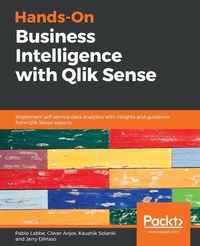
Hands-On Business Intelligence with Qlik Sense
Implement self-service data analytics with insights and guidance from Qlik Sense experts
Published on 28. February 2019
Book
Paperback/Softback
442 pages
978-1-78980-094-4 (ISBN)
Description
Create dynamic dashboards to bring interactive data visualization to your enterprise using Qlik Sense
Key Features
Implement various Qlik Sense features to create interactive dashboards
Analyze data easily and make business decisions faster using Qlik Sense
Perform self-service data analytics and geospatial analytics using an example-based approach
Book DescriptionQlik Sense allows you to explore simple-to-complex data to reveal hidden insights and data relationships to make business-driven decisions.
Hands-On Business Intelligence with Qlik Sense begins by helping you get to grips with underlying Qlik concepts and gives you an overview of all Qlik Sense's features. You will learn advanced modeling techniques and learn how to analyze the data loaded using a variety of visualization objects. You'll also be trained on how to share apps through Qlik Sense Enterprise and Qlik Sense Cloud and how to perform aggregation with AGGR. As you progress through the chapters, you'll explore the stories feature to create data-driven presentations and update an existing story. This book will guide you through the GeoAnalytics feature with the geo-mapping object and GeoAnalytics connector. Furthermore, you'll learn about the self-service analytics features and perform data forecasting using advanced analytics. Lastly, you'll deploy Qlik Sense apps for mobile and tablet.
By the end of this book, you will be well-equipped to run successful business intelligence applications using Qlik Sense's functionality, data modeling techniques, and visualization best practices.
What you will learn
Discover how to load, reshape, and model data for analysis
Apply data visualization practices to create stunning dashboards
Make use of Python and R for advanced analytics
Perform geo-analysis to create visualizations using native objects
Learn how to work with AGGR and data stories
Who this book is forIf you're a data analyst, BI developer, or interested in business intelligence and want to gain practical experience of working on Qlik Sense, this book is for you. You'll also find it useful if you want to explore Qlik Sense's next-generation applications for self-service business intelligence. No prior experience of working with Qlik Sense is required.
Key Features
Implement various Qlik Sense features to create interactive dashboards
Analyze data easily and make business decisions faster using Qlik Sense
Perform self-service data analytics and geospatial analytics using an example-based approach
Book DescriptionQlik Sense allows you to explore simple-to-complex data to reveal hidden insights and data relationships to make business-driven decisions.
Hands-On Business Intelligence with Qlik Sense begins by helping you get to grips with underlying Qlik concepts and gives you an overview of all Qlik Sense's features. You will learn advanced modeling techniques and learn how to analyze the data loaded using a variety of visualization objects. You'll also be trained on how to share apps through Qlik Sense Enterprise and Qlik Sense Cloud and how to perform aggregation with AGGR. As you progress through the chapters, you'll explore the stories feature to create data-driven presentations and update an existing story. This book will guide you through the GeoAnalytics feature with the geo-mapping object and GeoAnalytics connector. Furthermore, you'll learn about the self-service analytics features and perform data forecasting using advanced analytics. Lastly, you'll deploy Qlik Sense apps for mobile and tablet.
By the end of this book, you will be well-equipped to run successful business intelligence applications using Qlik Sense's functionality, data modeling techniques, and visualization best practices.
What you will learn
Discover how to load, reshape, and model data for analysis
Apply data visualization practices to create stunning dashboards
Make use of Python and R for advanced analytics
Perform geo-analysis to create visualizations using native objects
Learn how to work with AGGR and data stories
Who this book is forIf you're a data analyst, BI developer, or interested in business intelligence and want to gain practical experience of working on Qlik Sense, this book is for you. You'll also find it useful if you want to explore Qlik Sense's next-generation applications for self-service business intelligence. No prior experience of working with Qlik Sense is required.
More details
Language
English
Place of publication
Birmingham
United Kingdom
Dimensions
Height: 235 mm
Width: 191 mm
Thickness: 24 mm
Weight
820 gr
ISBN-13
978-1-78980-094-4 (9781789800944)
Copyright in bibliographic data and cover images is held by Nielsen Book Services Limited or by the publishers or by their respective licensors: all rights reserved.
Schweitzer Classification
Other editions
Additional editions
Pablo Labbe | Clever Anjos | Kaushik Solanki
Hands-On Business Intelligence with Qlik Sense
Implement self-service data analytics with insights and guidance from Qlik Sense experts
E-Book
02/2019
1st Edition
Packt Publishing
€32.49
Available for download
Persons
Pablo Labbe is a Business Intelligence Consultant with over 18 years of experience. In 2008 he was presented to Qlikview, the former product by Qlik and the seed for Qlik Sense. Since that year he was focused on delivering BI solutions in a new way. Now he is the Principal of ANALITIKA Inteligencia delivering BI projects and training focusing on Qlik products and other technologies that embrace the Self-Service BI. He is an active member of the Qlik Community and other social media sites. You can follow him on Twitter - @pablolabbe and LinkedIn Clever Anjos is an experienced Business Discovery professional having several years working experience with Qlik, Microsoft and others BI technologies. He holds a Bachelor in Computer Science from Universidade Federal de Uberlandia (Minas Gerais State - Brazil). He works at Qlik as a Solution Architect helping companies to use the Qlik technologies to enable their professionals to be data literate persons. He has several Qlik Certifications and Awards (Qlik Luminary, Qlik MVP and Presales "Rookie of The Year" - Americas 2018) Kaushik Solanki is a computer engineer by profession. He is working at Predoole Analytics Pvt Ltd as Qlik Architect & Delivery Manager. He holds overall 9 years of experience working on Qlik technology. His passion is to educate everyone about "Data Literacy" and "Qlik". He loves to spend time on Qlik community to help Qlik developers to learn and excel. He has a great understanding of project delivery right from the business requirement to final implementation. His experience in various domains has helped business to take valuable business decisions. Jerry DiMaso is an Analytics Advisory Consultant who has spent the past ten years developing applications, advising on data and analytics strategies, and coaching organizations on how to build efficient analytics operating models. His work in more than 100 organizations in dozens of different industries has inspired him to take on the mission of improving the world's analytics capabilities through a series of practical frameworks and methodologies, most notably the Analytics Enablement and Axis Academy programs he created.
Content
Table of Contents
Getting started with Qlik Sense
Loading Data in Qlik Sense
Implementing Data Modeling Techniques
Working with Application Structure
Creating a Sales Analysis App using Qlik Sense
Interacting with Advanced Expressions
Creating Data Stories
Engaging ODAG
Creating a Native Map Using Geo Analytics
Working with Self Service Analytics
Data Forecasting Using Advanced Analytics
Deploying Qlik Sense Apps for Mobile/Tablets
Getting started with Qlik Sense
Loading Data in Qlik Sense
Implementing Data Modeling Techniques
Working with Application Structure
Creating a Sales Analysis App using Qlik Sense
Interacting with Advanced Expressions
Creating Data Stories
Engaging ODAG
Creating a Native Map Using Geo Analytics
Working with Self Service Analytics
Data Forecasting Using Advanced Analytics
Deploying Qlik Sense Apps for Mobile/Tablets