

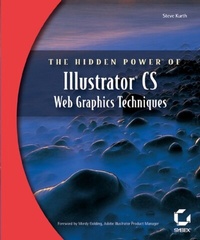
The Hidden Power of Illustrator CS
Web Graphics Techniques
1st Edition
Published on 1. November 2003
Book
Paperback/Softback
330 pages
978-0-7821-4158-0 (ISBN)
Description
"This book offers most everything the new or intermediate Illustrator user needs to make the most of Illustrator CS web graphics."
--Andy Barkl, Technical Reviewer
Unleash Illustrator's Power to Make Dynamic Web Graphics--Fast
Adobe Illustrator is a powerhouse web graphics tool. The problem is most people don't really know how to use it. That's where this book comes in. Step by step, The Hidden Power of Illustrator CS: Web Graphics Techniques teaches you to use everything Illustrator CS has to offer, helping you understand the new features, stop stumbling over the tools, anticipate problems, and get better, cleaner results. This is a valuable and easy-to-use resource for all Illustrator users ready to take their art to the web. Traditional print designers and students will benefit from its clear explanation of core web concepts while web professionals will soak up the advanced instruction, including in-depth coverage of SVG, web animation, and interactivity. Here's just a little of what you'll learn:
* Mastering essential Illustrator tools--and choosing the right one for the job
* Setting up your work environment
* Integrating your work with other applications, including GoLive, Dreamweaver, Photoshop, and ImageReady
* Using information in existing web pages to optimize images
* Building common web buttons and banners
* Setting up and exporting CSS layers from Illustrator
* Using Illustrator to build complete web pages
* Creating and using web page templates
* Setting up animations in Illustrator
* Understanding SVG and using it for interactivity
* Creating 3D animations using new Illustrator features
--Andy Barkl, Technical Reviewer
Unleash Illustrator's Power to Make Dynamic Web Graphics--Fast
Adobe Illustrator is a powerhouse web graphics tool. The problem is most people don't really know how to use it. That's where this book comes in. Step by step, The Hidden Power of Illustrator CS: Web Graphics Techniques teaches you to use everything Illustrator CS has to offer, helping you understand the new features, stop stumbling over the tools, anticipate problems, and get better, cleaner results. This is a valuable and easy-to-use resource for all Illustrator users ready to take their art to the web. Traditional print designers and students will benefit from its clear explanation of core web concepts while web professionals will soak up the advanced instruction, including in-depth coverage of SVG, web animation, and interactivity. Here's just a little of what you'll learn:
* Mastering essential Illustrator tools--and choosing the right one for the job
* Setting up your work environment
* Integrating your work with other applications, including GoLive, Dreamweaver, Photoshop, and ImageReady
* Using information in existing web pages to optimize images
* Building common web buttons and banners
* Setting up and exporting CSS layers from Illustrator
* Using Illustrator to build complete web pages
* Creating and using web page templates
* Setting up animations in Illustrator
* Understanding SVG and using it for interactivity
* Creating 3D animations using new Illustrator features
More details
Other editions
Additional editions
E-Book
07/2006
Sybex
€36.40
Available for download
Person
Steve Kurth is an Adobe Certified Expert in Photoshop, Acrobat, and Illustrator, as well as author of Illustrator 10 Shop Manual (New Riders) and co-author of Digital Prepress Complete (Hayden). He's an instructor at the American Graphics Institute, a lecturer at industry events, and a freelance cartoonist and illustrator. Corporate clients include Verizon and LL Bean.
Content
Foreword.
Introduction.
Chapter 1: Core Terms and Concepts.
Chapter 2: Essential Illustrator Tools and Techniques.
Chapter 3: Save For Web Reference.
Chapter 4: Gathering the Required Information.
Chapter 5: Preparing the Work Environment.
Chapter 6: Creating Single Graphics.
Chapter 7: Optimizing Spot Illustrations.
Chapter 8: Creating Complete Pages.
Chapter 9: Creating Animations.
Chapter 10: Creating Scalable Vector Graphics (SVG).
Index.
Introduction.
Chapter 1: Core Terms and Concepts.
Chapter 2: Essential Illustrator Tools and Techniques.
Chapter 3: Save For Web Reference.
Chapter 4: Gathering the Required Information.
Chapter 5: Preparing the Work Environment.
Chapter 6: Creating Single Graphics.
Chapter 7: Optimizing Spot Illustrations.
Chapter 8: Creating Complete Pages.
Chapter 9: Creating Animations.
Chapter 10: Creating Scalable Vector Graphics (SVG).
Index.