

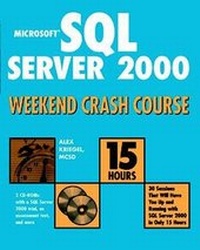
Microsoft SQL Server 2000 Weekend Crash Course
1st Edition
Published on 15. October 2001
Book
Paperback/Softback
408 pages
978-0-7645-4840-6 (ISBN)
Description
Microsoft SQL Server 2000 Weekend Crash Course includes 30 sessions on the key aspects of Microsoft SQL Server 2000. Each session is designed to take 30 minutes to complete, so the Crash Course is an intense 15-hour learning period. You can complete the Crash Course over a weekend -- but you can also easily adapt the Crash Course sessions to whatever schedule best suits your needs.
More details
Series
Edition
1., Auflage
Language
English
Place of publication
Foster City
United States
Publishing group
John Wiley & Sons Inc
Target group
Professional and scholarly
Illustrations
illustrations
Dimensions
Height: 23.4 cm
Width: 18.9 cm
Thickness: 22 mm
Weight
680 gr
ISBN-13
978-0-7645-4840-6 (9780764548406)
Schweitzer Classification
Person
Alex Kriegel is a Microsoft Certified Solution Developer who is employed by Psion Teklogix International, Inc., Integration Services Group.
Psion Teklogix International Inc, Integration Services's main product is TekRF Integration Components for SAP R/3, which serve as middleware that interfaces terminals into a SAP R/3 System. Alex's company also supplies custom transaction sets to perform all kinds of warehouse operations like picking, put away, and inventory count. Among other technologies, Psion's application uses Microsoft SQL Server 6.
In addition to his programming job, Alex has been responsible for troubleshooting SQL Server installations for customers around the world, optimizing performance and devising SQL stored procedures. He has also conducted an internal, hands-on training course on SQL Server for Psion's SAP analysts. It consists of three 2-hour sessions and targets a beginning to intermediate audience.
Psion Teklogix International Inc, Integration Services's main product is TekRF Integration Components for SAP R/3, which serve as middleware that interfaces terminals into a SAP R/3 System. Alex's company also supplies custom transaction sets to perform all kinds of warehouse operations like picking, put away, and inventory count. Among other technologies, Psion's application uses Microsoft SQL Server 6.
In addition to his programming job, Alex has been responsible for troubleshooting SQL Server installations for customers around the world, optimizing performance and devising SQL stored procedures. He has also conducted an internal, hands-on training course on SQL Server for Psion's SAP analysts. It consists of three 2-hour sessions and targets a beginning to intermediate audience.
Content
Preface.
Acknowledgments.
FRIDAY.
Part I: Friday Evening.
Session 1: Getting Started.
Session 2: Go Configure.
Session 3: First Look at Enterprise Manager Console.
Session 4: Second Look at Enterprise Manager Console.
SATURDAY.
Part II: Saturday Morning.
Session 5: Relational Database Concepts.
Session 6: SQL Server Databases.
Session 7: Creating and Using a Custom Database.
Session 8: Transact-SQL Programming Language.
Session 9: T-SQL and SQL Query Analyzer.
Session 10: Programming with T-SQL.
Part III: Saturday Afternoon.
Session 11: Creating and Using Stored Procedures.
Session 12: Trigger Happy.
Session 13: Introducing Cursors.
Session 14: Understanding Indexes.
Session 15: Rules, Defaults, and Constraints.
Session 16: Understanding Transactions and Locks.
Part IV: Saturday Evening.
Session 17: Data Transformation Services.
Session 18: SQL Server Back Up.
Session 19: SQL Server Replication.
Session 20: User Management.
SUNDAY.
Part V: Sunday Morning.
Session 21: Managing Your Databases Visually.
Session 22: Distributed Transaction Coordinator.
Session 23: Accessing SQL Server System Information.
Session 24: Automating Administration Tasks with SQL Server Agent.
Session 25: Configuring SQL Server Mail.
Session 26: Performance Tuning and Optimization.
Part VI: Sunday Afternoon.
Session 27: Disaster Recovery.
Session 28: SQL Server Security.
Session 29: Database Connectivity.
Session 30: Advanced Features of Microsoft SQL Server 2000.
Appendix A: Answers to Part Reviews.
Appendix B: What's on the CD-ROM.
Index.
End-User License Agreement.
CD-ROM Installation Instructions.
Acknowledgments.
FRIDAY.
Part I: Friday Evening.
Session 1: Getting Started.
Session 2: Go Configure.
Session 3: First Look at Enterprise Manager Console.
Session 4: Second Look at Enterprise Manager Console.
SATURDAY.
Part II: Saturday Morning.
Session 5: Relational Database Concepts.
Session 6: SQL Server Databases.
Session 7: Creating and Using a Custom Database.
Session 8: Transact-SQL Programming Language.
Session 9: T-SQL and SQL Query Analyzer.
Session 10: Programming with T-SQL.
Part III: Saturday Afternoon.
Session 11: Creating and Using Stored Procedures.
Session 12: Trigger Happy.
Session 13: Introducing Cursors.
Session 14: Understanding Indexes.
Session 15: Rules, Defaults, and Constraints.
Session 16: Understanding Transactions and Locks.
Part IV: Saturday Evening.
Session 17: Data Transformation Services.
Session 18: SQL Server Back Up.
Session 19: SQL Server Replication.
Session 20: User Management.
SUNDAY.
Part V: Sunday Morning.
Session 21: Managing Your Databases Visually.
Session 22: Distributed Transaction Coordinator.
Session 23: Accessing SQL Server System Information.
Session 24: Automating Administration Tasks with SQL Server Agent.
Session 25: Configuring SQL Server Mail.
Session 26: Performance Tuning and Optimization.
Part VI: Sunday Afternoon.
Session 27: Disaster Recovery.
Session 28: SQL Server Security.
Session 29: Database Connectivity.
Session 30: Advanced Features of Microsoft SQL Server 2000.
Appendix A: Answers to Part Reviews.
Appendix B: What's on the CD-ROM.
Index.
End-User License Agreement.
CD-ROM Installation Instructions.