

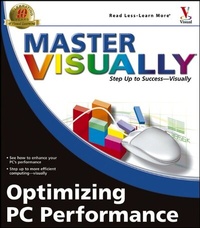
Master VISUALLY Optimizing PC Performance
1st Edition
Published on 1. February 2005
Book
Paperback/Softback
416 pages
978-0-7645-7787-1 (ISBN)
Description
* Offers step-by-step instructions for more than 190 optimizing tasks, including streamlining a Start menu, preventing unnecessary programs from wasting memory, improving monitor performance, and printing faster and more efficiently
* The ideal resource for intermediate to advanced visual learners who want to speed up a dragging computer, understand how to prevent bottlenecks in the future, and enhance network performance and reliability
* Addresses how to identify and troubleshoot common problems and how to check and protect a PC from viruses
* Explores different tools to get the job done and looks at which ones are best suited for different tasks
* Includes an explanation of how to assemble a collection of essential freeware and shareware utilities and get optimum performance with hardware upgrades
* The ideal resource for intermediate to advanced visual learners who want to speed up a dragging computer, understand how to prevent bottlenecks in the future, and enhance network performance and reliability
* Addresses how to identify and troubleshoot common problems and how to check and protect a PC from viruses
* Explores different tools to get the job done and looks at which ones are best suited for different tasks
* Includes an explanation of how to assemble a collection of essential freeware and shareware utilities and get optimum performance with hardware upgrades
Reviews / Votes
"...generously illustrated with hundreds of annotated screen shots..." (PC Utilities, March 2005)More details
Series
Edition
1., Auflage
Language
English
Place of publication
Foster City
United States
Publishing group
John Wiley & Sons Inc
Target group
Professional and scholarly
Edition type
Annotated edition
Illustrations
Illustrations
Dimensions
Height: 22.8 cm
Width: 20.3 cm
Thickness: 28 mm
Weight
879 gr
ISBN-13
978-0-7645-7787-1 (9780764577871)
Schweitzer Classification
Person
Joe Kraynak has been writing and editing training manuals and computer books for over fifteen years. His long list of computer books includes Internet: Top 100 Simplified Tips & Tricks, Google: Top 100 Simplified Tips & Tricks, Master Visually: Creating Web Pages, and The Complete Idiot's Guide to Computer Basics. Joe has a Bachelor's degree in Philosophy and Creative Writing and a Master's degree in English Literature from Purdue University.
Content
PART I: TAKING INVENTORY OF YOUR PC.
1) Test PC Performance.
2) Check Available PC Resources.
3) Check Internet Connection Speed and Security.
4) Safely Back Up and Optimize Your PC.
PART II: RECLAIMING DICK DRIVE SPACE.
5) Automate File Removal with Disk Cleanup.
6) Unistall Programs You Never Use.
7) Find and Delete Other Useless Files.
8) Clear Old E-mail Messages from Your System.
PART III: OPTIMIZING HARD DRIVE PERFORMANCE AND MEMORY.
9) Convert the Disk Format.
10) Optimize a Disk Drive.
11) Optimize Processor and Memory Usage.
PART IV: MAKING YOUR PC START FASTER.
12) Adjust the BIOS Startup Settings.
13) Streamline the Windows Startup.
PART V: IMPROVING INTERNET PERFORMANCE.
14) Eliminate Spyware and Adware.
15) Block Pop-up Ads.
16) Prevent Spam.
17) Optimize Internet Connection Speed.
18) Optimize your Web Browser.
PART VI: OPTIMIZING THE WINDOWS REGISTRY.
19) Back Up and Restore the Windows Registry.
20) Remove Unnecessary Registry Entries.
21) Tweak the Windows Registry.
PART VII: UPDATING AND OPTIMIZING YOUR SOFTWARE.
22) Update Windows.
23) Update Hardware Device Drivers.
24) Optimize Your Application Software.
PART VIII: OPTIMIZING YOUR PC'S DISPLAY.
25) Streamline the Windows Desktop.
26) Optimize the Display Settings.
PART IX: PROTECTING YOUR PC FROM VIRUSES AND CRACKERS.
27) Install and Configure an AntiVirus Program.
28) Prevent Unauthorized Access to Your PC.
29) Configure a Browser's Security Settings.
30) Censor Sites That Contain Offensive Content.
PART X: RETURNING YOUR PC TO PRISTINE CONDITION.
31) Repair a Windows XP Installation.
32) Re-Install Windows XP.
1) Test PC Performance.
2) Check Available PC Resources.
3) Check Internet Connection Speed and Security.
4) Safely Back Up and Optimize Your PC.
PART II: RECLAIMING DICK DRIVE SPACE.
5) Automate File Removal with Disk Cleanup.
6) Unistall Programs You Never Use.
7) Find and Delete Other Useless Files.
8) Clear Old E-mail Messages from Your System.
PART III: OPTIMIZING HARD DRIVE PERFORMANCE AND MEMORY.
9) Convert the Disk Format.
10) Optimize a Disk Drive.
11) Optimize Processor and Memory Usage.
PART IV: MAKING YOUR PC START FASTER.
12) Adjust the BIOS Startup Settings.
13) Streamline the Windows Startup.
PART V: IMPROVING INTERNET PERFORMANCE.
14) Eliminate Spyware and Adware.
15) Block Pop-up Ads.
16) Prevent Spam.
17) Optimize Internet Connection Speed.
18) Optimize your Web Browser.
PART VI: OPTIMIZING THE WINDOWS REGISTRY.
19) Back Up and Restore the Windows Registry.
20) Remove Unnecessary Registry Entries.
21) Tweak the Windows Registry.
PART VII: UPDATING AND OPTIMIZING YOUR SOFTWARE.
22) Update Windows.
23) Update Hardware Device Drivers.
24) Optimize Your Application Software.
PART VIII: OPTIMIZING YOUR PC'S DISPLAY.
25) Streamline the Windows Desktop.
26) Optimize the Display Settings.
PART IX: PROTECTING YOUR PC FROM VIRUSES AND CRACKERS.
27) Install and Configure an AntiVirus Program.
28) Prevent Unauthorized Access to Your PC.
29) Configure a Browser's Security Settings.
30) Censor Sites That Contain Offensive Content.
PART X: RETURNING YOUR PC TO PRISTINE CONDITION.
31) Repair a Windows XP Installation.
32) Re-Install Windows XP.