

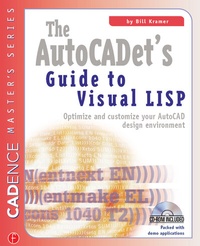
The AutoCADET's Guide to Visual LISP
1st Edition
Published on 12. January 2001
Book
Paperback/Softback
266 pages
978-1-57820-089-4 (ISBN)
Description
AutoCADet: A person who uses AutoCAD directly or indirectly to create or analyze graphic images and is in possession of one or more of the following traits: wants to learn; has an interest in improving the way AutoCAD works; is a visionary AutoCAD user; i
More details
Language
English
Place of publication
New York
United States
Publishing group
McGraw-Hill Education - Europe
Target group
Professional and scholarly
Professional Practice & Development
Dimensions
Height: 280 mm
Width: 210 mm
Weight
453 gr
ISBN-13
978-1-57820-089-4 (9781578200894)
Copyright in bibliographic data and cover images is held by Nielsen Book Services Limited or by the publishers or by their respective licensors: all rights reserved.
Schweitzer Classification
Other editions
Additional editions
Bill Kramer
The AutoCADET's Guide to Visual LISP
E-Book
04/2013
1st Edition
Routledge
€63.49
Available for download
Bill Kramer
The AutoCADET's Guide to Visual LISP
E-Book
04/2013
1st Edition
Routledge
€63.49
Available for download
Person
Bill Kramer is a computer scientist with 20+ years experience in CAD systems. He is a leading authority on AutoCAD customization regularly leading tutorial presentations at Autodesk University, and contributing articles to industry publications, including his 'Programmer's Toolbox' column in Cadence magazine. In addition to writing for Cadence since its inception in 1986, Bill is the author of AutoLISP Treasure Chest and co-author of AutoCAD VBA Programming Tools and Techniques. Bill has recently taken time away from his duties as president of Auto-Code Mechanical to organize and lead the popular CAD-Cruise for programming and system management training.
Content
Introduction and Acknowledgements; Section 1: Getting Started; 1. Understanding Visual LISP; 2. Introducing the Visual LISP IDE; 3. The Essence of Visual LISP; Section 2: Working with Visual LISP; 4. Working with Strings of Characters; 5. Working with Numbers; 6. Converting Between Numbers and Strings; 7. Conditionals and Loops; 8. Working with Lists; Section 3: Visual LISP and the User; 9. Basic User Output; 10. Basic User Input; 11. Introduction to Dialog Boxes; Section 4: The AutoCAD Interface; 12. Working with AutoCAD Drawings; 13. Selection Sets; 14. Tables; 15. Extra Data; 16. AutoCAD Interface Programming; 17. Working with Complex Objects; 18. Event Programming - Reactors; Section 5: The Computer Interface; 19. Working with the Computer; 20. More Features of the VLIDE