

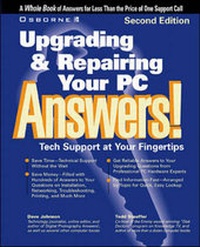
Upgrading and Repairing Your PC Answers!
Certified Tech Support
2nd Edition
Published on 13. August 1999
Book
Paperback/Softback
526 pages
978-0-07-212102-5 (ISBN)
Description
A guide to upgrading and repairing a PC, containing answers to questions, tips and tricks. It features step-by-step walkthroughs for common procedures, line drawings and photographs, and a quick reference command card. Some of the technologies covered in this second edition are: home networking and faster ethernet-based home Internet; USB (Universal Serial Bus) and new peripherals; digital video input/editing; and processor upgrades, Pentium III, K6 upgrades. The authors of the book are the hosts of the radio talk show, "The Computer Guys".
More details
Series
Edition
2nd Revised edition
Language
English
Place of publication
New York
United States
Publishing group
McGraw-Hill Education - Europe
Target group
Professional and scholarly
Edition type
Revised edition
Illustrations
photographs, line drawings
Dimensions
Height: 235 mm
Width: 189 mm
Weight
1050 gr
ISBN-13
978-0-07-212102-5 (9780072121025)
Copyright in bibliographic data and cover images is held by Nielsen Book Services Limited or by the publishers or by their respective licensors: all rights reserved.
Schweitzer Classification
Persons
Content
Part 1 Top ten FAQs: top ten most common questions. Part 2 Tools, the case and power supply: upgrading power supply; different kinds of cases and working inside w/out damage. Part 3 The motherboard and CPU: types and explanations; upgrading. Part 4 Interfaces: different port types; installing, adding, and dealing with ports; USB ports and devices. Part 5 Input controllers: mouse, keyboard and joystick; maintenance, conflicts and issues. Part 6 Video: upgrading and installing standard video cards; advanced technologies; troubleshooting. Part 7 Sound: new sound card technologies and devices; installing and connecting various set ups. Part 8 Storage: technologies; choosing, adding and replacing hardware; troubleshooting. Part 9 Network: installing a LAN; hardware - adding and solutions; backup network from Windows. Part 10 Imaging: choosing a scanner; basic troubleshooting; digital video. Part 11 Modems and Internet access: settings, connection, and troubleshooting; ISDN and Internet access. Part 12 Printing: technologies; maintenance, common problems, troubleshooting. Part 13 Emergency recovery: preventative maintenance; recovery, reinstallation, restoring, repairing. Part 14 Solving Windows problems: using diagnostic software.