

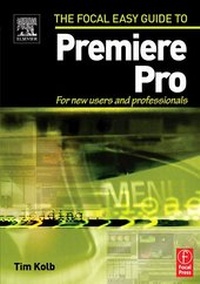
Focal Easy Guide to Premiere Pro
For New Users and Professionals
Published on 5. June 2004
Book
Paperback/Softback
199 pages
978-0-240-80567-2 (ISBN)
Description
This highly illustrated, full color book tells you all you need to know to get up and running quickly using Adobe Premiere Pro to achieve professional results. It covers the essentials, so you can apply the knowledge to your project immediately.
All the important areas are covered: set up, the interface, editing, effects, integration with other Adobe products, and finishing.
An invaluable first read for users of all levels who want to achieve professional results.
All the important areas are covered: set up, the interface, editing, effects, integration with other Adobe products, and finishing.
An invaluable first read for users of all levels who want to achieve professional results.
Reviews / Votes
'From front to back, this 199 page book has very tightly integrated all of the necessary steps to take a video from the camera to the final output....What stands out the moment you open the book are the brilliant graphics. The screen shots are in full color and even the smallest text is easy to read.'- Steven Gotz, Creative Cow
'The graphics are the highest-quality I've ever seen in a book that wasn't meant to be displayed on a coffee table. They add a rich dimension to the book that will help the readers tremendously.' - Jeff Bellune, Bellune Digital Video Services
More details
Language
English
Place of publication
Oxford
United Kingdom
Publishing group
Taylor & Francis Ltd
Target group
Professional and scholarly
Dimensions
Height: 229 mm
Width: 152 mm
ISBN-13
978-0-240-80567-2 (9780240805672)
Copyright in bibliographic data and cover images is held by Nielsen Book Services Limited or by the publishers or by their respective licensors: all rights reserved.
Schweitzer Classification
Person
Tim Kolb is an Emmy Award-winning director and a 20-year veteran of video and television production. He is an advisor to Adobe Systems and CineForm and is a respected trainer as well as host of several industry-related forums at creativecow.net.
Content
Set Up; Interface; Capturing Media; Organizing Media in the Project Window; Monitors; Editing; Effects; Adobe Titler Designer; Audio; Interaction with Photoshop, After Effects, and Encore; Taking Your Program to Tape