

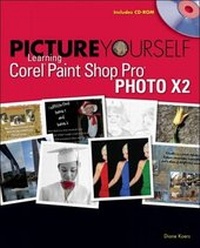
Picture Yourself Learning Corel Paint Shop Pro X2
Published on 7. February 2008
Book
Mixed media product
416 pages
978-1-59863-425-9 (ISBN)
Description
Harness the power of Paint Shop Pro Photo and discover all the fun and practical techniques you can use to perfect your photographs and create dynamic graphic elements. "Picture Yourself Learning Corel Paint Shop Pro Photo X2" introduces you to the tools you need to correct and enhance photographs, beginning with the basics of working with toolbars, palettes, and rulers, and setting up your Paint Shop Pro Photo preferences. Once you are acquainted with the basic tools, you'll learn how to use layers to make brightness, hue, and color contrast adjustments; how resolution applies to your monitor, your images, and your prints; and how to use the various file and output functions. In addition to numerous retouching and repairing techniques, you'll discover how to use special effects to turn your photographs into works of art and create digital scrapbook pages and 3D images. In addition to the step-by-step instructions, tips, and notes, you'll find a glossary to help you define terms that are new to you, as well as appendixes featuring Paint Shop Pro Photo keyboard shortcuts and useful additional resources.
Get ready to create beautiful scrapbook pages, panoramas, framed photographs, and more with "Picture Yourself Learning Corel Paint Shop Pro Photo X2."
Get ready to create beautiful scrapbook pages, panoramas, framed photographs, and more with "Picture Yourself Learning Corel Paint Shop Pro Photo X2."
More details
Language
English
Place of publication
Clifton Park
United States
Publishing group
Cengage Learning, Inc
Dimensions
Height: 221 mm
Width: 175 mm
Thickness: 13 mm
Weight
1067 gr
ISBN-13
978-1-59863-425-9 (9781598634259)
Copyright in bibliographic data and cover images is held by Nielsen Book Services Limited or by the publishers or by their respective licensors: all rights reserved.
Schweitzer Classification
Content
Introduction Chapter 1: Getting Acquainted Chapter 2: Working with Paint Shop Pro Photo Files Chapter 3: Discovering Drawing Tools Chapter 4: Making Selections Chapter 5: Understanding Color Chapter 6: Developing Layers Chapter 7: Becoming More Organized Chapter 8: Making Quick Fixes Chapter 9: Manually Editing Images Chapter 10: Adding Effects, Filters, and Deformations Chapter 11: Constructing Vector Objects Chapter 12: Editing Vector Objects Chapter 13: Working with Text Chapter 14: Printing and Distributing Images Chapter 15: Creating Panoramas and 3-D Photos Chapter 16: Making Digital Scrapbooks Appendix A: Keyboard Shortcuts Appendix B: Exploring Useful Web Sites Glossary Index