

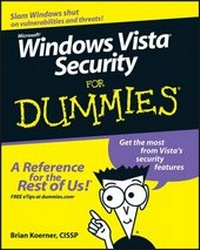
Windows Vista Security For Dummies
1st Edition
Published on 9. November 2007
Book
Paperback/Softback
364 pages
978-0-470-11805-4 (ISBN)
Description
Find out how to use the fortress built into Vista
Assess your risk, protect your kids, and keep phishers out of your bank account
Vista is beefed up with new security features to help you deflect spyware, malware, and identity thieves. But unless you know how to use these tools, all you'll get is frustration. So arm yourself with this book and discover your right to Rights Management, what the Windows Security Center provides, and how to toughen up your defenses.
Discover how to:
*
Save money by using built-in security tools
*
Audit your network
*
Fine-tune your firewall
*
Use all the enhancements in Explorer 7
*
Control what your kids play and where they go online
Assess your risk, protect your kids, and keep phishers out of your bank account
Vista is beefed up with new security features to help you deflect spyware, malware, and identity thieves. But unless you know how to use these tools, all you'll get is frustration. So arm yourself with this book and discover your right to Rights Management, what the Windows Security Center provides, and how to toughen up your defenses.
Discover how to:
*
Save money by using built-in security tools
*
Audit your network
*
Fine-tune your firewall
*
Use all the enhancements in Explorer 7
*
Control what your kids play and where they go online
Reviews / Votes
"... gives practical advice...a useful companion" (Infosecurity, September 1, 2008)More details
Edition
1., Auflage
Language
English
Place of publication
Chichester
United Kingdom
Publishing group
John Wiley and Sons Ltd
Target group
Professional and scholarly
Illustrations
Illustrations
Dimensions
Height: 23.3 cm
Width: 19 cm
Thickness: 2.2 cm
Weight
562 gr
ISBN-13
978-0-470-11805-4 (9780470118054)
Schweitzer Classification
Persons
Brian Koerner, CISSP, is About.com's identity theft expert and a former police officer. An expert in computer forensics, he provides IT security services to small-to-medium businesses and Fortune 500 corporations.
Content
Introduction.
Part I: Vista Security Essentials.
Chapter 1: Getting Up to Speed on Vista Security.
Chapter 2: Setting Up Your Security Plan.
Chapter 3: Dispensing Security from Windows Security Center.
Part II: Controlling Access to Systems and Data.
Chapter 4: Administering User Account Control.
Chapter 5: Protecting Your Data with Rights Management Service.
Chapter 6: Managing Accounts, Groups, and Shares.
Chapter 7: Advanced Techniques for Managing Access.
Part III:Preserving and Protecting Data.
Chapter 8: Backing Up So You Can Always Restore.
Chapter 9: Planning and Implementing Encrypting File System.
Chapter 10: Avoiding Data Theft with BitLocker.
Part IV: Guarding against Threats to Network Security.
Chapter 11: Configuring Your Firewall.
Chapter 12: Locking Down Wireless.
Chapter 13: Implementing IE7 Security Features to Limit Your Exposur.
Chapter 14: Avoiding Invasion (By Malware, Spyware, Viruses, and the Other Usual Suspects).
Part V: Establishing Advanced Security Practices.
Chapter 15: Restricting the Use of Removable Media (And More).
Chapter 16: Working with Vista Security Policies.
Part VI: The Part of Tens.
Chapter 17: Nine Security Risks and How to Thwart Them.
Chapter 18: Ten Additional Security Tools and Resources You Shouldn't Compute Without.
Appendix A: Glossary of Vista and Security Terms.
Appendix B: Getting to Know Vista Versions (And Related Security Features).
Index.
Part I: Vista Security Essentials.
Chapter 1: Getting Up to Speed on Vista Security.
Chapter 2: Setting Up Your Security Plan.
Chapter 3: Dispensing Security from Windows Security Center.
Part II: Controlling Access to Systems and Data.
Chapter 4: Administering User Account Control.
Chapter 5: Protecting Your Data with Rights Management Service.
Chapter 6: Managing Accounts, Groups, and Shares.
Chapter 7: Advanced Techniques for Managing Access.
Part III:Preserving and Protecting Data.
Chapter 8: Backing Up So You Can Always Restore.
Chapter 9: Planning and Implementing Encrypting File System.
Chapter 10: Avoiding Data Theft with BitLocker.
Part IV: Guarding against Threats to Network Security.
Chapter 11: Configuring Your Firewall.
Chapter 12: Locking Down Wireless.
Chapter 13: Implementing IE7 Security Features to Limit Your Exposur.
Chapter 14: Avoiding Invasion (By Malware, Spyware, Viruses, and the Other Usual Suspects).
Part V: Establishing Advanced Security Practices.
Chapter 15: Restricting the Use of Removable Media (And More).
Chapter 16: Working with Vista Security Policies.
Part VI: The Part of Tens.
Chapter 17: Nine Security Risks and How to Thwart Them.
Chapter 18: Ten Additional Security Tools and Resources You Shouldn't Compute Without.
Appendix A: Glossary of Vista and Security Terms.
Appendix B: Getting to Know Vista Versions (And Related Security Features).
Index.