

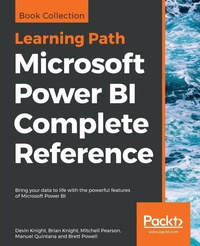
Microsoft Power BI Complete Reference
Bring your data to life with the powerful features of Microsoft Power BI
Published on 21. December 2018
Book
Paperback/Softback
794 pages
978-1-78995-004-5 (ISBN)
Description
Design, develop, and master efficient Power BI solutions for impactful business insights
Key Features
Get to grips with the fundamentals of Microsoft Power BI
Combine data from multiple sources, create visuals, and publish reports across platforms
Understand Power BI concepts with real-world use cases
Book DescriptionMicrosoft Power BI Complete Reference Guide gets you started with business intelligence by showing you how to install the Power BI toolset, design effective data models, and build basic dashboards and visualizations that make your data come to life.
In this Learning Path, you will learn to create powerful interactive reports by visualizing your data and learn visualization styles, tips and tricks to bring your data to life. You will be able to administer your organization's Power BI environment to create and share dashboards. You will also be able to streamline deployment by implementing security and regular data refreshes.
Next, you will delve deeper into the nuances of Power BI and handling projects. You will get acquainted with planning a Power BI project, development, and distribution of content, and deployment. You will learn to connect and extract data from various sources to create robust datasets, reports, and dashboards. Additionally, you will learn how to format reports and apply custom visuals, animation and analytics to further refine your data.
By the end of this Learning Path, you will learn to implement the various Power BI tools such as on-premises gateway together along with staging and securely distributing content via apps.
This Learning Path includes content from the following Packt products:
Microsoft Power BI Quick Start Guide by Devin Knight et al.
Mastering Microsoft Power BI by Brett Powell
What you will learn
Connect to data sources using both import and DirectQuery options
Leverage built-in and custom visuals to design effective reports
Administer a Power BI cloud tenant for your organization
Deploy your Power BI Desktop files into the Power BI Report Server
Build efficient data retrieval and transformation processes
Who this book is forMicrosoft Power BI Complete Reference Guide is for those who want to learn and use the Power BI features to extract maximum information and make intelligent decisions that boost their business. If you have a basic understanding of BI concepts and want to learn how to apply them using Microsoft Power BI, then Learning Path is for you. It consists of real-world examples on Power BI and goes deep into the technical issues, covers additional protocols, and much more.
Key Features
Get to grips with the fundamentals of Microsoft Power BI
Combine data from multiple sources, create visuals, and publish reports across platforms
Understand Power BI concepts with real-world use cases
Book DescriptionMicrosoft Power BI Complete Reference Guide gets you started with business intelligence by showing you how to install the Power BI toolset, design effective data models, and build basic dashboards and visualizations that make your data come to life.
In this Learning Path, you will learn to create powerful interactive reports by visualizing your data and learn visualization styles, tips and tricks to bring your data to life. You will be able to administer your organization's Power BI environment to create and share dashboards. You will also be able to streamline deployment by implementing security and regular data refreshes.
Next, you will delve deeper into the nuances of Power BI and handling projects. You will get acquainted with planning a Power BI project, development, and distribution of content, and deployment. You will learn to connect and extract data from various sources to create robust datasets, reports, and dashboards. Additionally, you will learn how to format reports and apply custom visuals, animation and analytics to further refine your data.
By the end of this Learning Path, you will learn to implement the various Power BI tools such as on-premises gateway together along with staging and securely distributing content via apps.
This Learning Path includes content from the following Packt products:
Microsoft Power BI Quick Start Guide by Devin Knight et al.
Mastering Microsoft Power BI by Brett Powell
What you will learn
Connect to data sources using both import and DirectQuery options
Leverage built-in and custom visuals to design effective reports
Administer a Power BI cloud tenant for your organization
Deploy your Power BI Desktop files into the Power BI Report Server
Build efficient data retrieval and transformation processes
Who this book is forMicrosoft Power BI Complete Reference Guide is for those who want to learn and use the Power BI features to extract maximum information and make intelligent decisions that boost their business. If you have a basic understanding of BI concepts and want to learn how to apply them using Microsoft Power BI, then Learning Path is for you. It consists of real-world examples on Power BI and goes deep into the technical issues, covers additional protocols, and much more.
More details
Language
English
Place of publication
Birmingham
United Kingdom
Target group
Professional and scholarly
Dimensions
Height: 235 mm
Width: 191 mm
Thickness: 42 mm
Weight
1453 gr
ISBN-13
978-1-78995-004-5 (9781789950045)
Copyright in bibliographic data and cover images is held by Nielsen Book Services Limited or by the publishers or by their respective licensors: all rights reserved.
Schweitzer Classification
Other editions
Additional editions
Knight Devin Knight
Microsoft Power BI Complete Reference
Bring your data to life with the powerful features of Microsoft Power BI
E-Book
12/2018
Packt Publishing
€38.99
Available for download
Persons
Devin Knight a Microsoft Data Platform MVP and the Training Director at Pragmatic Works. At Pragmatic Works, Devin determines which courses are created, delivered, and updated for customers, including 10+ Power BI courses. This is his seventh SQL Server and Business Intelligence book to author. Devin often speaks at conferences like PASS Summit, PASS Business Analytics Conference, SQL Saturdays, and Code Camps. He is also a contributing member to several PASS Virtual Chapters. Making his home in Jacksonville, FL, Devin is the Vice President of the local Power BI User Group and SQL Server User Group (JSSUG). His personal blog can be found at Devin Knight's website. Brian Knight is the owner and founder of Pragmatic Works, and is a serial entrepreneur, starting up other companies. Brian is a contributing columnist at several technical magazines. He is the author of 16 technical books. Brian has spoken at conferences like PASS Summit, SQL Connections, TechEd, SQLSaturdays, and Code Camps. He has received a number of awards from the State of Florida, governor, and press, including the Business Ambassador Award (Governor) and Top CEO (Jacksonville Magazine). His blog can be found at Pragmatic Works website. Mitchell Pearson has worked for Pragmatic Works for six years as a Business Intelligence Consultant and Training Content manager. Mitchell has experience developing enterprise level BI Solutions using the full suite of products offered by Microsoft (SSRS, SSIS, SSAS, & Power BI). Mitchell is very active in the community presenting at local user groups, SQL Saturday events, PASS virtual chapters and giving free webinars for Pragmatic Works. Mitchell can also be found blogging at Mitchellsql website. Mitchell is also the president of the local Power BI User Group in Jacksonville, Florida. In his spare time Mitchell spends his time with his wife and three kids. For fun Mitchell enjoys playing table top games with friends. Manuel Quintana is a Training Content Manager at Pragmatic Works. Previously he was senior manager working in the hotel industry. He joined the Pragmatic Works team in 2014 with no knowledge in the Business Intelligence space but now speaks at SQL Saturday's and SQL Server User Groups locally and virtually. He also teaches various BI technologies to many different fortune 500 companies on behalf of Pragmatic Works. Since 2014 he has called Jacksonville home and before that Orlando but he was born on the island of Puerto Rico and loves to go back and visit his family. When he isn't working on creating new content for Pragmatic Works you can probably find him playing board games or watching competitive soccer matches.
Content
Table of Contents
Getting Started with Importing Data Options
Data Transformation Strategies
Building the Data Model
Leveraging DAX
Visualizing Data
Using a Cloud Deployment with the Power BI Service
Planning Power BI Projects
Connecting to Sources and Transforming Data with M
Designing Import and DirectQuery Data Models
Developing DAX Measures and Security Roles
Creating and Formatting Power BI Reports
Applying Custom Visuals, Animation, and Analytics
Designing Power BI Dashboards and Architectures
Managing Application Workspaces and Content
Managing the On-Premises Data Gateway
Deploying the Power BI Report Server
Creating Power BI Apps and Content Distribution
Administering Power BI for an Organization
Scaling with Premium and Analysis Services
Getting Started with Importing Data Options
Data Transformation Strategies
Building the Data Model
Leveraging DAX
Visualizing Data
Using a Cloud Deployment with the Power BI Service
Planning Power BI Projects
Connecting to Sources and Transforming Data with M
Designing Import and DirectQuery Data Models
Developing DAX Measures and Security Roles
Creating and Formatting Power BI Reports
Applying Custom Visuals, Animation, and Analytics
Designing Power BI Dashboards and Architectures
Managing Application Workspaces and Content
Managing the On-Premises Data Gateway
Deploying the Power BI Report Server
Creating Power BI Apps and Content Distribution
Administering Power BI for an Organization
Scaling with Premium and Analysis Services