

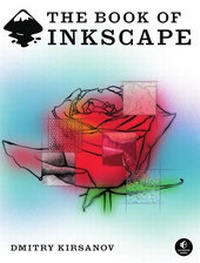
The Book of Inkscape
The Definitive Guide to the Free Graphics Editor
1st Edition
Published on 15. September 2009
Book
Paperback/Softback
476 pages
978-1-59327-181-7 (ISBN)
Description
Inkscape is an open-source vector graphics editing application that is comparable to Adobe Illustrator or Corel Draw. Vector graphics use geometric primitives such as points, lines, and curves to represent images (and even animations). Vector graphics are often used for design compositions, layout, logos, flowcharts, and technical illustrations. SVG drawings can be displayed by modern web browsers.
Inkscape is a powerful, free, cross-platform, vector-based drawing tool similar to Adobe Illustrator and CorelDRAW. The Book of Inkscape, written by Inkscape developer and graphic designer Dmitry Kirsanov, is an in-depth guide to Inkscape, offering comprehensive coverage and creative advice on Inkscape's many capabilities. Kirsanov draws on his experience using Inkscape for design and illustration as well as his extensive knowledge of Inkscape's features, several of which he developed. Following an overview of vector-based graphics in general and SVG in particular, Kirsanov takes the reader from basic techniques-selecting, transforming, styling-to more advanced topics such as gradients and patterns, path editing, artistic drawing, clones and patterns, working with text, exporting bitmaps, and using extensions. The Book of Inkscape is a complete guide to Inkscape for every artist, whether amateur or professional.
Inkscape is a powerful, free, cross-platform, vector-based drawing tool similar to Adobe Illustrator and CorelDRAW. The Book of Inkscape, written by Inkscape developer and graphic designer Dmitry Kirsanov, is an in-depth guide to Inkscape, offering comprehensive coverage and creative advice on Inkscape's many capabilities. Kirsanov draws on his experience using Inkscape for design and illustration as well as his extensive knowledge of Inkscape's features, several of which he developed. Following an overview of vector-based graphics in general and SVG in particular, Kirsanov takes the reader from basic techniques-selecting, transforming, styling-to more advanced topics such as gradients and patterns, path editing, artistic drawing, clones and patterns, working with text, exporting bitmaps, and using extensions. The Book of Inkscape is a complete guide to Inkscape for every artist, whether amateur or professional.
More details
Language
English
Place of publication
San Francisco
United States
Target group
College/higher education
Professional and scholarly
- Amateur and professional graphic designers, artists and dabblers - Web designers
Product notice
Unsewn / adhesive bound
Dimensions
Height: 234 mm
Width: 178 mm
ISBN-13
978-1-59327-181-7 (9781593271817)
Schweitzer Classification
Other editions
New editions
Book
12/2021
No Starch Press
€47.00
Available immediately
Additional editions
E-Book
11/2021
No Starch Press
€38.99
Available for download
Person
Dmitry Kirsanov is a developer and a graphic designer, specializing in website and logo design. His articles about Inkscape have appeared in Linux Format in the UK and on TuxMagazine.com. Kirsanov also writes the Design Lab, (http://www.webreference.com/dlab/), a column teaching creative fundamentals of web design, and is the author of Dmitry Kirsanov's Web Design Book (in Russian).
Content
ACKNOWLEDGMENTSINTRODUCTIONChapter 1: INKSCAPE AND THE WORLDChapter 2: AN INKSCAPE PRIMERChapter 3: SETTING UP AND MOVING AROUNDChapter 4: OBJECTSChapter 5: SELECTINGChapter 6: TRANSFORMINGChapter 7: SNAPPING AND ARRANGINGChapter 8: STYLINGChapter 9: STROKE AND MARKERSChapter 10: GRADIENTS AND PATTERNSChapter 11: SHAPESChapter 12: EDITING PATHSChapter 13: PATH EFFECTS AND EXTENSIONSChapter 14: DRAWINGChapter 15: TEXTChapter 16: CLONESChapter 17: FILTERSChapter 18: BITMAPSChapter 19: TUTORIAL: DESIGNING A BUSINESS CARDChapter 20: TUTORIAL: CREATING AN ANIMATIONChapter 21: TUTORIAL: DRAWING A 3D-CORRECT CARTOONChapter 22: TUTORIAL: ARTISTIC DRAWINGChapter 23: TUTORIAL: TECHNICAL DRAWINGChapter 24: TUTORIAL: THE ROSEAN SVG PRIMERIMPORT AND EXPORTTHE COMMAND LINEKEYBOARD SHORTCUTSCOLOPHON