

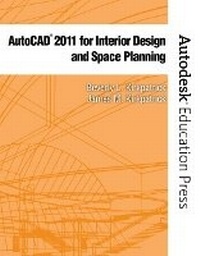
AutoCAD 2011 for Interior Design & Space Planning
Published on 12. July 2010
Book
Paperback/Softback
672 pages
978-0-13-512464-2 (ISBN)
Description
Organized around architectural projects, AutoCAD 2011 for Interior Design and Space Planning gives students an understanding of the commands and features of AutoCAD 2011 and demonstrates how to use the program to complete interior design and space planning projects. Building on fourteen years of updates, the book is appropriate for self-paced and lecture classes and covers both two-dimensional and three-dimensional drawings.
Throughout the exercises in this book, numbered steps in bold type provide instructions. Prompt and Response columns in the numbered steps provide step-by-step instructions for starting and completing a command. The Prompt column text repeats the AutoCAD prompt that appears in the Command: area of the AutoCAD screen. The Response column text shows your response to the AutoCAD prompt. Blue ruled lines separate the numbered steps from further discussion and explanation. Menus show you how to locate the command you are using.
Using numerous illustrations, the text captures the essence of this powerful program and the importance it plays in the interior design, architecture and space planning professions.
Throughout the exercises in this book, numbered steps in bold type provide instructions. Prompt and Response columns in the numbered steps provide step-by-step instructions for starting and completing a command. The Prompt column text repeats the AutoCAD prompt that appears in the Command: area of the AutoCAD screen. The Response column text shows your response to the AutoCAD prompt. Blue ruled lines separate the numbered steps from further discussion and explanation. Menus show you how to locate the command you are using.
Using numerous illustrations, the text captures the essence of this powerful program and the importance it plays in the interior design, architecture and space planning professions.
More details
Language
English
Place of publication
Berkeley
United States
Publishing group
Pearson Education (US)
Target group
Professional and scholarly
Dimensions
Height: 217 mm
Width: 274 mm
Thickness: 22 mm
Weight
1293 gr
ISBN-13
978-0-13-512464-2 (9780135124642)
Copyright in bibliographic data and cover images is held by Nielsen Book Services Limited or by the publishers or by their respective licensors: all rights reserved.
Schweitzer Classification
Other editions
New editions
Beverly M. Kirkpatrick | James M. Kirkpatrick
AutoCAD 2013 for Interior Design and Space Planning
Book
08/2012
Peachpit Press Publications
€81.70
Article exhausted; check for reprint
Content
Part I: Preparing to Draw with AutoCAD
1. Introducing the AutoCAD Screen
Part II: Two-Dimensional AutoCAD
2. Drawing with AutoCAD: Basic Settings and Commands
3. Drawing with AutoCAD: Conference and Lecture Rooms
4. Adding Text, Tables and Raster Images to the Drawing
5. Printing and plotting
6. Drawing the Floor Plan: Walls, Doors, and Windows
7. Dimensioning and Area Calculations
8. Drawing Elevations, Wall Sections, and Details
9. Drawing the Furniture Plan: Adding Specifications and Extracting Data
10. Design Center, Dynamic Blocks, and External References
11. Drawing the Reflected Ceiling Plan and Voice/Data/Power Plan
12. Creating Presentations with Layouts and Sheet Sets
Part III: Three-Dimensional AutoCAD
13. Isometric Drawing and Gradient Hatch Rendering
14. Solid Modeling with new exercises on Mesh Modeling
15. Complex Solid Models with Materials, Lighting, Rendering and Animation
16. Advanced Modeling
1. Introducing the AutoCAD Screen
Part II: Two-Dimensional AutoCAD
2. Drawing with AutoCAD: Basic Settings and Commands
3. Drawing with AutoCAD: Conference and Lecture Rooms
4. Adding Text, Tables and Raster Images to the Drawing
5. Printing and plotting
6. Drawing the Floor Plan: Walls, Doors, and Windows
7. Dimensioning and Area Calculations
8. Drawing Elevations, Wall Sections, and Details
9. Drawing the Furniture Plan: Adding Specifications and Extracting Data
10. Design Center, Dynamic Blocks, and External References
11. Drawing the Reflected Ceiling Plan and Voice/Data/Power Plan
12. Creating Presentations with Layouts and Sheet Sets
Part III: Three-Dimensional AutoCAD
13. Isometric Drawing and Gradient Hatch Rendering
14. Solid Modeling with new exercises on Mesh Modeling
15. Complex Solid Models with Materials, Lighting, Rendering and Animation
16. Advanced Modeling