

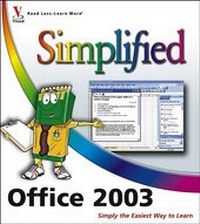
Office 2003 Simplified
Published on 1. November 2005
Book
Paperback/Softback
416 pages
978-0-7645-9959-0 (ISBN)
Description
Are you new to computers? Does new technology make you nervous? Relax! You're holding in your hands the easiest guide ever to Office 2003 - a book that skips the long-winded explanations and shows you how things work. All you have to do is open the book, follow Chip, your friendly guide - and discover just how easy it is to get up to speed.
"The Simplified series is very accessible to beginners and provides useful information for more experienced users. For visual learners (like myself), the illustrations are a great help. It's challenging to take a complex subject and express it simply, clearly, concisely, and comprehensively. This book meets the challenge."
-John Kelly (Anchorage, AK)
* "Simplify It" sidebars offer real-world advice
* A friendly character called Chip introduces each task
* Full-color screen shots walk you through step by step
* Self-contained, two-page lessons make learning a snap
"The Simplified series is very accessible to beginners and provides useful information for more experienced users. For visual learners (like myself), the illustrations are a great help. It's challenging to take a complex subject and express it simply, clearly, concisely, and comprehensively. This book meets the challenge."
-John Kelly (Anchorage, AK)
* "Simplify It" sidebars offer real-world advice
* A friendly character called Chip introduces each task
* Full-color screen shots walk you through step by step
* Self-contained, two-page lessons make learning a snap
More details
Series
Edition
1. Auflage
Language
English
Place of publication
Foster City
United States
Publishing group
John Wiley & Sons Inc
Target group
Professional and scholarly
Illustrations
Illustrations
Dimensions
Height: 25.5 cm
Width: 21.7 cm
Thickness: 2.4 cm
Weight
1351 gr
ISBN-13
978-0-7645-9959-0 (9780764599590)
Schweitzer Classification
Person
Sherry Willard Kinkoph has written and edited over 70 books over the past 10 years covering a variety of computer topics ranging from hardware to software, from Microsoft Office programs to the Internet. Her recent titles include Master VISUALLY eBay Business Kit, Teach Yourself VISUALLY Photoshop Elements 3.0, and Teach Yourself VISUALLY Office 2003. Sherry's ongoing quest is to help users of all levels master the ever-changing computer technologies. No matter how many times they -- the software manufacturers and hardware conglomerates -- throw out a new version or upgrade, Sherry vows to be there to make sense of it all and help computer users get the most out of their machines.
Content
Part I: Office Features.
1. Office Basics.
2. Working with Files.
Part II: Word.
3. Adding Text.
4. Formatting Text.
5. Working with Tables.
6. Adding Extra Touches.
7. Previewing and Printing Documents.
Part III: Excel.
8. Building Spreadsheets.
9. Worksheet Basics.
10. Working with Formulas and Functions.
11. Formatting Worksheets.
12. Working with Charts.
Part IV: PowerPoint.
13. Presentation Basics.
14. Creating Slides.
15. Assembling a Slide Show.
16. Presenting a Slide Show.
Part V: Access.
17. Database Basics.
18. Adding Data Using Tables.
19. Adding Data Using Forms.
20. Finding and Querying Data.
Part VI: Outlook.
21. Organizing with Outlook.
22. E-mailing with Outlook.
Part VII: Publisher.
23. Publisher Basics.
24. Fine-Tuning a Publication.
Part VIII: Internet and Graphics.
25. Using the Office Internet Tools.
26. Using the Office Graphics Tools.
1. Office Basics.
2. Working with Files.
Part II: Word.
3. Adding Text.
4. Formatting Text.
5. Working with Tables.
6. Adding Extra Touches.
7. Previewing and Printing Documents.
Part III: Excel.
8. Building Spreadsheets.
9. Worksheet Basics.
10. Working with Formulas and Functions.
11. Formatting Worksheets.
12. Working with Charts.
Part IV: PowerPoint.
13. Presentation Basics.
14. Creating Slides.
15. Assembling a Slide Show.
16. Presenting a Slide Show.
Part V: Access.
17. Database Basics.
18. Adding Data Using Tables.
19. Adding Data Using Forms.
20. Finding and Querying Data.
Part VI: Outlook.
21. Organizing with Outlook.
22. E-mailing with Outlook.
Part VII: Publisher.
23. Publisher Basics.
24. Fine-Tuning a Publication.
Part VIII: Internet and Graphics.
25. Using the Office Internet Tools.
26. Using the Office Graphics Tools.