

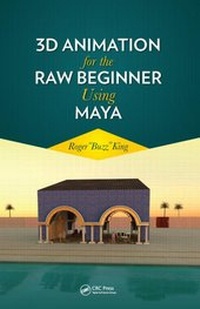
3D Animation for the Raw Beginner Using Maya
1st Edition
Published on 15. August 2014
Book
Paperback/Softback
486 pages
978-1-4398-5264-4 (ISBN)
Description
Each chapter of 3D Animation for the Raw Beginner Using Maya introduces critical aspects of the 3D animation process and presents clear and concise tutorials that link key concepts to practical Autodesk (R) Maya (R) techniques. Providing a principles-based, yet pragmatic, approach to 3D animation, this first-of-its-kind book:
Describes the process for creating animated projects in a nonmathematical fashion
Explains why-and not just how-to apply Maya techniques in the real world
Includes access to a dedicated Web site, http://3dbybuzz.com, featuring useful videos, lessons, and updates
3D Animation for the Raw Beginner Using Maya is an ideal academic textbook as well as a superlative do-it-yourself training manual. When employed as a text, it frees the instructor from the painstaking task of developing step-by-step examples to present Maya's complex interface and basic capabilities. When used for individual study, aspiring animators revel in the book's easy-to-follow, hands-on learning style.
Make 3D Animation for the Raw Beginner Using Maya your book of choice for understanding the essential theory and practice of 3D animation.
Describes the process for creating animated projects in a nonmathematical fashion
Explains why-and not just how-to apply Maya techniques in the real world
Includes access to a dedicated Web site, http://3dbybuzz.com, featuring useful videos, lessons, and updates
3D Animation for the Raw Beginner Using Maya is an ideal academic textbook as well as a superlative do-it-yourself training manual. When employed as a text, it frees the instructor from the painstaking task of developing step-by-step examples to present Maya's complex interface and basic capabilities. When used for individual study, aspiring animators revel in the book's easy-to-follow, hands-on learning style.
Make 3D Animation for the Raw Beginner Using Maya your book of choice for understanding the essential theory and practice of 3D animation.
Reviews / Votes
"The author convincingly introduces Maya as a starter app for modeling, rendering, and animation. And why not? Serious 3DCGers get to Maya sooner or later, so why not sooner?"-Benjamin Wells, in Computing Reviews
More details
Language
English
Place of publication
United Kingdom
Publishing group
Taylor & Francis Ltd
Target group
Professional and scholarly
Art, engineering, computer science, and film students and professionals, as well as aspiring do-it-yourself 3D animators.
Illustrations
16-page color insert containing 32 figures follows page 198, 776 s/w Abbildungen, 32 farbige Abbildungen
16-page color insert containing 32 figures follows page 198; 32 Illustrations, color; 776 Illustrations, black and white
Dimensions
Height: 254 mm
Width: 178 mm
Weight
1021 gr
ISBN-13
978-1-4398-5264-4 (9781439852644)
Copyright in bibliographic data and cover images is held by Nielsen Book Services Limited or by the publishers or by their respective licensors: all rights reserved.
Schweitzer Classification
Other editions
New editions
Book
02/2019
2nd Edition
CRC Press
€80.71
Shipment within 15-20 days
Person
Roger "Buzz" King is a professor at the University of Colorado, Boulder, where he teaches 3D animation for the Computer Science Department and ATLAS, an institute dedicated to the application of technology to the arts. He is a member of the board of advisors for a graphics startup, the cofounder of a second graphics startup, and currently focusing on his 3D modeling studio (http://BuzzWorks.buzz). He holds an AB from Occidental College, Los Angeles and a Ph.D from USC. His research has been funded by the US Air Force, Navy, NASA, DARPA, DOE, NREL, Smithsonian, IBM, and AT&T. He has served as an expert FBI witness and been involved in the original development of the Encyclopedia of Life.
Content
<P>Acknowledgments</P>
<P>Author</P>
<P>The Book's Web Site</P><B>
<P>Getting Oriented</P></B>
<P>Focus and Approach of This Book</P><I>
<P>A Necessarily Nonlinear Approach to Learning 3D Animation</P>
<P>Perhaps the Most Important Principle</P></I>
<P>3DbyBuzz.com</P>
<P>What Maya (R) Does and Does Not Do</P>
<P>The Special Needs of Gaming</P>
<P>Workflow Within and Around Maya</P><I>
<P>Other Applications Commonly Used by Animators</P>
<P>The Big Picture</P>
<P>Inside Maya</P>
<P>Other Application Needs</P></I>
<P>Working with Prefab Content</P>
<P>The Cabana of Cool Concepts</P>
<P>The Small Subset Approach to Learning 3D Animation</P><I>
<P>Every Animation App Is Unique</P></I>
<P>How to Use This Book</P>
<P>Prerequisites</P>
<P>Contents of This Book</P>
<P>A Motivational Example</P>
<P>Art and Engineering</P>
<P>A Final Note</P><B>
<P>The Maya Interface and Modeling Concepts in Maya</P></B>
<P>The 3D World of Modeling and Animation</P>
<P>Seeing the 3D World through the Eyes of Maya</P><I>
<P>A Warning: The Maya Interface Can Be Intimidating, Don't Be Dispirited</P>
<P>The Main Window</P>
<P>A Note on Changing Geometry Modes</P>
<P>The Hypershade</P>
<P>An Object and Its Attributes</P>
<P>The Render View for Creating Single Render Tests</P>
<P>Render Settings and the Batch Renderer for Creating Multiframe</P>
<P>Renderings for Video</P>
<P>How to Find Something in the Maya Interface</P>
<P>Maya's Data Folders</P></I>
<P>Two Kinds of Modeling in Maya</P><I>
<P>Terminology</P>
<P>Meshes</P>
<P>Surface-And Not Solid-Modeling</P>
<P>Vector versus Raster Graphics</P>
<P>Polygon and NURBS Modeling</P>
<P>Choosing between Polygon and NURBS Modeling</P>
<P>NURBS Modeling Modes</P></I>
<P>Maya Is Always Rendering</P>
<P>Subdivision Is Alive and Well</P>
<P>CUDA</P>
<P>Curved Lines, Bezier, and NURBS</P>
<P>Core Tools: Translate, Scale, and Rotate in Maya</P><I>
<P>Some Trig</P>
<P>Translation, Scaling, and Rotation in 3-Space</P>
<P>In Sum</P></I>
<P>Reference</P><B>
<P>Modeling, Creating Materials, and Rendering</P></B>
<P>Modeling as a Subjective Process</P><I>
<P>Deliberate Modeling</P>
<P>Models and Objects</P>
<P>Top-Down Modeling</P>
<P>Adding Detail with Precision</P>
<P>Choosing the Model Hierarchy</P>
<P>Building Models in Separate Scenes and Using Display Layers</P>
<P>Create Versions of Models That You Can Retreat To</P>
<P>In Sum</P>
<P>More on Layers in Maya</P></I>
<P>Using Curved Lines and mental ray to Make a NURBS Glass Dish</P><I>
<P>From Curved Lines to Smooth Surfaces </P>
<P>Creating a Series of NURBS Curves </P>
<P>Revolution! </P>
<P>Putting a Glass Material on the Dish</P>
<P>Two Software Renderers</P>
<P>Two Important Perspectives </P>
<P>Rendering by Tracing Rays </P>
<P>Glass in mental ray </P>
<P>The Background </P>
<P>More mental ray Computations: Quality</P>
<P>More mental ray Computations: Indirect Lighting</P>
<P>Shadows as Roots of Models</P>
<P>mental ray's Advantage</P>
<P>The Renderer's Main Job</P></I>
<P>Using Polygon Extrusion to (Start to) Make a Hand</P><I>
<P>Polygon Modeling: Basic Shapes</P>
<P>Recursive Refinement</P>
<P>The Hand</P></I>
<P>Using NURBS Lofting and Extrusion to Make a Saguaro Cactus</P><I>
<P>Using Reference Images </P>
<P>NURBS Extrude </P>
<P>Sculpting </P>
<P>Lofting </P>
<P>Projection </P>
<P>Loft Again </P>
<P>In Sum </P></I><B>
<P>Hierarchies of Objects, a Polygon Example, Detailed Polygon Modeling, and a NURBS Example</P></B>
<P>Basic Concepts</P><I>
<P>Modeling Hierarchies</P>
<P>Objects</P>
<P>Formal Notions</P>
<P>Hierarchies</P>
<P>Another Example</P>
<P>Extending the Notion of a Hierarchy</P>
<P>The Importance of the Outliner</P></I>
<P>Using Bevel, Extrude, Detach, and Combine to Make a Mailbox</P><I>
<P>A Working Set of Polygon Modeling Tools</P>
<P>Creating a New Edge</P>
<P>Beveling</P>
<P>Extrusion</P>
<P>Detach</P>
<P>The Clip</P></I>
<P>Beveled Letters</P>
<P>Making a Polygon Moai</P><I>
<P>Rapa Nui</P>
<P>A Modeling Exercise: Making a Moai on Your Own</P>
<P>Making a Moai with Polygon Modeling</P>
<P>Smoothing and Rendering </P></I>
<P>Smoothing a Polygon Model: Many Choices</P><I>
<P>Smooth Tool</P>
<P>Using the Smooth Tool Locally </P>
<P>Adding Faces and Manipulating New Faces, and Beveling Edges </P>
<P>Manipulating Normals to Smooth Edges </P>
<P>Smoothing with mental ray, without Changing the Geometry</P></I>
<P>Surgically Mending an Imperfect Model</P><I>
<P>Merging Edges in a Single Piece of Geometry</P>
<P>Removing a Face with Merge to Center </P>
<P>Filling in a Hole in a Polygon Model with a Bridge Tool</P></I>
<P>Making Small and Graceful Changes to a Model </P><I>
<P>Sliding an Edge</P>
<P>Soft Move</P>
<P>Aligning Objects </P></I>
<P>Using the Sweep of a Cylinder and Resizing to Make a Breadbox</P><I>
<P>A NURBS Surface</P>
<P>The Sweep of a NURBS Surface</P>
<P>Nested Objects</P>
<P>Finishing the Geometry of the Breadbox</P></I><B>
<P>Materials, Bump Maps, Lights, Projection versus Normal Textures, Connecting NURBS Surfaces, and Layered Textures</P></B><I>
<P>The Bottom Line</P></I>
<P>Working with Maya Materials to Make a Tabletop</P><I>
<P>Ways to Surface a Model</P>
<P>Textures and Materials for the Maya Software Renderer</P>
<P>Bump Maps</P>
<P>Finishing the Table Scene</P>
<P>Materials or Textures? </P></I>
<P>Lights</P><I>
<P>Ambient Light and Shadows</P>
<P>Directional Light and Shadows</P>
<P>Point Light and Shadows</P>
<P>Spotlights and Shadows</P>
<P>Area Light </P>
<P>mental ray Light Shaders </P>
<P>mental ray 2D and 3D Lights </P>
<P>Depth Map versus Raytraced Shadows</P>
<P>The Varnished Table</P></I>
<P>Being Creative with Textures for Bump Maps: Making a Road and a Sidewalk</P><I>
<P>More Bump Maps</P>
<P>Completing the Scene: Creating a Light Pole and Painting 3D Geometry to Make Grass</P></I>
<P>Creating a Layered Texture in Pixelmator</P><I>
<P>Photographs for Textures</P>
<P>Working outside of Maya </P>
<P>The Uses of Bit-Mapped Images </P>
<P>Blending Layers</P>
<P>Rusty, Painted Metal </P></I>
<P>Layering Capability Native to Maya</P><I>
<P>Brief Note: Various Color Systems</P></I>
<P>Cylindrical Projection of an Image Texture on the Cactus</P><I>
<P>Projection or Normal Texture?</P>
<P>Projecting Textures</P>
<P>Conversion to Polygons</P>
<P>Types of Projections</P>
<P>Tiling</P>
<P>Adjusting the Projection of a Texture</P></I>
<P>Stitching NURBS Surfaces to Make Carpeted Stairs</P><I>
<P>Isoparms</P>
<P>Connecting Stairs</P>
<P>Putting a Material on the Stairs</P>
<P>Using the Append to Polygon Tool for Connecting Two Stairs</P></I>
<P>Using a File Texture as a Material's Color and Making a Material Stick</P><I>
<P>A Texture as a Color of a Material </P>
<P>Assigning an Image to a Material's Color Attribute</P>
<P>Adjusting and Fixing the Material Placement</P>
<P>Adjusting the Material's Ambient Color Attribute </P></I>
<P>Using Polygon Face Extrusion and a File Texture as a Lambert Color to Make an Ice Rink</P><I>
<P>Extruding the Wall</P>
<P>Using a File Texture for the Fence</P>
<P>Using Two Layers for Ice</P>
<P>Textures versus Geometry: Bump Maps versus Displacement Maps</P></I>
<P>Bump Maps versus Displacement Maps in Maya</P><I>
<P>Bump Maps</P>
<P>Displacement Maps</P>
<P>The Resulting Render: Comparing Bump Maps to Displacement Maps</P></I><B>
<P>Particle Dynamics </P></B>
<P>Use Emitters Sparingly </P>
<P>Saving Render Time </P>
<P>Rocket Pollution and Hardware Particles</P><I>
<P>The Attributes of the Emitter and the Particles </P></I>
<P>Using Software Particles in nDynamics to Create Trix</P><I>
<P>nDynamics in Maya </P>
<P>Particle Dynamics Engines and Solvers </P>
<P>Emitting Trix into the Glass Bowl </P>
<P>Colliders</P>
<P>Scaling the Trix </P>
<P>Ramp Textures </P>
<P>The Trix's Ramp </P>
<P>Gravity</P>
<P>Action! </P>
<P>An Aside </P></I>
<P>Creating a Cloth Flag with nDynamics</P><I>
<P>nDynamics Meets Geometry</P>
<P>A Flag </P>
<P>Putting a Texture on the Flag</P>
<P>Making the Flag Flap</P></I>
<P>Creating Rain with nDynamics</P><I>
<P>Downward Gravity versus the Upward Bounce of a Collider</P>
<P>Two Planes: Rain Clouds and the Ground</P>
<P>Rain Particles</P>
<P>The Ground</P>
<P>Making It Rain</P>
<P>Instancing</P></I>
<P>Specialized Dynamics Applications</P><B>
<P>A First Look at Adding Animation</P></B>
<P>Moving an Object along a Motion Path</P><I>
<P>Creating a Path</P>
<P>Putting an Object on a Path</P>
<P>From the Camera's Perspective: A River Ride</P></I>
<P>Keyframing an Object</P><I>
<P>The Timeline </P>
<P>Creating Keyframes </P></I>
<P>Using the Graph Editor to Reuse Animation </P><I>
<P>The Graph Editor </P>
<P>Motion Cycles</P>
<P>Driven Keys </P></I>
<P>Using Skeletons to Simulate Natural Movement </P><I>
<P>Inverse Kinematics versus Forward Kinematics </P>
<P>Inverse Kinematics in a Leg</P>
<P>The Power of Inverse Kinematics Skeletons </P></I><B>
<P>The Fuzzy Border between Modeling and Animating</P></B>
<P>Using NURBS, Shatter, and Fur to Make an Egg and Crack It</P><I>
<P>Smooth Modeling for an Egg </P>
<P>Cracking the Egg with the Shatter Tool </P>
<P>A Chick and Fur </P>
<P>Maya Fur and nHair: An nDynamics Effect </P></I>
<P>Using Blend Shape to Animate the Leg of the Chick Being Born</P><I>
<P>Animating a Chick Leg with a Blend Shape</P></I>
<P>Using a Bend Deformer to Animate Rolling Up a Pool Cover</P><I>
<P>The Bend Deformer </P>
<P>Animating a Swimming Pool Cover </P></I>
<P>Bouncing a Squishy Ball with a Squash Deformer </P><I>
<P>Keyframing the Ball</P>
<P>Running and Rendering the Scene </P></I>
<P>Using the Lattice Deformer to Damage Our Mailbox</P><I>
<P>Morphing the Mailbox </P>
<P>The Rendered Result </P>
<P>A Note on Using the Lattice Deformer </P></I>
<P>Using Deformers for Modeling: An Important Detail</P><B>
<P>Light Fog, Fluids, and Another Look at Materials</P></B>
<P>Fixing a Tiled Texture with Overlays </P><I>
<P>Experimenting with Textures </P>
<P>Adding Noise to the Tiling Lines </P>
<P>Two Final Notes on Tiling </P></I>
<P>Making a Seamless Texture with Maya Paint</P><I>
<P>Painting a Seamless Tiled Texture </P>
<P>Creating and Tiling a File Texture </P></I>
<P>Making Glass Bottles with NURBS and mental ray</P><I>
<P>The Three Bottles </P>
<P>mental ray Settings </P>
<P>A Bottle inside a Bottle </P>
<P>The Render </P></I>
<P>Glass and Particles for a Single-Frame Image </P><I>
<P>The Scene </P>
<P>Fluid Containers </P>
<P>mental ray Glass </P>
<P>The Background </P>
<P>Rendering Settings </P></I>
<P>Using Light Fog and Glow to Create a Night Scene</P><I>
<P>Fog </P>
<P>A Sidewalk and Street Scene with Fog</P>
<P>Making a Material Behave Like a Light</P>
<P>The Render </P></I><B>
<P>An Example Model: A Closet</P></B>
<P>Multiple Coordinate Systems in Maya</P>
<P>Opening and Closing Doors with the Rotate Tool, and Bounding Boxes </P><I>
<P>Adding Detail to the Doors with the Interactive Split Tool </P>
<P>The Render </P>
<P>One More Look at World Space versus Object Space </P></I>
<P>Making a Shirt out of nCloth and Rendering from a Camera's Perspective </P><I>
<P>A Shirt Made of nCloth: Starting with a Basic Shape</P>
<P>A NURBS Hanger </P>
<P>Extruding Sleeves, Making Arm and Neck Holes, and Refining the Shape of the Shirt</P>
<P>A Passive Collider Hanger and Fields</P>
<P>Letting the Cloth Drape on the Hanger and Creating a Camera</P>
<P>The Camera's Perspective and Rendering </P></I>
<P>Timing Animation to a Soundtrack and Rendering Multiple Frames</P><I>
<P>Opening up the Time Slider: Making Room for Audio</P>
<P>Sound in Maya</P>
<P>Guiding the Keyframing of a Scene with the Sound Wave</P>
<P>Rendering with the Batch Renderer</P></I>
<P>Using the Graph Editor in Maya to Fine-Tune Animation</P><I>
<P>Frame and Value </P>
<P>The Rotation Curve</P></I>
<P>A Useful Tool: fCheck</P>
<P>Light Linking to Accentuate the Closet Doors</P><I>
<P>Controlling Lights</P>
<P>Why Control Lights Artificially?</P>
<P>Three-Point Lighting</P>
<P>Fill Lights in Maya</P>
<P>Placing and Positioning Models in a Scene</P>
<P>Controlling Lights from the Hypershade</P></I><B>
<P>Specialized Animation Techniques</P></B>
<P>Skeletons, Inverse Kinematics Handles, Rigging, and</P>
<P>Skinning a Simple Humanoid</P><I>
<P>HIK: The Skeleton Maker in Maya </P>
<P>Maya's Skeleton Generator </P>
<P>Skinning </P>
<P>The Rig </P>
<P>Solvers </P>
<P>Making Your Character's Body More Organic</P>
<P>Controlling the Movement of a Skeleton: Pinning and Constraining, and the Sticky Checkbox</P>
<P>A Last Remark </P></I>
<P>Active Rigid Objects and Gravity: A Bowling Ball and Pins</P><I>
<P>The Bowling Ball and Pins: Collisions</P>
<P>Four Rigid Bodies</P>
<P>Making the Ball Move: Gravity!</P>
<P>Calculating Collisions</P></I>
<P>Using Soft Body Dynamics to Age a Moai Statue</P><I>
<P>Turning the Moai into a Soft Body</P>
<P>Before and After </P></I>
<P>Using the Channel Box for Keyframing the Transparency of a Moai </P><I>
<P>Making Our Moai Disappear </P></I>
<P>Using an Expression to Rotate a Doorknob</P><I>
<P>The Rendering</P>
<P>A Note on Using the Outliner Window</P></I>
<P>Using Maya Expressions and Variables to Animate Models</P><I>
<P>Example 1: Applying an Expression to the Visibility Attribute of an Object That Has a Material with a Glow Intensity</P>
<P>Example 2: Our Squashing Ball</P>
<P>More Maya Embedded Language (MEL)</P></I>
<P>Creating an Ocean Water Swell</P><I>
<P>Using nCloth as Water and Applying Gravity</P>
<P>The Ball Falls through the Water and Creates a Rippling Swell</P></I><B>
<P>Specialized Materials and Material Effects</P></B>
<P>Making a Toon Cow</P><I>
<P>The Vector Renderer</P>
<P>The Toon Shader </P></I>
<P>Making a Graffiti-Covered Wall with Paint Effects</P><I>
<P>The Paint Effects Canvas</P>
<P>Painting on an Image</P>
<P>Choosing a More Realistic Effect</P></I>
<P>The mental ray Sky Dome</P><I>
<P>The Rendering</P></I>
<P>Baking a Material</P>
<P>A Homemade Sky Dome</P><B>
<P>The UV Texture Editor</P></B>
<P>The (u, v) Surfacing Problem</P>
<P>A Planar Projection of a Normal File Texture and Using the Move and Scale Tools to Adjust It</P><I>
<P>Using the Scale Tool in the UV Editor</P>
<P>Rotating and Flipping</P></I>
<P>A Closer Look at the UV Editor: Creating and Manipulating UV Maps</P><I>
<P>A Doorknob's (u, v) Texture Mapping </P>
<P>The UV Smudge Tool </P></I>
<P>A Comparison of Different UV Editor Mappings</P><B>
<P>Multi-App Maya Workflow, Managing Complex Scenes, and Sculpting Applications</P></B>
<P>The Inter-App Workflow Dilemma </P><I>
<P>Plug-Ins That Work Pretty Well </P>
<P>Specialized Modeling: Bipeds </P>
<P>Exterior Environments: Vue and Terragen </P>
<P>Specialized Modeling: Sculpting with ZBrush </P>
<P>Stand-Alone Renderers: Maxwell, Octane, and Indigo </P>
<P>Translating Materials: The Rendering Plug-In's Main Job </P></I>
<P>Sculpting Applications and Sculpting with Maya </P><I>
<P>ZBrush and Mudbox </P>
<P>Reducing Meshes in Maya </P>
<P>Maya's Soft Modification Tool </P></I><B>
<P>Advanced Light and Materials Properties and Effects</P></B>
<P>Ambient Occlusion</P>
<P>Global Illumination and Final Gathering</P>
<P>Caustics</P>
<P>Light Emitting Materials: Irradiance </P>
<P>Coloring mental ray's Glass Material </P>
<P>Coloring a Material with Lights </P>
<P>Using Anisotropy with mental ray to Control the Transparency of Frosted Glass</P>
<P>Using the Penumbra and Drop-off Settings on a Maya Spotlight</P>
<P>Adjusting the Resolution Attribute of a Directional Light in Maya</P>
<P>Adding Raytrace Shadows and mental ray Sun and Sky to the Bottle</P><B>
<P>The Cabana</P></B>
<P>A Beginner's Project: Basic, Top-Down Architectural Modeling</P><I>
<P>Reuse</P>
<P>Reference Images</P>
<P>Modeling with Texturing and Animating in Mind</P></I>
<P>The Cabana</P><I>
<P>Using Prefab Content to Flesh Out a Scene</P>
<P>Building the Cabana: Workflow</P></I>
<P>A Note on Animating Humans</P>
<P>The Cool Concepts of the Cabana</P><B>
<P>Cool Concepts</P></B>
<P>Index</P>
<P>Author</P>
<P>The Book's Web Site</P><B>
<P>Getting Oriented</P></B>
<P>Focus and Approach of This Book</P><I>
<P>A Necessarily Nonlinear Approach to Learning 3D Animation</P>
<P>Perhaps the Most Important Principle</P></I>
<P>3DbyBuzz.com</P>
<P>What Maya (R) Does and Does Not Do</P>
<P>The Special Needs of Gaming</P>
<P>Workflow Within and Around Maya</P><I>
<P>Other Applications Commonly Used by Animators</P>
<P>The Big Picture</P>
<P>Inside Maya</P>
<P>Other Application Needs</P></I>
<P>Working with Prefab Content</P>
<P>The Cabana of Cool Concepts</P>
<P>The Small Subset Approach to Learning 3D Animation</P><I>
<P>Every Animation App Is Unique</P></I>
<P>How to Use This Book</P>
<P>Prerequisites</P>
<P>Contents of This Book</P>
<P>A Motivational Example</P>
<P>Art and Engineering</P>
<P>A Final Note</P><B>
<P>The Maya Interface and Modeling Concepts in Maya</P></B>
<P>The 3D World of Modeling and Animation</P>
<P>Seeing the 3D World through the Eyes of Maya</P><I>
<P>A Warning: The Maya Interface Can Be Intimidating, Don't Be Dispirited</P>
<P>The Main Window</P>
<P>A Note on Changing Geometry Modes</P>
<P>The Hypershade</P>
<P>An Object and Its Attributes</P>
<P>The Render View for Creating Single Render Tests</P>
<P>Render Settings and the Batch Renderer for Creating Multiframe</P>
<P>Renderings for Video</P>
<P>How to Find Something in the Maya Interface</P>
<P>Maya's Data Folders</P></I>
<P>Two Kinds of Modeling in Maya</P><I>
<P>Terminology</P>
<P>Meshes</P>
<P>Surface-And Not Solid-Modeling</P>
<P>Vector versus Raster Graphics</P>
<P>Polygon and NURBS Modeling</P>
<P>Choosing between Polygon and NURBS Modeling</P>
<P>NURBS Modeling Modes</P></I>
<P>Maya Is Always Rendering</P>
<P>Subdivision Is Alive and Well</P>
<P>CUDA</P>
<P>Curved Lines, Bezier, and NURBS</P>
<P>Core Tools: Translate, Scale, and Rotate in Maya</P><I>
<P>Some Trig</P>
<P>Translation, Scaling, and Rotation in 3-Space</P>
<P>In Sum</P></I>
<P>Reference</P><B>
<P>Modeling, Creating Materials, and Rendering</P></B>
<P>Modeling as a Subjective Process</P><I>
<P>Deliberate Modeling</P>
<P>Models and Objects</P>
<P>Top-Down Modeling</P>
<P>Adding Detail with Precision</P>
<P>Choosing the Model Hierarchy</P>
<P>Building Models in Separate Scenes and Using Display Layers</P>
<P>Create Versions of Models That You Can Retreat To</P>
<P>In Sum</P>
<P>More on Layers in Maya</P></I>
<P>Using Curved Lines and mental ray to Make a NURBS Glass Dish</P><I>
<P>From Curved Lines to Smooth Surfaces </P>
<P>Creating a Series of NURBS Curves </P>
<P>Revolution! </P>
<P>Putting a Glass Material on the Dish</P>
<P>Two Software Renderers</P>
<P>Two Important Perspectives </P>
<P>Rendering by Tracing Rays </P>
<P>Glass in mental ray </P>
<P>The Background </P>
<P>More mental ray Computations: Quality</P>
<P>More mental ray Computations: Indirect Lighting</P>
<P>Shadows as Roots of Models</P>
<P>mental ray's Advantage</P>
<P>The Renderer's Main Job</P></I>
<P>Using Polygon Extrusion to (Start to) Make a Hand</P><I>
<P>Polygon Modeling: Basic Shapes</P>
<P>Recursive Refinement</P>
<P>The Hand</P></I>
<P>Using NURBS Lofting and Extrusion to Make a Saguaro Cactus</P><I>
<P>Using Reference Images </P>
<P>NURBS Extrude </P>
<P>Sculpting </P>
<P>Lofting </P>
<P>Projection </P>
<P>Loft Again </P>
<P>In Sum </P></I><B>
<P>Hierarchies of Objects, a Polygon Example, Detailed Polygon Modeling, and a NURBS Example</P></B>
<P>Basic Concepts</P><I>
<P>Modeling Hierarchies</P>
<P>Objects</P>
<P>Formal Notions</P>
<P>Hierarchies</P>
<P>Another Example</P>
<P>Extending the Notion of a Hierarchy</P>
<P>The Importance of the Outliner</P></I>
<P>Using Bevel, Extrude, Detach, and Combine to Make a Mailbox</P><I>
<P>A Working Set of Polygon Modeling Tools</P>
<P>Creating a New Edge</P>
<P>Beveling</P>
<P>Extrusion</P>
<P>Detach</P>
<P>The Clip</P></I>
<P>Beveled Letters</P>
<P>Making a Polygon Moai</P><I>
<P>Rapa Nui</P>
<P>A Modeling Exercise: Making a Moai on Your Own</P>
<P>Making a Moai with Polygon Modeling</P>
<P>Smoothing and Rendering </P></I>
<P>Smoothing a Polygon Model: Many Choices</P><I>
<P>Smooth Tool</P>
<P>Using the Smooth Tool Locally </P>
<P>Adding Faces and Manipulating New Faces, and Beveling Edges </P>
<P>Manipulating Normals to Smooth Edges </P>
<P>Smoothing with mental ray, without Changing the Geometry</P></I>
<P>Surgically Mending an Imperfect Model</P><I>
<P>Merging Edges in a Single Piece of Geometry</P>
<P>Removing a Face with Merge to Center </P>
<P>Filling in a Hole in a Polygon Model with a Bridge Tool</P></I>
<P>Making Small and Graceful Changes to a Model </P><I>
<P>Sliding an Edge</P>
<P>Soft Move</P>
<P>Aligning Objects </P></I>
<P>Using the Sweep of a Cylinder and Resizing to Make a Breadbox</P><I>
<P>A NURBS Surface</P>
<P>The Sweep of a NURBS Surface</P>
<P>Nested Objects</P>
<P>Finishing the Geometry of the Breadbox</P></I><B>
<P>Materials, Bump Maps, Lights, Projection versus Normal Textures, Connecting NURBS Surfaces, and Layered Textures</P></B><I>
<P>The Bottom Line</P></I>
<P>Working with Maya Materials to Make a Tabletop</P><I>
<P>Ways to Surface a Model</P>
<P>Textures and Materials for the Maya Software Renderer</P>
<P>Bump Maps</P>
<P>Finishing the Table Scene</P>
<P>Materials or Textures? </P></I>
<P>Lights</P><I>
<P>Ambient Light and Shadows</P>
<P>Directional Light and Shadows</P>
<P>Point Light and Shadows</P>
<P>Spotlights and Shadows</P>
<P>Area Light </P>
<P>mental ray Light Shaders </P>
<P>mental ray 2D and 3D Lights </P>
<P>Depth Map versus Raytraced Shadows</P>
<P>The Varnished Table</P></I>
<P>Being Creative with Textures for Bump Maps: Making a Road and a Sidewalk</P><I>
<P>More Bump Maps</P>
<P>Completing the Scene: Creating a Light Pole and Painting 3D Geometry to Make Grass</P></I>
<P>Creating a Layered Texture in Pixelmator</P><I>
<P>Photographs for Textures</P>
<P>Working outside of Maya </P>
<P>The Uses of Bit-Mapped Images </P>
<P>Blending Layers</P>
<P>Rusty, Painted Metal </P></I>
<P>Layering Capability Native to Maya</P><I>
<P>Brief Note: Various Color Systems</P></I>
<P>Cylindrical Projection of an Image Texture on the Cactus</P><I>
<P>Projection or Normal Texture?</P>
<P>Projecting Textures</P>
<P>Conversion to Polygons</P>
<P>Types of Projections</P>
<P>Tiling</P>
<P>Adjusting the Projection of a Texture</P></I>
<P>Stitching NURBS Surfaces to Make Carpeted Stairs</P><I>
<P>Isoparms</P>
<P>Connecting Stairs</P>
<P>Putting a Material on the Stairs</P>
<P>Using the Append to Polygon Tool for Connecting Two Stairs</P></I>
<P>Using a File Texture as a Material's Color and Making a Material Stick</P><I>
<P>A Texture as a Color of a Material </P>
<P>Assigning an Image to a Material's Color Attribute</P>
<P>Adjusting and Fixing the Material Placement</P>
<P>Adjusting the Material's Ambient Color Attribute </P></I>
<P>Using Polygon Face Extrusion and a File Texture as a Lambert Color to Make an Ice Rink</P><I>
<P>Extruding the Wall</P>
<P>Using a File Texture for the Fence</P>
<P>Using Two Layers for Ice</P>
<P>Textures versus Geometry: Bump Maps versus Displacement Maps</P></I>
<P>Bump Maps versus Displacement Maps in Maya</P><I>
<P>Bump Maps</P>
<P>Displacement Maps</P>
<P>The Resulting Render: Comparing Bump Maps to Displacement Maps</P></I><B>
<P>Particle Dynamics </P></B>
<P>Use Emitters Sparingly </P>
<P>Saving Render Time </P>
<P>Rocket Pollution and Hardware Particles</P><I>
<P>The Attributes of the Emitter and the Particles </P></I>
<P>Using Software Particles in nDynamics to Create Trix</P><I>
<P>nDynamics in Maya </P>
<P>Particle Dynamics Engines and Solvers </P>
<P>Emitting Trix into the Glass Bowl </P>
<P>Colliders</P>
<P>Scaling the Trix </P>
<P>Ramp Textures </P>
<P>The Trix's Ramp </P>
<P>Gravity</P>
<P>Action! </P>
<P>An Aside </P></I>
<P>Creating a Cloth Flag with nDynamics</P><I>
<P>nDynamics Meets Geometry</P>
<P>A Flag </P>
<P>Putting a Texture on the Flag</P>
<P>Making the Flag Flap</P></I>
<P>Creating Rain with nDynamics</P><I>
<P>Downward Gravity versus the Upward Bounce of a Collider</P>
<P>Two Planes: Rain Clouds and the Ground</P>
<P>Rain Particles</P>
<P>The Ground</P>
<P>Making It Rain</P>
<P>Instancing</P></I>
<P>Specialized Dynamics Applications</P><B>
<P>A First Look at Adding Animation</P></B>
<P>Moving an Object along a Motion Path</P><I>
<P>Creating a Path</P>
<P>Putting an Object on a Path</P>
<P>From the Camera's Perspective: A River Ride</P></I>
<P>Keyframing an Object</P><I>
<P>The Timeline </P>
<P>Creating Keyframes </P></I>
<P>Using the Graph Editor to Reuse Animation </P><I>
<P>The Graph Editor </P>
<P>Motion Cycles</P>
<P>Driven Keys </P></I>
<P>Using Skeletons to Simulate Natural Movement </P><I>
<P>Inverse Kinematics versus Forward Kinematics </P>
<P>Inverse Kinematics in a Leg</P>
<P>The Power of Inverse Kinematics Skeletons </P></I><B>
<P>The Fuzzy Border between Modeling and Animating</P></B>
<P>Using NURBS, Shatter, and Fur to Make an Egg and Crack It</P><I>
<P>Smooth Modeling for an Egg </P>
<P>Cracking the Egg with the Shatter Tool </P>
<P>A Chick and Fur </P>
<P>Maya Fur and nHair: An nDynamics Effect </P></I>
<P>Using Blend Shape to Animate the Leg of the Chick Being Born</P><I>
<P>Animating a Chick Leg with a Blend Shape</P></I>
<P>Using a Bend Deformer to Animate Rolling Up a Pool Cover</P><I>
<P>The Bend Deformer </P>
<P>Animating a Swimming Pool Cover </P></I>
<P>Bouncing a Squishy Ball with a Squash Deformer </P><I>
<P>Keyframing the Ball</P>
<P>Running and Rendering the Scene </P></I>
<P>Using the Lattice Deformer to Damage Our Mailbox</P><I>
<P>Morphing the Mailbox </P>
<P>The Rendered Result </P>
<P>A Note on Using the Lattice Deformer </P></I>
<P>Using Deformers for Modeling: An Important Detail</P><B>
<P>Light Fog, Fluids, and Another Look at Materials</P></B>
<P>Fixing a Tiled Texture with Overlays </P><I>
<P>Experimenting with Textures </P>
<P>Adding Noise to the Tiling Lines </P>
<P>Two Final Notes on Tiling </P></I>
<P>Making a Seamless Texture with Maya Paint</P><I>
<P>Painting a Seamless Tiled Texture </P>
<P>Creating and Tiling a File Texture </P></I>
<P>Making Glass Bottles with NURBS and mental ray</P><I>
<P>The Three Bottles </P>
<P>mental ray Settings </P>
<P>A Bottle inside a Bottle </P>
<P>The Render </P></I>
<P>Glass and Particles for a Single-Frame Image </P><I>
<P>The Scene </P>
<P>Fluid Containers </P>
<P>mental ray Glass </P>
<P>The Background </P>
<P>Rendering Settings </P></I>
<P>Using Light Fog and Glow to Create a Night Scene</P><I>
<P>Fog </P>
<P>A Sidewalk and Street Scene with Fog</P>
<P>Making a Material Behave Like a Light</P>
<P>The Render </P></I><B>
<P>An Example Model: A Closet</P></B>
<P>Multiple Coordinate Systems in Maya</P>
<P>Opening and Closing Doors with the Rotate Tool, and Bounding Boxes </P><I>
<P>Adding Detail to the Doors with the Interactive Split Tool </P>
<P>The Render </P>
<P>One More Look at World Space versus Object Space </P></I>
<P>Making a Shirt out of nCloth and Rendering from a Camera's Perspective </P><I>
<P>A Shirt Made of nCloth: Starting with a Basic Shape</P>
<P>A NURBS Hanger </P>
<P>Extruding Sleeves, Making Arm and Neck Holes, and Refining the Shape of the Shirt</P>
<P>A Passive Collider Hanger and Fields</P>
<P>Letting the Cloth Drape on the Hanger and Creating a Camera</P>
<P>The Camera's Perspective and Rendering </P></I>
<P>Timing Animation to a Soundtrack and Rendering Multiple Frames</P><I>
<P>Opening up the Time Slider: Making Room for Audio</P>
<P>Sound in Maya</P>
<P>Guiding the Keyframing of a Scene with the Sound Wave</P>
<P>Rendering with the Batch Renderer</P></I>
<P>Using the Graph Editor in Maya to Fine-Tune Animation</P><I>
<P>Frame and Value </P>
<P>The Rotation Curve</P></I>
<P>A Useful Tool: fCheck</P>
<P>Light Linking to Accentuate the Closet Doors</P><I>
<P>Controlling Lights</P>
<P>Why Control Lights Artificially?</P>
<P>Three-Point Lighting</P>
<P>Fill Lights in Maya</P>
<P>Placing and Positioning Models in a Scene</P>
<P>Controlling Lights from the Hypershade</P></I><B>
<P>Specialized Animation Techniques</P></B>
<P>Skeletons, Inverse Kinematics Handles, Rigging, and</P>
<P>Skinning a Simple Humanoid</P><I>
<P>HIK: The Skeleton Maker in Maya </P>
<P>Maya's Skeleton Generator </P>
<P>Skinning </P>
<P>The Rig </P>
<P>Solvers </P>
<P>Making Your Character's Body More Organic</P>
<P>Controlling the Movement of a Skeleton: Pinning and Constraining, and the Sticky Checkbox</P>
<P>A Last Remark </P></I>
<P>Active Rigid Objects and Gravity: A Bowling Ball and Pins</P><I>
<P>The Bowling Ball and Pins: Collisions</P>
<P>Four Rigid Bodies</P>
<P>Making the Ball Move: Gravity!</P>
<P>Calculating Collisions</P></I>
<P>Using Soft Body Dynamics to Age a Moai Statue</P><I>
<P>Turning the Moai into a Soft Body</P>
<P>Before and After </P></I>
<P>Using the Channel Box for Keyframing the Transparency of a Moai </P><I>
<P>Making Our Moai Disappear </P></I>
<P>Using an Expression to Rotate a Doorknob</P><I>
<P>The Rendering</P>
<P>A Note on Using the Outliner Window</P></I>
<P>Using Maya Expressions and Variables to Animate Models</P><I>
<P>Example 1: Applying an Expression to the Visibility Attribute of an Object That Has a Material with a Glow Intensity</P>
<P>Example 2: Our Squashing Ball</P>
<P>More Maya Embedded Language (MEL)</P></I>
<P>Creating an Ocean Water Swell</P><I>
<P>Using nCloth as Water and Applying Gravity</P>
<P>The Ball Falls through the Water and Creates a Rippling Swell</P></I><B>
<P>Specialized Materials and Material Effects</P></B>
<P>Making a Toon Cow</P><I>
<P>The Vector Renderer</P>
<P>The Toon Shader </P></I>
<P>Making a Graffiti-Covered Wall with Paint Effects</P><I>
<P>The Paint Effects Canvas</P>
<P>Painting on an Image</P>
<P>Choosing a More Realistic Effect</P></I>
<P>The mental ray Sky Dome</P><I>
<P>The Rendering</P></I>
<P>Baking a Material</P>
<P>A Homemade Sky Dome</P><B>
<P>The UV Texture Editor</P></B>
<P>The (u, v) Surfacing Problem</P>
<P>A Planar Projection of a Normal File Texture and Using the Move and Scale Tools to Adjust It</P><I>
<P>Using the Scale Tool in the UV Editor</P>
<P>Rotating and Flipping</P></I>
<P>A Closer Look at the UV Editor: Creating and Manipulating UV Maps</P><I>
<P>A Doorknob's (u, v) Texture Mapping </P>
<P>The UV Smudge Tool </P></I>
<P>A Comparison of Different UV Editor Mappings</P><B>
<P>Multi-App Maya Workflow, Managing Complex Scenes, and Sculpting Applications</P></B>
<P>The Inter-App Workflow Dilemma </P><I>
<P>Plug-Ins That Work Pretty Well </P>
<P>Specialized Modeling: Bipeds </P>
<P>Exterior Environments: Vue and Terragen </P>
<P>Specialized Modeling: Sculpting with ZBrush </P>
<P>Stand-Alone Renderers: Maxwell, Octane, and Indigo </P>
<P>Translating Materials: The Rendering Plug-In's Main Job </P></I>
<P>Sculpting Applications and Sculpting with Maya </P><I>
<P>ZBrush and Mudbox </P>
<P>Reducing Meshes in Maya </P>
<P>Maya's Soft Modification Tool </P></I><B>
<P>Advanced Light and Materials Properties and Effects</P></B>
<P>Ambient Occlusion</P>
<P>Global Illumination and Final Gathering</P>
<P>Caustics</P>
<P>Light Emitting Materials: Irradiance </P>
<P>Coloring mental ray's Glass Material </P>
<P>Coloring a Material with Lights </P>
<P>Using Anisotropy with mental ray to Control the Transparency of Frosted Glass</P>
<P>Using the Penumbra and Drop-off Settings on a Maya Spotlight</P>
<P>Adjusting the Resolution Attribute of a Directional Light in Maya</P>
<P>Adding Raytrace Shadows and mental ray Sun and Sky to the Bottle</P><B>
<P>The Cabana</P></B>
<P>A Beginner's Project: Basic, Top-Down Architectural Modeling</P><I>
<P>Reuse</P>
<P>Reference Images</P>
<P>Modeling with Texturing and Animating in Mind</P></I>
<P>The Cabana</P><I>
<P>Using Prefab Content to Flesh Out a Scene</P>
<P>Building the Cabana: Workflow</P></I>
<P>A Note on Animating Humans</P>
<P>The Cool Concepts of the Cabana</P><B>
<P>Cool Concepts</P></B>
<P>Index</P>