

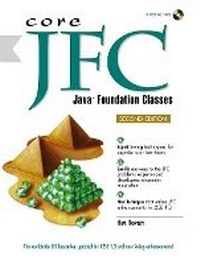
Core JFC
2nd Edition
Published on 6. November 2001
Book
Mixed media product
1712 pages
978-0-13-090581-9 (ISBN)
Description
The complete JFC guide for experienced programmers, now completely updated for J2SE Version 1.3 & 1.4. Proven Core Series format: superior information and code for serious developers. Leveraging the major JFC/Swing performance enhancements in J2SE 1.3 & 1.4. By one of the world's most experienced Java developers, best-selling author Kim Topley.
More details
Edition
2nd edition
Language
English
Place of publication
Upper Saddle River
United States
Publishing group
Pearson Education (US)
Target group
College/higher education
Dimensions
Width: 235 mm
Thickness: 61 mm
Weight
2377 gr
ISBN-13
978-0-13-090581-9 (9780130905819)
Copyright in bibliographic data and cover images is held by Nielsen Book Services Limited or by the publishers or by their respective licensors: all rights reserved.
Schweitzer Classification
Other editions
Previous edition
Kim Topley
Core Java Foundation Classes
Book
07/1998
Prentice Hall
€58.25
Article exhausted; check for reprint
Person
KIM TOPLEY has more than 25 years' experience as a software developer and was one of the first people in the world to obtain the Sun Certified Java Developer qualification. He is a freelance Java developer based near London, England and is also the author of Core Swing: Advanced Programming.
Content
(NOTE: Each chapter concludes with a Summary.)
Preface.
Who This Book Is For. What You'll Need. How This Book Is Organized. Conventions Used in This Book. About the CD-ROM. Feedback. Further Information. Acknowledgments.
I. FROM AWT TO SWING.
1. Introduction to the Java Foundation Classes.
What Are the Java Foundation Classes? Overview of JFC Features. The Swing Packages. The Model-View-Controller Architecture.
2. Frames, Labels and buttons.
The Shell of an Application: The JFrame Class. Components and Their Properties. Containers and Layout Managers. Event Handling. Using Buttons. Images on Components: Icons.
3. Managing the User Interface.
Layout Managers. Component Orientation. Working with the Application Window.
4. Graphics, Text Handling and Printing.
Working with Graphics. A Graphics Application. Rendering Text. Printing Graphics and Text.
II. USING SWING TO BUILD BETTER APPLICATIONS.
5. Keyboard Handling, Actions, and Scrolling.
Implementing Mouseless Operation. Scrolling Components. Logical Scrolling and Forcing Visibility of an Area. Implementing Scrolling with JscrollBar. Scrolling with the Keyboard. Component Autoscrolling.
6. Menus and Toolbars.
The Menu Bar and the Menu System. Toolbars. Actions and Java 2 Version 1.3.
7. Using Standard Dialogs.
Basic Dialogs. The JFileChooser Component.
8. Creating Custom Dialogs.
Creating Custom Dialog Boxes. Tabbed Panes and Borders. Swing Components Often Used in Dialogs.
III. ADVANCED TOPICS.
9. Text Controls.
Simple Text Controls. Input Verification. Text Components: Under the Hood. Getting Multiple Views of a Document. Documents with Nontext elements: JTextPane and JeditorPane.
10. The Tree Control.
The Tree Control. Custom Tree Rendering and Editing.
11. The Table Control.
An Overview of the Table Control. The Table Model. Table Columns and the Table Column Model. The Table Control. Customized Table Rendering and Editing.
12. Multiple-Document Applications.
Internal Frames. Layered Panes. Working with Internal Frames. Icons, the Desktop Pane and the Desktop Manager. An Example Multiple-Document Application.
13. The Pluggable Look-And-Feel.
The Look-and-Feel and the UIManager. Changing Component Look-and-Feel.
Appendix A: SWING AND APPLETS.
Index.
Preface.
Who This Book Is For. What You'll Need. How This Book Is Organized. Conventions Used in This Book. About the CD-ROM. Feedback. Further Information. Acknowledgments.
I. FROM AWT TO SWING.
1. Introduction to the Java Foundation Classes.
What Are the Java Foundation Classes? Overview of JFC Features. The Swing Packages. The Model-View-Controller Architecture.
2. Frames, Labels and buttons.
The Shell of an Application: The JFrame Class. Components and Their Properties. Containers and Layout Managers. Event Handling. Using Buttons. Images on Components: Icons.
3. Managing the User Interface.
Layout Managers. Component Orientation. Working with the Application Window.
4. Graphics, Text Handling and Printing.
Working with Graphics. A Graphics Application. Rendering Text. Printing Graphics and Text.
II. USING SWING TO BUILD BETTER APPLICATIONS.
5. Keyboard Handling, Actions, and Scrolling.
Implementing Mouseless Operation. Scrolling Components. Logical Scrolling and Forcing Visibility of an Area. Implementing Scrolling with JscrollBar. Scrolling with the Keyboard. Component Autoscrolling.
6. Menus and Toolbars.
The Menu Bar and the Menu System. Toolbars. Actions and Java 2 Version 1.3.
7. Using Standard Dialogs.
Basic Dialogs. The JFileChooser Component.
8. Creating Custom Dialogs.
Creating Custom Dialog Boxes. Tabbed Panes and Borders. Swing Components Often Used in Dialogs.
III. ADVANCED TOPICS.
9. Text Controls.
Simple Text Controls. Input Verification. Text Components: Under the Hood. Getting Multiple Views of a Document. Documents with Nontext elements: JTextPane and JeditorPane.
10. The Tree Control.
The Tree Control. Custom Tree Rendering and Editing.
11. The Table Control.
An Overview of the Table Control. The Table Model. Table Columns and the Table Column Model. The Table Control. Customized Table Rendering and Editing.
12. Multiple-Document Applications.
Internal Frames. Layered Panes. Working with Internal Frames. Icons, the Desktop Pane and the Desktop Manager. An Example Multiple-Document Application.
13. The Pluggable Look-And-Feel.
The Look-and-Feel and the UIManager. Changing Component Look-and-Feel.
Appendix A: SWING AND APPLETS.
Index.