

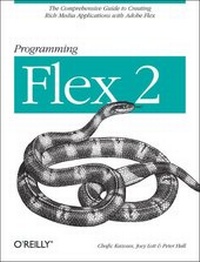
Programming Flex 2
1st Edition
Published on 26. April 2007
Book
502 pages
978-0-596-52689-4 (ISBN)
Description
Is there an easier way to build and deliver rich internet applications (RIAs) other than the Flash IDE or Ajax? Absolutely. With Adobe Flex 2, the Flex 2 SDK, and this book, you have all you need to build RIAs. "Programming Flex 2" offers you plenty of practical and useful examples that reveal how and why to use a particular feature of Flex 2, and when and when not to. As part of the Adobe Developer Library, "Programming Flex 2" is the authoritative guide to this new Adobe framework. You learn to use a markup language called MXML and a vast library of off-the-shelf and highly-configurable components to build Flash-based applications that combine the immediacy of the Web with the functionality and responsiveness of desktop applications. You also discover why - with the Flash Player runtime environment and the powerful ActionScript 3.0 programming language - the possibilities with Flex 2 are nearly limitless.
The topics include: Managing Layout; Working with Components; Working with Media; Managing State; Using Transitions and Effects; Working with Data; Customizing Application Appearance; Client Data Communication and Remote Data Communication; Debugging Flex Framework Applications; and Creating Custom Components. Flex may be easier to learn than the Flash IDE, but you still need a reliable guide to the framework. "Programming Flex 2" not only serves as a reference, but provides valuable and practical insight into this new technology. As you learn how to build Flex applications, you'll also discover how Flex works. This book supplies all the information you need in one convenient place.
The topics include: Managing Layout; Working with Components; Working with Media; Managing State; Using Transitions and Effects; Working with Data; Customizing Application Appearance; Client Data Communication and Remote Data Communication; Debugging Flex Framework Applications; and Creating Custom Components. Flex may be easier to learn than the Flash IDE, but you still need a reliable guide to the framework. "Programming Flex 2" not only serves as a reference, but provides valuable and practical insight into this new technology. As you learn how to build Flex applications, you'll also discover how Flex works. This book supplies all the information you need in one convenient place.
More details
Other editions
Additional editions
Chafic Kazoun
Programming Flex 2
The Comprehensive Guide to Creating Rich Internet Applications with Adobe Flex
E-Book
04/2007
O'Reilly
€46.49
Available for download
Chafic Kazoun
Programming Flex 2
The Comprehensive Guide to Creating Rich Internet Applications with Adobe Flex
E-Book
04/2007
O'Reilly
€36.49
Available for download
Persons
Chafic Kazoun has worked with Flash-related technologies since 1998. He was involved with Flex Server 1.0 since pre-alpha, has a deep understanding of the internals of the Flex Framework, and has experience with ActionScript 3.0 and Zorn. Joey Lott is the author of Complete Flash Remoting MX as well as the co-author of the ActionScript Bible. Joey has been teaching Flash and ActionScript since 1999 when he first began training throughout Southern California. Joey has professional experience in the Internet industry beginning in 1996 including co-founding RightSpring, Inc. and consulting for YourMobile/Premium Wireless Services (J2EE B2C application) and Ads.com (leading the development of a J2EE B2B application).
Content
Foreword Preface 1. Introducing Flex Understanding Flex Application Technologies Using Flex Elements Working with Data Services (Loading Data at Runtime) Understanding the Differences between Traditional (HTML) and Flex Web Applications Understanding How Flex Applications Work Understanding Flex and Flash Authoring Understanding Flex 2 and Flex 1.5 Summary 2. Building Applications with the Flex Framework Using Flex Tool Sets Creating Projects Building Applications Deploying Applications Flash Player Security Understanding HTML Wrappers Using SWFObject Using Runtime Shared Libraries Summary 3. MXML Understanding MXML Syntax and Structure Making MXML Interactive Summary 4. ActionScript Using ActionScript MXML and ActionScript Correlations Understanding ActionScript Syntax Variables and Properties Inheritance Interfaces Handling Events Error Handling Using XML Reflection Summary 5. Framework Fundamentals Understanding the Flex Application Life Cycle Differentiating Between Flash Player and Framework Bootstrapping Flex Applications Understanding Application Domains Understanding the Preloader Summary 6. Managing Layout Flex Layout Overview Making Fluid Interfaces Putting It All Together Summary 7. Working with UI Components Understanding UI Components Buttons Value Selectors Text Components List-Based Controls Pop-Up Controls Navigators Control Bars Summary 8. Framework Utilities and Advanced Component Concepts Tool Tips Pop Ups Cursor Management Drag and Drop Customizing List-Based Controls Focus Management and Keyboard Control Summary 9. Working with Media Overview Adding Media Working with the Different Media Types Summary 10. Managing State Creating States Applying States Defining States Based on Existing States Adding and Removing Components Setting Properties Setting Styles Setting Event Handlers Using ActionScript to Define States Managing Object Creation Policies (Preloading Objects) Handling State Events When to Use States Summary 11. Using Effects and Transitions Using Effects Creating Custom Effects Using Transitions Creating Custom Transitions Summary 12. Working with Data Using Data Models Data Binding Enabling Data Binding for Custom Classes Data Binding Examples Building Data Binding Proxies Summary 13. Validating and Formatting Data Validating User Input Formatting Data Summary 14. Customizing Application Appearance Using Styles Skinning Components Customizing the Preloader Themes Runtime CSS Summary 15. Client Data Communication Local Connections Persistent Data Communicating with the Host Application Summary 16. Remote Data Communication Understanding Strategies for Data Communication Working with Request/Response Data Communication Web Services Real-Time/Socket Connection File Upload/Download Summary 17. Application Debugging The Flash Debug Player Using FDB Debugging with Flex Builder 2 Remote Debugging Logging Using trace( ) Within an Application The Logging Framework Debugging Remote Data Summary 18. Application Components The Importance of Application Components MXML Component Basics Component Styles Summary 19. Building Custom Components Component Framework Overview Component Life Cycle Component Implementation Adding Custom Properties and Events Adding Styling Support Summary Index