

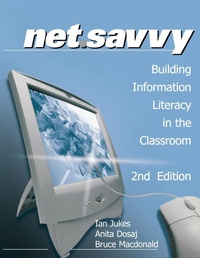
NetSavvy
Building Information Literacy in the Classroom
2nd Edition
Published on 27. June 2000
Book
Paperback/Softback
160 pages
978-0-7619-7565-6 (ISBN)
Description
This easy-to-follow guide can help students and teachers - even the most technology-resistant - learn to solve problems from sources like Internet sites, news groups, chat rooms, e-mail, and other Internet resources. Topics include:
Creating your own lesson plans using sample lesson planners
Applying frameworks for grade-level objectives and skills
Dealing with information-technology overload
Solving any information challenge with six critical steps
Helping students harness the web with simple tips
An important resource for today's classroom, Net Savvy can help educators become leaders rather than followers in the new high-tech, high-speed, digital era.
Creating your own lesson plans using sample lesson planners
Applying frameworks for grade-level objectives and skills
Dealing with information-technology overload
Solving any information challenge with six critical steps
Helping students harness the web with simple tips
An important resource for today's classroom, Net Savvy can help educators become leaders rather than followers in the new high-tech, high-speed, digital era.
More details
Edition
2nd Revised edition
Language
English
Place of publication
Thousand Oaks
United States
Target group
Professional and scholarly
Edition type
Revised edition
Dimensions
Height: 280 mm
Width: 216 mm
Thickness: 9 mm
Weight
421 gr
ISBN-13
978-0-7619-7565-6 (9780761975656)
Copyright in bibliographic data and cover images is held by Nielsen Book Services Limited or by the publishers or by their respective licensors: all rights reserved.
Schweitzer Classification
Other editions
Additional editions
Book
06/2000
2nd Edition
SAGE Publications Inc
€67.60
Shipment within 15-20 days
Persons
Ian Jukes has been a teacher, an administrator, writer, consultant, university instructor, and keynote speaker. He is the director of the InfoSavvy Group, an international consulting group that provides leadership and program development in the areas of assessment and evaluation, strategic alignment, curriculum design and publication, professional development, planning, change management, hardware and software acquisition, information services, customized research, media services, and online training as well as conference keynotes and workshop presentations. Over the past 10 years, Jukes has worked with clients in more than 40 countries and made more than 7,000 presentations, typically speaking to between 300,000 and 350,000 people a year. His Committed Sardine Blog is read by more than 78,000 people in 75 countries. Anita Dosaj is a teacher, writer, presenter, workshop facilitator and keynote speaker. As Associate Director of Educational Technology Planners, consults with districts and schools throughout America. Bruce Macdonald is an award-winning author and historian and a school teacher, public speaker, community activist, cartographer, graphical designer, and researcher. He has been involved in a number of curriculum reform projects.
Content
Foreword - Sara Armstrong
PART ONE: THE INTERNET, INFOWHELM AND INFOSAVVY
The Internet in Your Face!
Understanding InfoWhelm
Understanding InfoSavvy and NetSavvy
PART TWO: SETTING UP THE NETSAVVY CLASSROOM
Introducing the Ten-Minute Lesson Planner
Stage 1
Asking Teacher and Student Tools
Stage 2
Accessing Teacher and Student Tools
Stage 3
Analyzing Teacher and Student Tools
Stage 4
Applying Teacher and Student Tools
Stage 5
Assessing Teacher and Student Tools
PART THREE: THE NETSAVVY SKILLS FRAMEWORK
PART FOUR: OVERCOMING EDUCATIONAL OBSTACLES
Obstacle 1
Assumptions about the Agenda
Obstacle 2
Assumptions about Learning
Obstacle 3
Assumptions about Information
Obstacle 4
Assumptions about Technology in Education
Obstacle 5
Assumptions about Assessment
The Case for NetSavvy
PART ONE: THE INTERNET, INFOWHELM AND INFOSAVVY
The Internet in Your Face!
Understanding InfoWhelm
Understanding InfoSavvy and NetSavvy
PART TWO: SETTING UP THE NETSAVVY CLASSROOM
Introducing the Ten-Minute Lesson Planner
Stage 1
Asking Teacher and Student Tools
Stage 2
Accessing Teacher and Student Tools
Stage 3
Analyzing Teacher and Student Tools
Stage 4
Applying Teacher and Student Tools
Stage 5
Assessing Teacher and Student Tools
PART THREE: THE NETSAVVY SKILLS FRAMEWORK
PART FOUR: OVERCOMING EDUCATIONAL OBSTACLES
Obstacle 1
Assumptions about the Agenda
Obstacle 2
Assumptions about Learning
Obstacle 3
Assumptions about Information
Obstacle 4
Assumptions about Technology in Education
Obstacle 5
Assumptions about Assessment
The Case for NetSavvy