

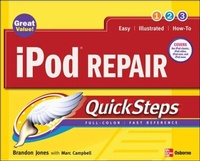
iPod Repair QuickSteps
Published on 16. January 2008
Book
Paperback/Softback
176 pages
978-0-07-149866-1 (ISBN)
Description
Get more life out of your iPod
Like every other electronic device, iPods break down. Until now, the prospect of repairing an iPod was daunting, if not nearly impossible for the average user. In this full-color, inexpensive guide, the owner of the fastest-growing chain of iPod repair shops in the U.S. shares the secrets of figuring out what is wrong with an iPod and fixing it--without paying costly repair bills. He also reveals how to make an iPod work even better.
Like every other electronic device, iPods break down. Until now, the prospect of repairing an iPod was daunting, if not nearly impossible for the average user. In this full-color, inexpensive guide, the owner of the fastest-growing chain of iPod repair shops in the U.S. shares the secrets of figuring out what is wrong with an iPod and fixing it--without paying costly repair bills. He also reveals how to make an iPod work even better.
More details
Language
English
Place of publication
United States
Publishing group
McGraw-Hill Education - Europe
Dimensions
Height: 249 mm
Width: 201 mm
Thickness: 10 mm
Weight
430 gr
ISBN-13
978-0-07-149866-1 (9780071498661)
Copyright in bibliographic data and cover images is held by Nielsen Book Services Limited or by the publishers or by their respective licensors: all rights reserved.
Schweitzer Classification
Persons
Brandon Jones is the owner and founder of iKaput.com and BrokeniPod, one of the fastest growing iPod repair companies in the U.S. Marc Campbell is the author of ten popular technology books.
Content
Chapter 1. What Kind of iPod Do I Have?
Chapter 2. What's Wrong: Diagnosing Your iPod
Chapter 3. Cracking the Case
Chapter 4. Power Issues: Replacing the Battery and Other Power Concerns
Chapter 5. Can't See a Thing: Replacing Broken Screens
Chapter 6. Storing Tunes and Such: Sorting Out Your Hard Drive
Chapter 7. Cranking up the Volume: Replacing Your Audio Jack
Chapter 8. Facing the Music: Replacing the Front Panel or Shell
Chapter 9. Does Not Compute: Replacing the Logic Board
Chapter 10. More Than Just Tunes: Looking at Third-Party Firmware and Software
Index
Chapter 2. What's Wrong: Diagnosing Your iPod
Chapter 3. Cracking the Case
Chapter 4. Power Issues: Replacing the Battery and Other Power Concerns
Chapter 5. Can't See a Thing: Replacing Broken Screens
Chapter 6. Storing Tunes and Such: Sorting Out Your Hard Drive
Chapter 7. Cranking up the Volume: Replacing Your Audio Jack
Chapter 8. Facing the Music: Replacing the Front Panel or Shell
Chapter 9. Does Not Compute: Replacing the Logic Board
Chapter 10. More Than Just Tunes: Looking at Third-Party Firmware and Software
Index