

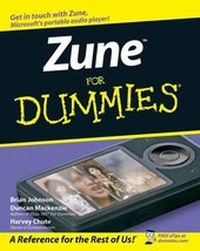
Zune For Dummies
1st Edition
Published on 24. July 2007
Book
Paperback/Softback
408 pages
978-0-470-12045-3 (ISBN)
Description
Get the scoop on Zune from insiders
Get in the Zune zone, tune in, turn on, watch, listen, and share
With Zune, you have a portable entertainment unit that fits into your pocket and lets you take your music (500 hours of it), photos, and videos with you everywhere. This friendly guide walks you through everything from installing the software and basic operation to browsing Zune Marketplace with more than two million tracks and connecting with fellow Zuners.
* Transfer and manage your music collection
*
Import and watch videos
*
Create content to share
*
Connect to FM radio, your stereo, TV, or Xbox 360
*
Use the built-in Wi-Fi features
*
Take advantage of Zune Marketplace
Get in the Zune zone, tune in, turn on, watch, listen, and share
With Zune, you have a portable entertainment unit that fits into your pocket and lets you take your music (500 hours of it), photos, and videos with you everywhere. This friendly guide walks you through everything from installing the software and basic operation to browsing Zune Marketplace with more than two million tracks and connecting with fellow Zuners.
* Transfer and manage your music collection
*
Import and watch videos
*
Create content to share
*
Connect to FM radio, your stereo, TV, or Xbox 360
*
Use the built-in Wi-Fi features
*
Take advantage of Zune Marketplace
More details
Edition
1., Auflage
Language
English
Place of publication
Chichester
United Kingdom
Publishing group
John Wiley and Sons Ltd
Target group
Professional and scholarly
Illustrations
Illustrations
Dimensions
Height: 23.6 cm
Width: 18.9 cm
Thickness: 20 mm
Weight
616 gr
ISBN-13
978-0-470-12045-3 (9780470120453)
Schweitzer Classification
Persons
Brian Johnson is a product manager for Microsoft. He's the author of a number of technology books including (with Duncan) Xbox 360 For Dummies. You can find out more about Brian by visiting his blog at http://bufferoverrun.net.
Duncan Mackenzie is a software developer at Microsoft working on several Web video sites, including http://on10.net and http://channel9.msdn.com. When he isn't working or writing, he spends most of his time with his wife and two kids, and when they are asleep he fires up the Xbox 360. At any given moment you may find him online playing Viva Piñata, Oblivion or Halo 3. He has a habit of watching TV show episodes on his Zune, including "Star Trek: Enterprise" and "Avatar: The Last Airbender". You can contact Duncan through his Web site, www.duncanmackenzie.net.
Harvey Chute is owner and editor of Zunerama.com, an online resource center for Zune owners. He moderates Zunerama's user boards, oversees the site's technical support section, conducts photo reviews of Zune players and accessories, and writes the site's daily Zune blog. A project manager and software developer for a national systems integration and consulting company, Harvey has authored over fifty internal technical documents, white papers, and consulting deliverables. His interests include software development, gadgets, music, photography, woodworking, running, snowboarding, and enjoying life with his wife and three daughters.
Duncan Mackenzie is a software developer at Microsoft working on several Web video sites, including http://on10.net and http://channel9.msdn.com. When he isn't working or writing, he spends most of his time with his wife and two kids, and when they are asleep he fires up the Xbox 360. At any given moment you may find him online playing Viva Piñata, Oblivion or Halo 3. He has a habit of watching TV show episodes on his Zune, including "Star Trek: Enterprise" and "Avatar: The Last Airbender". You can contact Duncan through his Web site, www.duncanmackenzie.net.
Harvey Chute is owner and editor of Zunerama.com, an online resource center for Zune owners. He moderates Zunerama's user boards, oversees the site's technical support section, conducts photo reviews of Zune players and accessories, and writes the site's daily Zune blog. A project manager and software developer for a national systems integration and consulting company, Harvey has authored over fifty internal technical documents, white papers, and consulting deliverables. His interests include software development, gadgets, music, photography, woodworking, running, snowboarding, and enjoying life with his wife and three daughters.
Content
Introduction.
Part I: Getting Started.
Chapter 1: First Steps with Your Zune.
Chapter 2: Installing the Zune Software.
Chapter 3: Handling the Zune Interface.
Part II: Managing Your Zune Content.
Chapter 4: Importing the Music You Love.
Chapter 5: Getting Video onto Your Zune.
Chapter 6: Adding Pictures to Your Zune.
Chapter 7: Buying Music in Zune Marketplace.
Chapter 8: Ripping CDs with Zune.
Chapter 9: Making Your Own Videos.
Chapter 10: Podcasts.
Part III: Enjoying Your Content.
Chapter 11: Using Your Zune at Home.
Chapter 12: Watching Video on the Zune.
Chapter 13: Getting Music, Video, and Pictures to Your Xbox 360.
Chapter 14: Hooking Your Zune Up in Your Car.
Chapter 15: Using Your Zune on the Road.
Chapter 16: Tapping into the Zune Community.
Part IV: The Part of Tens.
Chapter 17: Ten Great Zune Accessories.
Chapter 18: Ten Tips for Parents.
Chapter 19: Ten Ways to Keep Your Zune Safe.
Index.
Part I: Getting Started.
Chapter 1: First Steps with Your Zune.
Chapter 2: Installing the Zune Software.
Chapter 3: Handling the Zune Interface.
Part II: Managing Your Zune Content.
Chapter 4: Importing the Music You Love.
Chapter 5: Getting Video onto Your Zune.
Chapter 6: Adding Pictures to Your Zune.
Chapter 7: Buying Music in Zune Marketplace.
Chapter 8: Ripping CDs with Zune.
Chapter 9: Making Your Own Videos.
Chapter 10: Podcasts.
Part III: Enjoying Your Content.
Chapter 11: Using Your Zune at Home.
Chapter 12: Watching Video on the Zune.
Chapter 13: Getting Music, Video, and Pictures to Your Xbox 360.
Chapter 14: Hooking Your Zune Up in Your Car.
Chapter 15: Using Your Zune on the Road.
Chapter 16: Tapping into the Zune Community.
Part IV: The Part of Tens.
Chapter 17: Ten Great Zune Accessories.
Chapter 18: Ten Tips for Parents.
Chapter 19: Ten Ways to Keep Your Zune Safe.
Index.