

SELECT
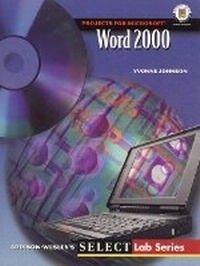
Word 2000
Published on 26. November 1999
Book
Paperback/Softback
304 pages
978-0-201-45896-1 (ISBN)
Description
For courses in Access for Windows, PowerPoint for Windows, Excel for Windows, Word for Windows and Microsoft Office Professional for Windows.
The SELECT Lab Series uses a class tested, highly visual, project-based approach that teaches students through tasks supported by step-by-step instructions, and extensive 4-color figures that guide learners through the basic skills and procedures necessary to demonstrate proficiency using each software application. SELECT: Projects for Microsoft Office 2000 introduces an all-new design with ample space for note taking. The easy-to-follow, clean presentation uses bold color and a unique program that reduces distraction and helps students stay focused and interested as they work.
The SELECT Lab Series uses a class tested, highly visual, project-based approach that teaches students through tasks supported by step-by-step instructions, and extensive 4-color figures that guide learners through the basic skills and procedures necessary to demonstrate proficiency using each software application. SELECT: Projects for Microsoft Office 2000 introduces an all-new design with ample space for note taking. The easy-to-follow, clean presentation uses bold color and a unique program that reduces distraction and helps students stay focused and interested as they work.
More details
Language
English
Place of publication
United States
Publishing group
Pearson Education (US)
Target group
Professional and scholarly
Dimensions
Height: 216 mm
Width: 275 mm
Thickness: 11 mm
Weight
612 gr
ISBN-13
978-0-201-45896-1 (9780201458961)
Copyright in bibliographic data and cover images is held by Nielsen Book Services Limited or by the publishers or by their respective licensors: all rights reserved.
Schweitzer Classification
Other editions
New editions
Book
05/2001
2nd Edition
Pearson
€29.70
Article is exhausted; no reprint
Content
Projects for Microsoft Word 2000.
Introducing Word 2000.
Understanding the Document Cycle for Word Processing.
Launching Word.
Identifying Window Elements.
Identifying Indicators and Icons in the Status Bar.
Using Multiple Windows in Word.
Project 1 Creating a Document.
Changing the View.
Entering Text.
Inserting the Date.
Inserting Symbols and Special Characters.
Creating and Using AutoText Entries.
Using AutoComplete.
Editing Text.
Previewing the Document.
Creating an Envelope.
Printing a Document.
Creating a Fax Coversheet from a Template.
Using Click-n-Type.
Creating Labels.
Project 2 Editing and Formatting a Document.
Inserting a File.
Navigating through a Document.
Using the Mouse to Navigate.
Using Keystrokes to Navigate.
Browsing for and Deleting Objects.
Finding and Deleting Text.
Moving Text.
Using Cut and Paste.
Using Drag and Drop.
Finding and Replacing Text.
Formatting Text.
Setting the Font Defaults.
Underlining Text.
Applying Font Effects.
Changing Case.
Aligning Text.
Highlighting Text.
Using Writing and Proofing Tools.
Using the Thesaurus.
Project 3 Creating a Brochure.
Defining the Page Setup.
Creating and Revising Columns.
Changing the Column Structure.
Inserting Column Breaks.
Applying Formatting to Paragraphs.
Setting Tabs.
Setting Paragraph and Line Spacing.
Creating Bulleted and Numbered Lists.
Finding and Replacing Formatting.
Applying, Creating, and Modifying Styles.
Project 4 Working with Multipage Documents.
Creating a Title Page.
Creating Sections.
Creating an Outline.
Creating and Modifying Headers and Footers.
Creating Headers and Footers.
Inserting and Formatting Page Numbers.
Modifying Headers and Footers.
Creating Footnotes.
Using Document Map to Navigate.
Printing Specific Pages.
Project 5 Creating Tables.
Inserting a Table.
Moving Around in a Table and Entering Text.
Modifying the Structure of a Table.
Inserting and Deleting Rows and Columns.
Changing the Height and Width of Rows and Columns.
Splitting and Merging Cells.
Setting Table Properties.
Using Borders and Shading.
Saving a Document as a Web Page.
Drawing a Table.
Creating a Hyperlink.
Project 6 Merging Documents.
Creating the Main Document.
Creating the Data Source Document.
Merging the Documents.
Merging Data Sources with Envelopes and Labels.
Introducing Word 2000.
Understanding the Document Cycle for Word Processing.
Launching Word.
Identifying Window Elements.
Identifying Indicators and Icons in the Status Bar.
Using Multiple Windows in Word.
Project 1 Creating a Document.
Changing the View.
Entering Text.
Inserting the Date.
Inserting Symbols and Special Characters.
Creating and Using AutoText Entries.
Using AutoComplete.
Editing Text.
Previewing the Document.
Creating an Envelope.
Printing a Document.
Creating a Fax Coversheet from a Template.
Using Click-n-Type.
Creating Labels.
Project 2 Editing and Formatting a Document.
Inserting a File.
Navigating through a Document.
Using the Mouse to Navigate.
Using Keystrokes to Navigate.
Browsing for and Deleting Objects.
Finding and Deleting Text.
Moving Text.
Using Cut and Paste.
Using Drag and Drop.
Finding and Replacing Text.
Formatting Text.
Setting the Font Defaults.
Underlining Text.
Applying Font Effects.
Changing Case.
Aligning Text.
Highlighting Text.
Using Writing and Proofing Tools.
Using the Thesaurus.
Project 3 Creating a Brochure.
Defining the Page Setup.
Creating and Revising Columns.
Changing the Column Structure.
Inserting Column Breaks.
Applying Formatting to Paragraphs.
Setting Tabs.
Setting Paragraph and Line Spacing.
Creating Bulleted and Numbered Lists.
Finding and Replacing Formatting.
Applying, Creating, and Modifying Styles.
Project 4 Working with Multipage Documents.
Creating a Title Page.
Creating Sections.
Creating an Outline.
Creating and Modifying Headers and Footers.
Creating Headers and Footers.
Inserting and Formatting Page Numbers.
Modifying Headers and Footers.
Creating Footnotes.
Using Document Map to Navigate.
Printing Specific Pages.
Project 5 Creating Tables.
Inserting a Table.
Moving Around in a Table and Entering Text.
Modifying the Structure of a Table.
Inserting and Deleting Rows and Columns.
Changing the Height and Width of Rows and Columns.
Splitting and Merging Cells.
Setting Table Properties.
Using Borders and Shading.
Saving a Document as a Web Page.
Drawing a Table.
Creating a Hyperlink.
Project 6 Merging Documents.
Creating the Main Document.
Creating the Data Source Document.
Merging the Documents.
Merging Data Sources with Envelopes and Labels.