

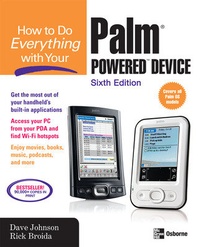
How to Do Everything with Your Palm Powered Device, Sixth Edition
6th Edition
Published on 16. December 2006
Book
Paperback/Softback
496 pages
978-0-07-226379-4 (ISBN)
Description
Now you can get more out of your handheld device with help from this easy-to-follow guide. How to Do Everything with Your Palm Powered Device, Sixth Edition explains how to master the latest features, tools, and shortcuts in clear, straightforward language. Learn to configure your PDA's preferences, HotSync with your PC, schedule appointments, prioritize tasks, and view your address book. You'll also find out how to utilize different wireless options, access e-mail and the Web, turn your PDA into a mobile office, play music and movies, password-protect your PDA, and so much more. Maximize the capabilities of your Palm OS handheld and make your life not only more efficient, but also more fun.
Configure your PDA and enter data using Graffiti, the onscreen keyboard, Palm Desktop, or Outlook
Perform wired or wireless HotSyncs
Turn your PDA into a GPS navigation system
Implement foolproof security measures and safeguard your personal information
Access the Internet and send and receive e-mail
Schedule appointments and keep track of contacts, tasks, and expenses
Use your PDA as a full-fledged laptop replacement
Connect your cell phone to your handheld device
Play games, listen to music, take photos, download podcasts, and more
Troubleshoot, accessorize, and upgrade your PDA
Configure your PDA and enter data using Graffiti, the onscreen keyboard, Palm Desktop, or Outlook
Perform wired or wireless HotSyncs
Turn your PDA into a GPS navigation system
Implement foolproof security measures and safeguard your personal information
Access the Internet and send and receive e-mail
Schedule appointments and keep track of contacts, tasks, and expenses
Use your PDA as a full-fledged laptop replacement
Connect your cell phone to your handheld device
Play games, listen to music, take photos, download podcasts, and more
Troubleshoot, accessorize, and upgrade your PDA
More details
Edition
6th edition
Language
English
Place of publication
New York
United States
Publishing group
McGraw-Hill Education - Europe
Illustrations
200 Illustrations
Dimensions
Height: 231 mm
Width: 185 mm
Thickness: 26 mm
Weight
792 gr
ISBN-13
978-0-07-226379-4 (9780072263794)
Copyright in bibliographic data and cover images is held by Nielsen Book Services Limited or by the publishers or by their respective licensors: all rights reserved.
Schweitzer Classification
Persons
Dave Johnson has a degree in Mechanical and Aerospace Engineering from Rutgers University. He has written about technology for 15 years. Dave's magazine credits include such publications as Wired, Handheld Computing Magazine, PC World Magazine, and Family PC Magazine. Johnson also hosted a call-in talk radio show on technology for two years. He is the author of 18 books, including the best-selling titles How to Do Everything with Your Palm Handheld (written with Rick Broida) and How to Do Everything with Your Digital Camera. Johnson was a contributing author to Build Your Own Combat Robot, and he has written several children's stories including The Wild Cookie, which was recently published as an interactive storybook for Windows.
Dave Johnson (Colorado Springs, CO) is a mobile computing editor for CMP Media, and Rick Broida (Commerce Township, MI) is the founder and former editor of Handheld Computing, the first and only print magazine designed expressly for Palm OS users. They are the best-selling authors of How to Do Everything with Your Palm and How to Do Everything with Your Visor
Dave Johnson (Colorado Springs, CO) is a mobile computing editor for CMP Media, and Rick Broida (Commerce Township, MI) is the founder and former editor of Handheld Computing, the first and only print magazine designed expressly for Palm OS users. They are the best-selling authors of How to Do Everything with Your Palm and How to Do Everything with Your Visor
Content
PART I: GET STARTED Chapter 1: Welcome to Palm Handhelds Chapter 2: Get to Know Your PDA Chapter 3: Ready, Set, Sync! Chapter 4: Get Information In and Out of Your Handheld PART II: GET THINGS DONE Chapter 5: The Date Book and Calendar Chatper 6: The Address Book and Contacts Chapter 7: The To Do List and Memo Pad Chapter 8: Note Pad, Expense, and the Rest of the Palm OS Team Chapter 9: Go on a Trip Chapter 10: Unwire Your PDA PART III BEYOND THE BOX Chapter 11: The Palm Office Chapter 12: Utilities Chapter 13: Playing Games Chapter 14: Music and Movies Chapter 15: Books, Photos, Paintings, and More Chapter 16: Accessories and Upgrades Chapter 17: Problems and Solutions