

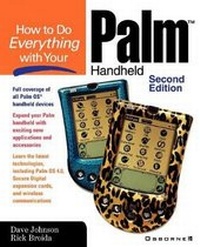
How to Do Everything with Your Palm Handheld
2nd Edition
Published on 1. August 2001
Book
Paperback/Softback
644 pages
978-0-07-219100-4 (ISBN)
Description
This text offers a friendly, solutions-oriented approach to working with all of the different Palm OS models, including the new Visor from Handspring and the PDQ "Palm phone".
More details
Edition
2nd Revised edition
Language
English
Place of publication
London
United Kingdom
Publishing group
McGraw-Hill Education - Europe
Edition type
Revised edition
Product notice
Paperback (trade)
Illustrations
1, black & white illustrations
Dimensions
Height: 235 mm
Width: 191 mm
Thickness: 32 mm
Weight
1091 gr
ISBN-13
978-0-07-219100-4 (9780072191004)
Copyright in bibliographic data and cover images is held by Nielsen Book Services Limited or by the publishers or by their respective licensors: all rights reserved.
Schweitzer Classification
Other editions
New editions
Dave Johnson | Rick Broida
How to Do Everything with Your Palm Handheld
Book
08/2002
3rd Edition
Osborne/McGraw-Hill
€23.46
No shipping information available
Previous edition

Dave Johnson | Rick Broida | Rick Brodia
How to Do Everything with Your Palm Handheld
Book
05/2000
Osborne/McGraw-Hill
€19.80
Article exhausted; check for reprint
Persons
Dave Johnson (Colorado Springs, CO) is a mobile computing editor for CMP Media, and Rick Broida (Commerce Township, MI) is the founder and former editor of Handheld Computing, the first and only print magazine designed expressly for Palm OS users. They are the best-selling authors of How to Do Everything with Your Palm and How to Do Everything with Your Visor.
Content
Part I: Get Started Chapter 1: Welcome to Palm Chapter 2: Get to Know the Palm Chapter 3: Getting Set Up Chapter 4: Get Information in and out of Your Palm Part II: Get Things Done Chapter 5: The Date Book Chapter 6: The Address Book Chapter 7: The To Do List Chapter 8: The Memo Pad Chapter 9: Expense Chapter 10: The Rest of the Palm OS Team Chapter 11: Going on a Trip Chapter 12: The Palm VII Series Chapter 13: The Handspring Visor, Sony Clie, TRGpro Part III: Communications Chapter 14: Modems and More Chapter 15: E-Mail and Instant Messaging Chapter 16: Web Browsing Chapter 17: Paging and Faxing Chapter 18: Infrared, Remote and Network Hot Syncs Part IV: Beyond the Box Chapter 19: The Palm Office Chapter 20: HackMaster and Other Utilities Chapter 21: Time and Money Management Chapter 22: Playing Games Chapter 23: Graffiti Enhancements and Alternatives Chapter 24: Building E-Book Libraries and Photo Albums Chapter 25: Creativity Software: Paint Compose and Organize Chapter 26: Peripherals for Your Palm Part V: Troubleshoot and Maintain Your Palm Chapter 27: Dealing with Palm Problems Chapter 28: Dealing with PC Problems