

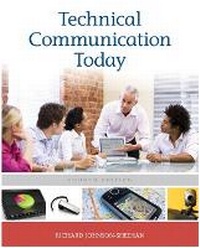
Technical Communication Today with NEW MyTechCommLab with eText -- Access Card Package
4th Edition
Published on 28. August 2011
Book
Mixed media product
736 pages
978-0-321-84623-5 (ISBN)
Description
ALERT: Before you purchase, check with your instructor or review your course syllabus to ensure that you select the correct ISBN. Several versions of Pearson's MyLab & Mastering products exist for each title, including customized versions for individual schools, and registrations are not transferable. In addition, you may need a CourseID, provided by your instructor, to register for and use Pearson's MyLab & Mastering products.
Packages
Access codes for Pearson's MyLab & Mastering products may not be included when purchasing or renting from companies other than Pearson; check with the seller before completing your purchase.
Used or rental books
If you rent or purchase a used book with an access code, the access code may have been redeemed previously and you may have to purchase a new access code.
Access codes
Access codes that are purchased from sellers other than Pearson carry a higher risk of being either the wrong ISBN or a previously redeemed code. Check with the seller prior to purchase.
--
Technical Communication Today remains the only text to fully centralize the computer in the technical workplace, presenting how writers use computers throughout their communication process. Each chapter places an emphasis on the activity of producing effective documents by following a process approach that mirrors how professionals communicate in the technical workplace and how students learn in the classroom.
The text incorporates the newest technology-driven changes in workplace communication with in-depth discussions of email, instant messaging, working in virtual teams, making Web sites, blogging, podcasting, incorporating digital audio and visuals in documents, using PDAs, and negotiating ethical situations in electronic communication among many other available strategies and tools. 0321846230 / 9780321846235 Technical Communication Today with NEW MyTechCommLab Student Access Code Card 4/e
Package consists of
0205171192 / 9780205171194 Technical Communication Today
0205890407 / 9780205890408 NEW MyTechCommLab with Pearson eText -- Access Card
Packages
Access codes for Pearson's MyLab & Mastering products may not be included when purchasing or renting from companies other than Pearson; check with the seller before completing your purchase.
Used or rental books
If you rent or purchase a used book with an access code, the access code may have been redeemed previously and you may have to purchase a new access code.
Access codes
Access codes that are purchased from sellers other than Pearson carry a higher risk of being either the wrong ISBN or a previously redeemed code. Check with the seller prior to purchase.
--
Technical Communication Today remains the only text to fully centralize the computer in the technical workplace, presenting how writers use computers throughout their communication process. Each chapter places an emphasis on the activity of producing effective documents by following a process approach that mirrors how professionals communicate in the technical workplace and how students learn in the classroom.
The text incorporates the newest technology-driven changes in workplace communication with in-depth discussions of email, instant messaging, working in virtual teams, making Web sites, blogging, podcasting, incorporating digital audio and visuals in documents, using PDAs, and negotiating ethical situations in electronic communication among many other available strategies and tools. 0321846230 / 9780321846235 Technical Communication Today with NEW MyTechCommLab Student Access Code Card 4/e
Package consists of
0205171192 / 9780205171194 Technical Communication Today
0205890407 / 9780205890408 NEW MyTechCommLab with Pearson eText -- Access Card
More details
Edition
4th edition
Language
English
Place of publication
New Jersey
United States
Publishing group
Pearson Education (US)
Target group
College/higher education
Dimensions
Height: 231 mm
ISBN-13
978-0-321-84623-5 (9780321846235)
Copyright in bibliographic data is held by Nielsen Book Services Limited or its licensors: all rights reserved.
Schweitzer Classification
Other editions
New editions

Richard Johnson-Sheehan
Technical Communication Today
Book
09/2011
4th Edition
Pearson
€121.80
Article exhausted; check for reprint
Previous edition
Richard Johnson-Sheehan
Technical Communication Today
Book
02/2009
3rd Edition
Pearson
€93.03
Article exhausted; check for reprint
Content
Preface
PART ONE ELEMENTS OF TECHNICAL COMMUNCATION
1 Communicating in the Workplace
Developing a Workplace Writing Process
Genres and the Technical Writing Process
Help: Using Your Computer to Overcome Writer's Block
What is Technical Communication?
How Important is Technical Communication?
Chapter Review
Exercises and Projects
2 Readers and Contexts of Use
Profiling Your Readers
Help: Profiling Readers with Search Engines
Profiling Contexts of Use
Using Profiles to Your Own Advantage
International and Cross-Cultural Communication
Chapter Review
Exercises and Projects
Case Study: Installing a Medical Waste Incinerator
3 Working in Teams
The Stages of Teaming
Forming: Strategic Planning
Storming: Managing Conflict
Norming: Determining Team Roles
Help: Virtual Teaming
Performing: Improving Quality
The Keys to Teaming
Chapter Review
Exercises and Projects
Case Study: Not a Sunny Day
4 Ethics in the Technical Workplace
What Are Ethics?
Where Do Ethics Come From?
Help: Stopping Cyberbullying and Computer Harassment
Resolving Ethical Dilemmas
Ethics in the Technical Workplace
Copyright Law in Technical Communication
Chapter Review
Exercises and Projects
Case Study: This Company is Bugging Me
PART TWO GENRES OF TECHNICAL COMMUNICATION
5 Letters, Memos, and E-Mail
Basic Features of Letters, Memos, and E-Mail
Planning and Researching Letters, Memos, and E-Mail
Organizing and Drafting Letters, Memos, and E-Mail
Types of Letters, Memos, and E-Mail
Using Style in Letters, Memos, and E-Mail
Designing and Formatting Letters and Memos
Help: E-Mail Netiquette
Microgenre: Texting at Work
Chapter Review
Exercises and Projects
Case Study: The Nastygram
6 Technical Descriptions and Specifications
Basic Features of Technical Descriptions and Specifications
Planning and Researching
Partitioning the Subject
Organizing and Drafting
Using Style and Design
Help: Using Digital Photography in Descriptions
Microgenre: Technical Definitions
Chapter Review
Exercises and Projects
Case Study: In the Vapor
7 Instructions and Documentation
Basic Features of Documentation
Planning and Researching
Planning for Cross-Cultural Readers and Contexts
Organizing and Drafting
Using Style and Design
Help: On-Screen Documentation
Microgenre: Emergency Instructions
Chapter Review
Exercises and Projects
Case Study: The Flame
8 Proposals
Basic Features of Proposals
Planning and Researching
Organizing and Drafting
Help: Roughing Out a Budget with a Spreadsheet
Using Style and Design in Proposals
Microgenre: The Elevator Pitch
Chapter Review
Exercises and Projects
Case Study: The Mole
9 Activity Reports
Basic Features of Activity Reports
Types of Activity Reports
Planning and Researching
Organizing and Drafting
Help: Making and Using PDFs
Using Style and Design
Microgenre: The Status Report
Chapter Review
Exercises and Projects
Case Study: Bad Chemistry
10 Analytical Reports
Basic Features of Analytical Reports
Types of Analytical Reports
Planning and Researching
Organizing and Drafting
Drafting Front Matter and Back Matter
Help: Using Google Docs to Collaborate with International Teams
Using Style and Design
Microgenre: The Poster Presentation
Chapter Review
Exercises and Projects
Case Study: The X-File
11 Starting Your Career
Setting Goals, Making a Plan
Preparing a Resume
Help: Designing a Scannable/Searchable Resume
Writing Effective Application Letters
Creating a Professional Portfolio
Interviewing Strategies
Microgenre: The Bio
Chapter Review
Exercises and Projects
Case Study: The Lie
PART THREE PLANNING AND DOING RESEARCH
12 Strategic Planning, Being Creative
Using Strategic Planning
Help: Planning with Online Calendars
Generating New Ideas
Chapter Review
Exercises and Projects
Case Study: Getting Back to Crazy
13 Persuading Others
Persuading with Reasoning
Persuading with Values
Help: Persuading On-Line
Persuasion in High-Context Cultures
Chapter Review
Exercises and Projects
Case Study: Leapfrogging with Wireless
14 Doing Research
Beginning Your Research
Defining Your Research Subject
Formulating a Research Question or Hypothesis
Developing a Research Methodology
Triangulating Materials
Chapter Review
Exercises and Projects
Case Study: The Life of a Dilemma
15 Using Sources and Managing Information
Taking Useful Notes
Documenting Sources
Help: Using a Citation Manager
Appraising Your Information
Avoiding Plagiarism
Chapter Review
Exercises and Projects
Case Study: The Patch Writer
PART FOUR DRAFTING, DESIGNING, AND REVISING
16 Organizing and Drafting
Basic Organization for Any Document
Using Genres to Organize Information
Outlining the Document
Help: Organizing with Presentation Software
Organizing and Drafting the Introduction
Organizing and Drafting the Body
Organizing and Drafting the Conclusion
Organizing Cross-Cultural Documents
Chapter Review
Exercises and Projects
Case Study: The Bad News
17 Using Plain and Persuasive Language
What is Style?
Writing Plain Sentences
Help: Intercultural Style and Translation Software
Writing Plain Paragraphs
When Is It Appropriate to Use Passive Voice?
Persuasive Style
Balancing Plain and Persuasive Style
Chapter Review
Exercises and Projects
Case Study: Going Over the Top
18 Designing Documents and Interfaces
Five Principles of Design
Design Principle 1: Balance
Design Principle 2: Alignment
Design Principle 3: Grouping
Design Principle 4: Consistency
Help: Using Styles and Templates
Design Principle 5: Contrast
Cross-Cultural Design
Using the Principles of Design
A Primer on Binding and Paper
Chapter Review
Exercises and Projects
Case Study: Scorpions Invade
19 Creating and Using Graphics
Guidelines for Using Graphics
Displaying Data with Graphs, Tables, and Charts
Using Pictures, Drawings, and Screen Shots
Help: Making Visuals with a Spreadsheet Program
Using Cross-Cultural Symbols
Using Video and Audio
Chapter Review
Exercises and Projects
Case Study: Looking Guilty
20 Revising and Editing for Usability
Levels of Edit
Revising: Level 1 Editing
Substantive Editing: Level 2 Editing
Copyediting: Level 3 Editing
Proofreading: Level 4 Editing
Using Copyediting Symbols
Lost in Translation: Cross-Cultural Editing
Documenting Cycling and Usability Testing
Help: Online Copyediting
Chapter Review
Exercises and Projects
Case Study: Wrong Version
PART FIVE CONNECTING WITH CLIENTS
21 Preparing and Giving Presentations
Planning and Researching Your Presentation
Choosing the Right Presentation Technology
Organizing the Content of Your Presentation
Help: Giving Presentations with your iPod, MP3, or Mobile Phone
Choosing Your Presentation Style
Creating Visuals
Delivering the Presentation
Practicing and Rehearsing
Working Cross-Culturally with Translators
Chapter Review
Exercises and Projects
Case Study: The Coward
22 Designing Websites
Basic Features of a Website
Planning and Researching a Website
Organizing and Drafting a Website
Help: Using Web-Authoring Software
Using Style in a Website
Designing the Website
Revising, Editing, and Proofreading
Uploading, Testing, and Maintaining Your Website
Chapter Review
Exercises and Projects
Case Study: Slowed to a Crawl
23 Using Social Networking Tools (Web 2.0)
Social Networking in the Workplace
Blogs and Microblogs
Internet Videos and Podcasts
Wikis
Help: Using Skype for Collaboration
Chapter Review
Exercises and Projects
Case Study: My Boss Might Not "Like" This
Appendix A Grammar and Punctuation Guide
Appendix B Guide for English Language Learners
Appendix C Documentation Guide
References
Credits
Index
PART ONE ELEMENTS OF TECHNICAL COMMUNCATION
1 Communicating in the Workplace
Developing a Workplace Writing Process
Genres and the Technical Writing Process
Help: Using Your Computer to Overcome Writer's Block
What is Technical Communication?
How Important is Technical Communication?
Chapter Review
Exercises and Projects
2 Readers and Contexts of Use
Profiling Your Readers
Help: Profiling Readers with Search Engines
Profiling Contexts of Use
Using Profiles to Your Own Advantage
International and Cross-Cultural Communication
Chapter Review
Exercises and Projects
Case Study: Installing a Medical Waste Incinerator
3 Working in Teams
The Stages of Teaming
Forming: Strategic Planning
Storming: Managing Conflict
Norming: Determining Team Roles
Help: Virtual Teaming
Performing: Improving Quality
The Keys to Teaming
Chapter Review
Exercises and Projects
Case Study: Not a Sunny Day
4 Ethics in the Technical Workplace
What Are Ethics?
Where Do Ethics Come From?
Help: Stopping Cyberbullying and Computer Harassment
Resolving Ethical Dilemmas
Ethics in the Technical Workplace
Copyright Law in Technical Communication
Chapter Review
Exercises and Projects
Case Study: This Company is Bugging Me
PART TWO GENRES OF TECHNICAL COMMUNICATION
5 Letters, Memos, and E-Mail
Basic Features of Letters, Memos, and E-Mail
Planning and Researching Letters, Memos, and E-Mail
Organizing and Drafting Letters, Memos, and E-Mail
Types of Letters, Memos, and E-Mail
Using Style in Letters, Memos, and E-Mail
Designing and Formatting Letters and Memos
Help: E-Mail Netiquette
Microgenre: Texting at Work
Chapter Review
Exercises and Projects
Case Study: The Nastygram
6 Technical Descriptions and Specifications
Basic Features of Technical Descriptions and Specifications
Planning and Researching
Partitioning the Subject
Organizing and Drafting
Using Style and Design
Help: Using Digital Photography in Descriptions
Microgenre: Technical Definitions
Chapter Review
Exercises and Projects
Case Study: In the Vapor
7 Instructions and Documentation
Basic Features of Documentation
Planning and Researching
Planning for Cross-Cultural Readers and Contexts
Organizing and Drafting
Using Style and Design
Help: On-Screen Documentation
Microgenre: Emergency Instructions
Chapter Review
Exercises and Projects
Case Study: The Flame
8 Proposals
Basic Features of Proposals
Planning and Researching
Organizing and Drafting
Help: Roughing Out a Budget with a Spreadsheet
Using Style and Design in Proposals
Microgenre: The Elevator Pitch
Chapter Review
Exercises and Projects
Case Study: The Mole
9 Activity Reports
Basic Features of Activity Reports
Types of Activity Reports
Planning and Researching
Organizing and Drafting
Help: Making and Using PDFs
Using Style and Design
Microgenre: The Status Report
Chapter Review
Exercises and Projects
Case Study: Bad Chemistry
10 Analytical Reports
Basic Features of Analytical Reports
Types of Analytical Reports
Planning and Researching
Organizing and Drafting
Drafting Front Matter and Back Matter
Help: Using Google Docs to Collaborate with International Teams
Using Style and Design
Microgenre: The Poster Presentation
Chapter Review
Exercises and Projects
Case Study: The X-File
11 Starting Your Career
Setting Goals, Making a Plan
Preparing a Resume
Help: Designing a Scannable/Searchable Resume
Writing Effective Application Letters
Creating a Professional Portfolio
Interviewing Strategies
Microgenre: The Bio
Chapter Review
Exercises and Projects
Case Study: The Lie
PART THREE PLANNING AND DOING RESEARCH
12 Strategic Planning, Being Creative
Using Strategic Planning
Help: Planning with Online Calendars
Generating New Ideas
Chapter Review
Exercises and Projects
Case Study: Getting Back to Crazy
13 Persuading Others
Persuading with Reasoning
Persuading with Values
Help: Persuading On-Line
Persuasion in High-Context Cultures
Chapter Review
Exercises and Projects
Case Study: Leapfrogging with Wireless
14 Doing Research
Beginning Your Research
Defining Your Research Subject
Formulating a Research Question or Hypothesis
Developing a Research Methodology
Triangulating Materials
Chapter Review
Exercises and Projects
Case Study: The Life of a Dilemma
15 Using Sources and Managing Information
Taking Useful Notes
Documenting Sources
Help: Using a Citation Manager
Appraising Your Information
Avoiding Plagiarism
Chapter Review
Exercises and Projects
Case Study: The Patch Writer
PART FOUR DRAFTING, DESIGNING, AND REVISING
16 Organizing and Drafting
Basic Organization for Any Document
Using Genres to Organize Information
Outlining the Document
Help: Organizing with Presentation Software
Organizing and Drafting the Introduction
Organizing and Drafting the Body
Organizing and Drafting the Conclusion
Organizing Cross-Cultural Documents
Chapter Review
Exercises and Projects
Case Study: The Bad News
17 Using Plain and Persuasive Language
What is Style?
Writing Plain Sentences
Help: Intercultural Style and Translation Software
Writing Plain Paragraphs
When Is It Appropriate to Use Passive Voice?
Persuasive Style
Balancing Plain and Persuasive Style
Chapter Review
Exercises and Projects
Case Study: Going Over the Top
18 Designing Documents and Interfaces
Five Principles of Design
Design Principle 1: Balance
Design Principle 2: Alignment
Design Principle 3: Grouping
Design Principle 4: Consistency
Help: Using Styles and Templates
Design Principle 5: Contrast
Cross-Cultural Design
Using the Principles of Design
A Primer on Binding and Paper
Chapter Review
Exercises and Projects
Case Study: Scorpions Invade
19 Creating and Using Graphics
Guidelines for Using Graphics
Displaying Data with Graphs, Tables, and Charts
Using Pictures, Drawings, and Screen Shots
Help: Making Visuals with a Spreadsheet Program
Using Cross-Cultural Symbols
Using Video and Audio
Chapter Review
Exercises and Projects
Case Study: Looking Guilty
20 Revising and Editing for Usability
Levels of Edit
Revising: Level 1 Editing
Substantive Editing: Level 2 Editing
Copyediting: Level 3 Editing
Proofreading: Level 4 Editing
Using Copyediting Symbols
Lost in Translation: Cross-Cultural Editing
Documenting Cycling and Usability Testing
Help: Online Copyediting
Chapter Review
Exercises and Projects
Case Study: Wrong Version
PART FIVE CONNECTING WITH CLIENTS
21 Preparing and Giving Presentations
Planning and Researching Your Presentation
Choosing the Right Presentation Technology
Organizing the Content of Your Presentation
Help: Giving Presentations with your iPod, MP3, or Mobile Phone
Choosing Your Presentation Style
Creating Visuals
Delivering the Presentation
Practicing and Rehearsing
Working Cross-Culturally with Translators
Chapter Review
Exercises and Projects
Case Study: The Coward
22 Designing Websites
Basic Features of a Website
Planning and Researching a Website
Organizing and Drafting a Website
Help: Using Web-Authoring Software
Using Style in a Website
Designing the Website
Revising, Editing, and Proofreading
Uploading, Testing, and Maintaining Your Website
Chapter Review
Exercises and Projects
Case Study: Slowed to a Crawl
23 Using Social Networking Tools (Web 2.0)
Social Networking in the Workplace
Blogs and Microblogs
Internet Videos and Podcasts
Wikis
Help: Using Skype for Collaboration
Chapter Review
Exercises and Projects
Case Study: My Boss Might Not "Like" This
Appendix A Grammar and Punctuation Guide
Appendix B Guide for English Language Learners
Appendix C Documentation Guide
References
Credits
Index