

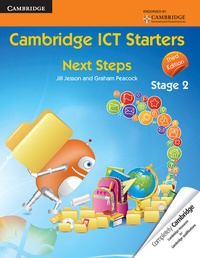
Cambridge ICT Starters: Next Steps, Stage 2
3rd Edition
Published on 21. November 2013
Book
Paperback/Softback
52 pages
978-1-107-62513-6 (ISBN)
Description
Cambridge ICT Starters: Next Steps, Stage 2 has been designed to support learners who are following the Cambridge Information and Communication Technology (ICT) Starters syllabus. This book provides full coverage of all the modules. The sections correspond to the modules and follow the order in which the modules appear in the syllabus. The book builds on writing and modifying commands to produce pictures and designs; searching, retrieving and storing internet information; setting up and managing an email account; and creating and organising multimedia presentations. The activities in the book use Microsoft (R) Office 2007 and Windows (R) 7.
More details
Series
Edition
3rd Revised edition
Language
English
Place of publication
Cambridge
United Kingdom
Target group
Primary & secondary/elementary & high school
Edition type
Revised edition
Product notice
Paperback (trade)
Illustrations
Worked examples or Exercises
Dimensions
Height: 279 mm
Width: 215 mm
Thickness: 4 mm
Weight
200 gr
ISBN-13
978-1-107-62513-6 (9781107625136)
Copyright in bibliographic data and cover images is held by Nielsen Book Services Limited or by the publishers or by their respective licensors: all rights reserved.
Schweitzer Classification
Other editions
New editions
Victoria Ellis | Sarah Lawrey
Cambridge ICT Starters Next Steps Stage 2
Book
03/2019
4th Edition
Cambridge University Press
€15.50
Shipment within 15-20 days
Previous edition

Jill Jesson | Graham Peacock
Cambridge ICT Starters: Next Steps Microsoft Stage 2
Book
11/2008
2nd Edition
Cambridge University Press
€8.05
The article will not be published
Content
Module 5. Exploring Control: 1. Exploring control; 2. Turtle repeats; 3. Varied angles; 4. Pattern by rotation; 5. Writing procedures; 6. Repeat a procedure; Optional extension and challenge activities; Module 6. Exploring the Internet: 1. Internet words; 2. Browsing web pages; 3. Copying graphics and text; 4. Searching for information; Optional extension and challenge activities; Module 7. Exploring Email: 1. Email account; 2. Replying to email; 3. Forward, Cc and Bcc; 4. Attachment; 5. Managing folders; Optional extension and challenge activities; Module 8. Exploring Multimedia: 1. Learning about multimedia; 2. MS PowerPoint; 3. Adding pictures; 4. Adding sounds; 5. Linear storyboards; 6. Complex tree storyboards; 7. Main menu; 8. More slides; 9. Linking the slides; 10. Self-evaluation; 11. Project; Optional extension and challenge activities.