


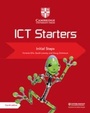
Cambridge ICT Starters: Initial Steps
3rd Edition
Published on 21. November 2013
Book
Paperback/Softback
76 pages
978-1-107-62499-3 (ISBN)
Description
Cambridge ICT Starters: Initial Steps has been designed to support learners who are following the Cambridge Information and Communication Technology (ICT) Starters syllabus. This book provides full coverage of all the modules. The sections of the book correspond to the modules and follow the order in which the modules appear in the syllabus. The book builds on keyboard skills and basic routines, such as emailing, handling data, spreadsheet management, creating and editing written work and handling images. The activities in the book use Microsoft (R) Office 2007 software and Windows (R) 7.
More details
Series
Edition
3rd Revised edition
Language
English
Place of publication
Cambridge
United Kingdom
Target group
Primary & secondary/elementary & high school
US School Grade: From Preschool to Second Grade, Interest Age: From 9 to 12 years
Edition type
Revised edition
Product notice
Paperback (trade)
Illustrations
Worked examples or Exercises
Dimensions
Height: 279 mm
Width: 216 mm
Thickness: 5 mm
Weight
220 gr
ISBN-13
978-1-107-62499-3 (9781107624993)
Copyright in bibliographic data and cover images is held by Nielsen Book Services Limited or by the publishers or by their respective licensors: all rights reserved.
Schweitzer Classification
Other editions
New editions
Victoria Ellis | Sarah Lawrey
Cambridge ICT Starters Initial Steps
Book
12/2018
4th Edition
Cambridge University Press
€18.50
Shipment within 15-20 days
Previous edition

Jill Jesson | Graham Peacock
Cambridge ICT Starters Initial Steps Microsoft
Book
11/2008
2nd Edition
Cambridge University Press
€8.05
The article will not be published
Content
Module 1. Starting with Text: 1. Letters; 2. Words; 3. Capital letters; 4. Sentences; 5. Save; 6. Writing poems; 7. Changing a story; 8. Selecting and changing; 9. Editing; Optional extension and challenge activities; Module 2. Starting Images: 1. Paint; 2. More tools; 3. Duplicating images; 4. Pictures from shapes; 5. More Skills; 6. Editing pictures; Optional extension and challenge activities; Module 3. Starting Graphs: 1. Pictograms; 2. Survey; 3. Column chart; 4. 3-D column chart; 5. Comparing charts; Optional extension and challenge activities; Module 4. Starting Control: 1. MSW Logo; 2. More commands; 3. Drawing pictures; 4. Recording commands; Optional extension and challenge activities; Module 5. Starting Searches: 1. Using buttons and hotspots: 2. Index and hyperlink: 3. More searches; 4. Keyword; 5. Finding information; Optional extension and challenge activities; Module 6. Starting Email: 1. Email account; 2. Replying; 3. New message; 4. Email folders; 5. Forward and Cc; Optional extension and challenge activities.