

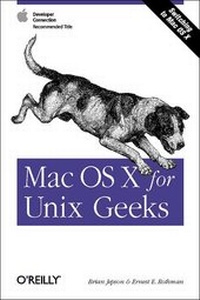
Mac OS X for Unix Geeks
Published on 5. November 2002
Book
Paperback/Softback
216 pages
978-0-596-00356-2 (ISBN)
Description
This is a guide to figuring out the BSD Unix system and Mac-specific components that are making your life difficult and to help ease you into the Unix inside Mac OS X. The book includes such topics as: a quick overview of the Terminal application; understanding open directory (LDAP) and NetInfo; issues related to using the GNU C Compiler 9 GCC; library linking and porting Unix software; an overview of Mac OSX?s filesystem and startup processes; creating and installing packages using Fink; building the Darwin kernel; and running X Windows on top of Mac OS X. The book wraps up with a quick manpage-style reference to the "Missing Manual Pages" - commands that come with Mac OSX although there are no manpages.
Reviews / Votes
"Vital starting point for UNIX power-users new to Mac OS X." Computer Shopper, July (5 stars)More details
Other editions
New editions
Brian Jepson | Ernest E. Rothman
Mac OS X Panther for Unix Geeks
Book
03/2004
2nd Edition
O'Reilly
€20.00
Article exhausted; check for reprint
Additional editions
Persons
Brian Jepson maintains a keen focus on the sparks that fly where two cutting edges meet. He has published print and online articles that examine the intersection of Open Source and Windows (particularly .NET). Mac OS X is one such intersection, combining a solid Unix core with the pioneering Apple user interface. Brian's prior experience developing applications in Unix and Linux give him an appreciation of the target audience's point of view. His thorough explorations of NeXTSTEP and Mac OS X -- conducted over the last few years -- kept him oriented as he developed this book. Ernest E. Rothman is an Associate Professor of Mathematics at Salve Regina University (SRU) where he is also Chair of the Mathematical Sciences Department as well as Manager of the Computational Science Program. Before SRU, Ernie held the position of Research Associate at the Cornell Theory Center at Cornell University. Ernie holds a PhD degree in Applied Mathematics from Brown University. His academic interests are primarily in Scientific Computing, and Computational Science Education. More details can be found at his website http://homepage.mac.com/samchops/ROTHMAN/rothman.html.
Content
Preface Part I. Getting Around 1. The Mac OS X Command Line Mac OS X Shells The Terminal and xterm Compared Using the Terminal The Services Menu Using the tcsh Shell Mac OS X's Unix Development Tools 2. Startup Booting Mac OS X Adding Startup Items Scheduling Tasks 3. Directory Services Understanding Directory Services Programming with Directory Services Configuring Directory Services NetInfo NetInfo Utilities NetInfo Command Reference Managing Groups Managing Users and Passwords Managing Hostnames and IP Addresses Exporting Directories with NFS Flat Files and Their NetInfo Counterparts Restoring the NetInfo Database Part II. Building Applications 4. Compiling Source Code Compiler Differences Compiling Unix Source Code Architectural Issues 5. Libraries, Headers, and Frameworks Header Files The System Library: libSystem Shared Libraries Versus Loadable Modules Library Versions Creating and Linking Static Libraries Prebinding Interesting and Important Libraries 6. Creating and Installing Packages Fink Creating Fink Packages GNU-Darwin Packaging Tools Part III. Beyond the User Space 7. Building the Darwin Kernel Darwin Development Tools Getting the Source Code Building and Installing the Kernel Kernel Configuration 8. System Management Tools Diagnostic Utilities Kernel Utilities System Configuration 9. The X Window System Installing X11 Running XDarwin Desktops and Window Managers X11-based Applications and Libraries Making X11 Applications More Aqua-like AquaTerm Connecting to Other X Window Systems Virtual Network Computers Conclusion Part IV. Appendixes A. The Mac OS X Filesystem B. Command-Line Tools: The Missing Manpages Index