

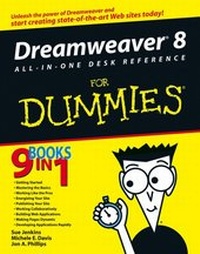
Dreamweaver 8 All-in-One Desk Reference For Dummies
1st Edition
Published on 1. July 2006
Book
Paperback/Softback
840 pages
978-0-471-78142-4 (ISBN)
Description
9 books in 1 -- your key to Dreamweaver success!
Your one-stop guide to building and maintaining high-impact Web sites
Dreamweaver is the top pick of Web designers looking for a powerful, cross-platform tool that produces professional Web sites. With this complete reference guide at your fingertips, you can start creating great-looking pages, toss in the bells and whistles, build Web applications, configure database connections, and more.
Discover how to
* Plan and design your site
* Work with text, graphics, links, and layers
* Create Cascading Style Sheets
* Publish your site
* Make dynamic pages
* Design Web applications
Your one-stop guide to building and maintaining high-impact Web sites
Dreamweaver is the top pick of Web designers looking for a powerful, cross-platform tool that produces professional Web sites. With this complete reference guide at your fingertips, you can start creating great-looking pages, toss in the bells and whistles, build Web applications, configure database connections, and more.
Discover how to
* Plan and design your site
* Work with text, graphics, links, and layers
* Create Cascading Style Sheets
* Publish your site
* Make dynamic pages
* Design Web applications
More details
Persons
Sue Jenkins is a Web and graphic designer, illustrator, writer, and teacher. With nearly ten years experience, she provides design services to small and medium-sized businesses, entrepreneurs, consultants, writers, and artists through her company, Luckychair (www.luckychair.com). She ran her own greeting card company from 2002-2005, and continues to license these and other illustrations to manufacturers around the world. Sue is a contributing writer of technical articles for the online e-zine TechTrax. She also teaches courses in Macromedia Dreamweaver, Adobe Photoshop, and Adobe Illustrator at Noble Desktop. Sue lives with her husband and son in New York City.
Michele Davis is a published author and technical writer. She has written trade books for O'Reilly & Associates, Sybex, and Simon & Schuster. Michele has 18 years experience in the technical arena; she breaks down highly technical concepts for end users from an instructional design perspective. Michele has taught technical and creative non-fiction courses at the graduate level and creates custom Web sites. She can be found on the Web at www.krautgrrl.com. Michele lives in Minneapolis with her husband and three children.
Jon Phillips, nicknamed ubergeek, is an open-source programmer with a background in UNIX and databases as well as ERP systems, including Oracle, SQL Server, PHP, and MySQL. Jon creates back-end Web site code including blogs, auction, and Web-based stores. Jon has been programming for 12 years and enjoys building and bug fixing computers on the side. He's co-authored trade books for Sybex and O'Reilly & Associates. Jon lives in Minneapolis with his wife and three children. He promotes his business at www.krautboy.com.
Michele Davis is a published author and technical writer. She has written trade books for O'Reilly & Associates, Sybex, and Simon & Schuster. Michele has 18 years experience in the technical arena; she breaks down highly technical concepts for end users from an instructional design perspective. Michele has taught technical and creative non-fiction courses at the graduate level and creates custom Web sites. She can be found on the Web at www.krautgrrl.com. Michele lives in Minneapolis with her husband and three children.
Jon Phillips, nicknamed ubergeek, is an open-source programmer with a background in UNIX and databases as well as ERP systems, including Oracle, SQL Server, PHP, and MySQL. Jon creates back-end Web site code including blogs, auction, and Web-based stores. Jon has been programming for 12 years and enjoys building and bug fixing computers on the side. He's co-authored trade books for Sybex and O'Reilly & Associates. Jon lives in Minneapolis with his wife and three children. He promotes his business at www.krautboy.com.
Content
Introduction.
Book I: Getting Started.
Chapter 1: Cruising Around the Dreamweaver 8 Workspace.
Chapter 2: Planning and Designing Your Site.
Chapter 3: Creating and Managing Sites.
Book II: Mastering the Basics.
Chapter 1: Creating Documents.
Chapter 2: Working with Text.
Chapter 3: Inserting Graphics.
Chapter 4: Making Links with Text and Images.
Chapter 5: Adding Flash, Movies, Sound, and More.
Chapter 6: Creating Tables for Layout.
Chapter 7: Building Fabulous Forms.
Book III: Working Like the Pros.
Chapter 1: Looking Good with Cascading Style Sheets (CSS).
Chapter 2: Building Sites with Templates.
Chapter 3: Using Library Items and Server-Side Includes.
Chapter 4: Creating Code Snippets and History Panel Commands.
Chapter 5: Integrating Dreamweaver with Fireworks.
Book IV: Energizing Your Site.
Chapter 1: Working with Layers.
Chapter 2: Jazzing Up Pages with JavaScript Behaviors.
Chapter 3: Designing Pages with Frames.
Chapter 4: Introducing Timelines.
Chapter 5: Making Your Pages XHTML Compliant.
Book V: Publishing Your Site.
Chapter 1: Using Reports to Test Your Site before Publishing.
Chapter 2: Keeping Your Code Clean.
Chapter 3: Preparing to Publish Your Files.
Chapter 4: Publishing Your Web Pages.
Book VI: Working Collaboratively.
Chapter 1: Working Efficiently with a Team.
Chapter 2: Setting Up and Connecting to a Contribute Site.
Chapter 3: Managing a Contribute Site.
Book VII: Building Web Applications.
Chapter 1: Building Web Applications.
Chapter 2: Configuring Database Connections for PHP.
Chapter 3: Configuring ASP Database Connections.
Chapter 4: Configuring ASP.NET Database Connections.
Chapter 5: Configuring JSP Database Connections.
Chapter 6: Configuring ColdFusion Database Connections.
Chapter 7: Dealing with Database Issues.
Book VIII: Making Pages Dynamic.
Chapter 1: Preparing Dynamic Content Sources.
Chapter 2: Using Dynamic Content in Your Web Pages.
Chapter 3: Previewing and Testing Your Dynamic Pages.
Chapter 4: Building Dynamic Forms.
Chapter 5: Advanced Dynamic Data Presentation.
Book IX: Developing Applications Rapidly.
Chapter 1: Building Master and Detail Pages.
Chapter 2: Creating Search and Results Pages.
Chapter 3: Building Record Insert Pages.
Chapter 4: Developing Record Update and Delete Pages.
Chapter 5: Using Advanced Data Manipulation Tools.
Chapter 6: Restricting Site Access.
Index.
Book I: Getting Started.
Chapter 1: Cruising Around the Dreamweaver 8 Workspace.
Chapter 2: Planning and Designing Your Site.
Chapter 3: Creating and Managing Sites.
Book II: Mastering the Basics.
Chapter 1: Creating Documents.
Chapter 2: Working with Text.
Chapter 3: Inserting Graphics.
Chapter 4: Making Links with Text and Images.
Chapter 5: Adding Flash, Movies, Sound, and More.
Chapter 6: Creating Tables for Layout.
Chapter 7: Building Fabulous Forms.
Book III: Working Like the Pros.
Chapter 1: Looking Good with Cascading Style Sheets (CSS).
Chapter 2: Building Sites with Templates.
Chapter 3: Using Library Items and Server-Side Includes.
Chapter 4: Creating Code Snippets and History Panel Commands.
Chapter 5: Integrating Dreamweaver with Fireworks.
Book IV: Energizing Your Site.
Chapter 1: Working with Layers.
Chapter 2: Jazzing Up Pages with JavaScript Behaviors.
Chapter 3: Designing Pages with Frames.
Chapter 4: Introducing Timelines.
Chapter 5: Making Your Pages XHTML Compliant.
Book V: Publishing Your Site.
Chapter 1: Using Reports to Test Your Site before Publishing.
Chapter 2: Keeping Your Code Clean.
Chapter 3: Preparing to Publish Your Files.
Chapter 4: Publishing Your Web Pages.
Book VI: Working Collaboratively.
Chapter 1: Working Efficiently with a Team.
Chapter 2: Setting Up and Connecting to a Contribute Site.
Chapter 3: Managing a Contribute Site.
Book VII: Building Web Applications.
Chapter 1: Building Web Applications.
Chapter 2: Configuring Database Connections for PHP.
Chapter 3: Configuring ASP Database Connections.
Chapter 4: Configuring ASP.NET Database Connections.
Chapter 5: Configuring JSP Database Connections.
Chapter 6: Configuring ColdFusion Database Connections.
Chapter 7: Dealing with Database Issues.
Book VIII: Making Pages Dynamic.
Chapter 1: Preparing Dynamic Content Sources.
Chapter 2: Using Dynamic Content in Your Web Pages.
Chapter 3: Previewing and Testing Your Dynamic Pages.
Chapter 4: Building Dynamic Forms.
Chapter 5: Advanced Dynamic Data Presentation.
Book IX: Developing Applications Rapidly.
Chapter 1: Building Master and Detail Pages.
Chapter 2: Creating Search and Results Pages.
Chapter 3: Building Record Insert Pages.
Chapter 4: Developing Record Update and Delete Pages.
Chapter 5: Using Advanced Data Manipulation Tools.
Chapter 6: Restricting Site Access.
Index.