

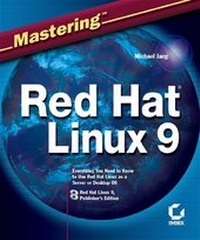
Mastering Red Hat Linux 9
1st Edition
Published on 23. May 2003
Book
Paperback/Softback
976 pages
978-0-7821-4179-5 (ISBN)
Description
Your Complete Guide to the World's Leading Linux Distribution
Whether you depend on Linux as a server or desktop OS, Mastering Red Hat Linux 9 gives you the practical information you need to install, configure, and administer the latest version of Red Hat's operating system to suit your specific computing needs. Clear, step-by-step instruction teaches you basic, intermediate, and advanced techniques, and the Publisher's Edition of Red Hat Linux 9--included on two CDs--lets you get started right away. Coverage includes:
* Installing Linux from multiple sources
* Automating Linux installation over a network
* Navigating the command line interface
* Administering users and groups
* Managing RPM packages
* Troubleshooting the boot process
* Recompiling a kernel
* Configuring the X Window
* Working with GNOME and KDE
* Using Red Hat GUI administrative tools
* Understanding basic TCP/IP networking
* Securing Linux firewalls
* Setting up secure remote access
* Installing and testing DNS, DHCP, CUPS, and sendmail
* Configuring and troubleshooting FTP, NFS, Samba, and Apache
* Online Bonus Chapters: Linux Certification requirments (not yet available)
Note: CD-ROM/DVD and other supplementary materials are not included as part of eBook file.
More details
Other editions
Additional editions
Person
Michael Jang is a full-time author covering networks and operating systems. An avid Linux user since 1995, his works include Linux+ Exam Cram, Sair Linux/GNU Installation and Configuration Exam Cram, Mastering Linux 2nd Edition, and Linux Networking Clearly Explained. Michael is also a Red Hat Certified Engineer.
Content
Introduction.
Part 1: Installing Red Hat Linux.
Chapter 1: Introducing Red Hat Linux.
Chapter 2: Preparing Your Hardware.
Chapter 3: Installing Linux Locally.
Chapter 4: Installing Linux Over a Network.
Chapter 5: Kickstarting Linux.
Part 2: Linux Fundamentals.
Chapter 6: Starting at the Command Line.
Chapter 7: A Filesystem Primer.
Chapter 8: Making the Shell Work for You.
Part 3: Basic Linux Administration.
Chapter 9: Administering Users and Groups Securely.
Chapter 10: Managing Packages with RPM.
Chapter 11: Configuring and Troubleshooting the Boot Process.
Chapter 12: Upgrading and Recompiling Kernels.
Chapter 13: The Administrative Nitty-Gritty.
Chapter 14: Backing Up Your System.
Part 4: X Window Management.
Chapter 15: Managing X Servers and X Clients.
Chapter 16: GNOME.
Chapter 17: KDE.
Chapter 18: GUI Applications.
Chapter 19: Red Hat Graphical Front Ends.
Part 5: Basic Linux Networking.
Chapter 20: A TCP/IP Primer.
Chapter 21: Managing Linux on Your LAN.
Chapter 22: Securing Your Linux Network.
Part 6: Linux Network Services.
Chapter 23: Remote Access and xinetd Services.
Chapter 24: DNS and DHCP.
Chapter 25: Printing with CUPS and LPD.
Chapter 26: Mail Services.
Part 7: Linux File-Sharing Services.
Chapter 27: FTP Clients and Servers.
Chapter 28: Linux Sharing Services: NFS and NIS.
Chapter 29: Making Samba Work for You.
Chapter 30: Web Services.
Appendix: Linux Command Reference.
Index.