

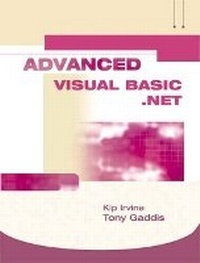
Advanced VB.NET Alternate with VB.Net CD's
3rd Edition
Published on 4. November 2005
Book
Mixed media product
978-0-321-39866-6 (ISBN)
Description
This book takes those who are familiar with the basics of Visual Basic.NET programming, and helps them understand how to harness its power for more advanced uses. Coverage of various database, ASP, and Web Services topics is provided in the same understandable way that has made Tony Gaddis' books leaders in the field.
Student support materials are available at: http://www.irvinevbnet.com.
Student support materials are available at: http://www.irvinevbnet.com.
More details
Edition
3rd edition
Language
English
Place of publication
United States
Publishing group
Pearson Education (US)
Target group
College/higher education
Weight
1429 gr
ISBN-13
978-0-321-39866-6 (9780321398666)
Copyright in bibliographic data and cover images is held by Nielsen Book Services Limited or by the publishers or by their respective licensors: all rights reserved.
Schweitzer Classification
Other editions
New editions
Kip R. Irvine | Tony Gaddis
Advanced Visual Basic 2005
Book
03/2007
4th Edition
Pearson
€83.72
Article exhausted; check for reprint
Content
1 Classes 1.1 Introduction
1.2 Value Types and Reference Types
Value Type
Reference Type
Life and the Garbage Collector
Namespaces
1.3 Object-Oriented Design
Finding the Classes
Looking for Control Structures
Describing the Classes
Interface and Implementation
Inheritance
Clients and Servers
1.4 Creating Classes
Hands-On Tutorial: Student Class
Methods
Hands-On Tutorial: Adding the GetGradeAverage Method
Public and Private Member Access
1.5 Properties
Using Properties for Data Validation
ReadOnly Properties
Hands-On Tutorial: Adding Properties to the Student Class
Shared Variables and Properties
1.6 Constructors and Destructors
Overloading the Constructor
Optional Constructor Parameters
Assigning Property Values in Constructors
Hands-On Tutorial: Adding a Parameterized Constructor to the Student Class
1.7 Multi-Tier Applications
Hands-On Tutorial: Bank Teller Application
Hands-On Tutorial: BankTeller Transaction Log
1.8 Composition Relationships Between Classes
Employee Information Example
Using UML to Describe Classes
Displaying the Objects
Hands-On Tutorial: Employee Information
1.9 Optional Topic: Using Text Files
2 Exceptions and User Interfaces
2.1 User Interface Design
Introduction
Designing Forms
Using Microsoft Office as a Model
2.2 Input Validation
General Principles
Trapping Individual Keystrokes
Hands-On Example: Account Number Input
Handling the Validating Event
Hands-On Example: Name and Age Input Program
Hands-On Example: ErrorProvider Control
ImageList and ToolBar Controls
Hands-On Tutorial: Simple ToolBar
2.3 ListView Control
Creating Column Headings
ListViewItem Class
Useful ListView Techniques
2.4 TreeView Control
Basic Techniques
Hands-On Tutorial: Contact Categories
Hands-On Example: Disk Directory TreeView
2.5 Structured Exception Handling
Introduction
Exception Classes
Try..Catch..Finally Statement
System.IO Exceptions
Hands-On Example: Averaging Test Scores
Hands-On Example: Handling File Exceptions
Propogating Exceptions
Exception Handling at the Business Tier Level
Designing Your Own Exception Types
Hands-On Example: Testing PropertyException
Exception-Handling Tips
3 ADO.NET Databases
3.1 Introduction to ADO .NET
Overview
Database Basics
Data Sources and Connections
Datasets
DataTables
DataViews
3.2 Using Data-Bound Controls
Hands-On Tutorial: SalesStaff 1
Moving Programs and Databases
A Brief Look at SQL
3.3 Navigating, Adding, and Removing Rows
Hands-On Example: Updating the SalesStaff Table (SalesStaff 2)
Writing Code for DataTables
Using the Query Builder
Hands-On Example: SalesStaff 3
Filling List and Combo Boxes
3.4 Selecting DataTable Rows
Using the SQL SELECT Statement
Adding Expressions to Datasets
Hands-On Tutorial: Selecting Karate School Members
Parameterized Queries
Hands-On Tutorial: Karate Members, Using Query Parameters
4 DataGrid, DataView, and ListView
4.1 DataGrid Control
Introduction
Hands-On Tutorial: Rental Inventory DataGrid
Creating Table Styles and Column Styles
DataGrid Events
DataGrid Tips
4.2 Data Views and List Views
Using a DataView
Filling a ListView Control
Hands-On Tutorial: Karate School Payments
4.3 Three-Tier Sports Rental Income
Hands-On Tutorial: Creating a Sales Inventory Data Component
Hands-On Tutorial: Adding the Business Tier
Hands-On Tutorial: Adding the Presentation Tier
4.4 Pipeline Sports Rentals - Checking Out Items
Sports Rental Database
Designing the User Interface
Data-Related and Visual Components
frmRental Class
frmLogin Class
frmCustomer Class
frmInvoice Class
4.5 Inserting, Updating, and Deleting Rows
Introduction
Command Objects
Inserting a Table Row
Updating a Table Row
Deleting a Table Row
Hands-On Tutorial: Updating the Karate Payments Table
5 Databases with Related Tables
5.1 Connecting to SQL Server Databases
Installing SQL Server Desktop Engine (MSDE)
Programming Differences
5.2 Relational Database Design
Pubs Database Tables
Table Relationships
SQL Queries that Join Tables
5.3 Database Constraints
Primary Key Constraints
Referential Integrity Constraints
Column Check Constraints
5.4 DataGrid Control with Related Tables
Hands-On Tutorial: Using a ComboBox to Filter DataGrid Rows
Displaying Parent and Child Tables in the Same DataGrid
Hands-On Tutorial: Jobs-Employess DataGrid
5.5 Related Tables with Unbound Controls
Stores and Sales Tables
DataRelation Objects
GetChildRows Method
GetParentRow Method
Hands-On Tutorial: Sales by Store
Using Query Builder to Join Tables
Hands-On Tutorial: Joining Tables in Sales by Store
6 Using SQL Server
6.1 Introduction
The SQL Language
Data Types
6.2 Using Server Explorer
Creating Databases and Tables
Hands-On Tutorial: Campus Database
6.3 Data Definition Language (DDL)
CREATE TABLE
CREATE INDEX
CREATE VIEW
DROP TABLE
DROP INDEX
DROP VIEW
ALTER TABLE
6.4 Data Manipulation Language (DML)
UPDATE
DELETE
INSERT INTO
6.5 Executing Queries in Program Code
Hands-On Tutorial: Action Query Program
6.6 Stored Procedures
CREATE / ALTER PROCEDURE
DROP PROCEDURE
6.7 Creating Stored Procedures
Using Visual Studio Server Explorer
Using SQL Server 2000
6.8 Executing Stored Procedures
Hands-On Exampe: College Courses
Creating a Data Adapter
Connection Data Adapters to Stored Procedures
6.9 Case Study: Student Profiles Program
User Interface
Stored Procedures
Implementation
7 Web Forms (ASP.NET)
7.1 ASP.NET Basics
Introduction
Types of Internet Applications
How Web Applications Work
HTML Designer
Browser support
Files in Web projects
7.2 Creating ASP.NET Programs
A Simple ASP.NET Program
Hands-On Tutorial: Student Picnic Program
Links and Navigation
Request and Response Objects
Hands-On Tutorial: Student Picnic Confirmation
7.3 ASP.NET Objects and Namespaces
Important Namespaces
7.4 Standard Web Forms Controls
ImageButton and LinkButton
RadioButton and CheckBox
CheckBoxList and RadioButtonList
ListBox
DropDownList
Panel
Binding List Controls to Arrays
7.5 Formatting Tips
Setting the Tab Order
Multiline Text Boxes
Grid Layout Versus Flow Layout
HTML Table Control
Building Complex Layouts
Example: Kayak Tour Signup
7.6 Optional: Copying an ASP.NET Project
8 Web Forms II
8.1 Data Validation Controls
RequiredFieldValidator
Common Properties
RangeValidator
CompareValidator
RegularExpressionValidator
CustomValidator
8.2 State Management
Page-Level State (ViewState)
Application State
Session State
Hands-On Tutorial: Customer Session
Browser Cookies
CookieExample Program
8.3 Practical Tips
Moving an ASP.NET Program
Deploying a Web Application
9 ASP.NET Databases
9.1 Using a DataReader
Reading Rows From a Table
9.2 CheckBox and RadioButtionList Controls
Hands-On Example: Kayak Types
9.3 DataGrid Control
Filling the DataGrid
Custom Formatting
Sorting a DataGrid
Paging a DataGrid
Hands-On Example: Two-Tier DataGrid
9.4 Creating and Saving Database Records
Hands-On Example: Three-Tier Rental Reservations
Saving State in the Rental Reservation Program
9.5 DataGrids with Related Tables
Hands-On Example: Kayak Display Program
9.6 Database Updates with Related Tables
10 Web Services and SOAP
10.1 Introduction to SOAP
SOAP Messages
Data Type Support
10.2 Net Framework Support for SOAP
10.3 Creating Web Services
Microsoft SOAP Toolkit
10.4 Web Services Example
10.5 Deploying a Web Service
10.6 Kayak Price List Lookup Web Service
11 Advanced Classes
11.1 Interfaces
Using Interfaces to Implement Behaviors
11.2 Inheritance
Simple Interitance
Abstract Classes
Visual Inheritance
11.3 Polymorphism
Collections of Polymorphic Objects
12 Crystal Reports
12.1 Introduction
Creating a Report
12.2 Report Expert
Running a Report
Hands-On Tutorial: Publisher Report
Displaying a Report on a Separate Form
12.3 Report Designer
Modifying an Existing Report
Formatting Report Fields
Selecting Records
Sorting Records
Using Report Groups
Parameter Fields
12.4 Xtreme Bike Sales Example
Hands-On Tutorial
Adding Charts to Reports
Adding a Bar Chart to Xtreme Bike Sales
Creating Reports from Joined Tables
Appendix A: Answers to Review Questions
Appendix B: Visual Basic .NET QuickStart
(Will be located on the author's Web site)
Creating a Windows Application
Data Types
Scalar
Arrays
Declaring variables and constants
Loops
counting loops (For-Next)
conditional loops (Do-While, Do-Until)
iterating loops (For-Each)
IF statements
Select-Case
Procedures
Standard Modules
Formatting Numbers
Subroutine Declarations
String Handling
Collections
Forms
Standard properties and events
Showing and closing
VB .NET Controls
Label, Button, TextBox, ListBox, ComboBox, PictureBox, RadioButton, CheckBox, GroupBox, Menu
Event handling for controls
1.2 Value Types and Reference Types
Value Type
Reference Type
Life and the Garbage Collector
Namespaces
1.3 Object-Oriented Design
Finding the Classes
Looking for Control Structures
Describing the Classes
Interface and Implementation
Inheritance
Clients and Servers
1.4 Creating Classes
Hands-On Tutorial: Student Class
Methods
Hands-On Tutorial: Adding the GetGradeAverage Method
Public and Private Member Access
1.5 Properties
Using Properties for Data Validation
ReadOnly Properties
Hands-On Tutorial: Adding Properties to the Student Class
Shared Variables and Properties
1.6 Constructors and Destructors
Overloading the Constructor
Optional Constructor Parameters
Assigning Property Values in Constructors
Hands-On Tutorial: Adding a Parameterized Constructor to the Student Class
1.7 Multi-Tier Applications
Hands-On Tutorial: Bank Teller Application
Hands-On Tutorial: BankTeller Transaction Log
1.8 Composition Relationships Between Classes
Employee Information Example
Using UML to Describe Classes
Displaying the Objects
Hands-On Tutorial: Employee Information
1.9 Optional Topic: Using Text Files
2 Exceptions and User Interfaces
2.1 User Interface Design
Introduction
Designing Forms
Using Microsoft Office as a Model
2.2 Input Validation
General Principles
Trapping Individual Keystrokes
Hands-On Example: Account Number Input
Handling the Validating Event
Hands-On Example: Name and Age Input Program
Hands-On Example: ErrorProvider Control
ImageList and ToolBar Controls
Hands-On Tutorial: Simple ToolBar
2.3 ListView Control
Creating Column Headings
ListViewItem Class
Useful ListView Techniques
2.4 TreeView Control
Basic Techniques
Hands-On Tutorial: Contact Categories
Hands-On Example: Disk Directory TreeView
2.5 Structured Exception Handling
Introduction
Exception Classes
Try..Catch..Finally Statement
System.IO Exceptions
Hands-On Example: Averaging Test Scores
Hands-On Example: Handling File Exceptions
Propogating Exceptions
Exception Handling at the Business Tier Level
Designing Your Own Exception Types
Hands-On Example: Testing PropertyException
Exception-Handling Tips
3 ADO.NET Databases
3.1 Introduction to ADO .NET
Overview
Database Basics
Data Sources and Connections
Datasets
DataTables
DataViews
3.2 Using Data-Bound Controls
Hands-On Tutorial: SalesStaff 1
Moving Programs and Databases
A Brief Look at SQL
3.3 Navigating, Adding, and Removing Rows
Hands-On Example: Updating the SalesStaff Table (SalesStaff 2)
Writing Code for DataTables
Using the Query Builder
Hands-On Example: SalesStaff 3
Filling List and Combo Boxes
3.4 Selecting DataTable Rows
Using the SQL SELECT Statement
Adding Expressions to Datasets
Hands-On Tutorial: Selecting Karate School Members
Parameterized Queries
Hands-On Tutorial: Karate Members, Using Query Parameters
4 DataGrid, DataView, and ListView
4.1 DataGrid Control
Introduction
Hands-On Tutorial: Rental Inventory DataGrid
Creating Table Styles and Column Styles
DataGrid Events
DataGrid Tips
4.2 Data Views and List Views
Using a DataView
Filling a ListView Control
Hands-On Tutorial: Karate School Payments
4.3 Three-Tier Sports Rental Income
Hands-On Tutorial: Creating a Sales Inventory Data Component
Hands-On Tutorial: Adding the Business Tier
Hands-On Tutorial: Adding the Presentation Tier
4.4 Pipeline Sports Rentals - Checking Out Items
Sports Rental Database
Designing the User Interface
Data-Related and Visual Components
frmRental Class
frmLogin Class
frmCustomer Class
frmInvoice Class
4.5 Inserting, Updating, and Deleting Rows
Introduction
Command Objects
Inserting a Table Row
Updating a Table Row
Deleting a Table Row
Hands-On Tutorial: Updating the Karate Payments Table
5 Databases with Related Tables
5.1 Connecting to SQL Server Databases
Installing SQL Server Desktop Engine (MSDE)
Programming Differences
5.2 Relational Database Design
Pubs Database Tables
Table Relationships
SQL Queries that Join Tables
5.3 Database Constraints
Primary Key Constraints
Referential Integrity Constraints
Column Check Constraints
5.4 DataGrid Control with Related Tables
Hands-On Tutorial: Using a ComboBox to Filter DataGrid Rows
Displaying Parent and Child Tables in the Same DataGrid
Hands-On Tutorial: Jobs-Employess DataGrid
5.5 Related Tables with Unbound Controls
Stores and Sales Tables
DataRelation Objects
GetChildRows Method
GetParentRow Method
Hands-On Tutorial: Sales by Store
Using Query Builder to Join Tables
Hands-On Tutorial: Joining Tables in Sales by Store
6 Using SQL Server
6.1 Introduction
The SQL Language
Data Types
6.2 Using Server Explorer
Creating Databases and Tables
Hands-On Tutorial: Campus Database
6.3 Data Definition Language (DDL)
CREATE TABLE
CREATE INDEX
CREATE VIEW
DROP TABLE
DROP INDEX
DROP VIEW
ALTER TABLE
6.4 Data Manipulation Language (DML)
UPDATE
DELETE
INSERT INTO
6.5 Executing Queries in Program Code
Hands-On Tutorial: Action Query Program
6.6 Stored Procedures
CREATE / ALTER PROCEDURE
DROP PROCEDURE
6.7 Creating Stored Procedures
Using Visual Studio Server Explorer
Using SQL Server 2000
6.8 Executing Stored Procedures
Hands-On Exampe: College Courses
Creating a Data Adapter
Connection Data Adapters to Stored Procedures
6.9 Case Study: Student Profiles Program
User Interface
Stored Procedures
Implementation
7 Web Forms (ASP.NET)
7.1 ASP.NET Basics
Introduction
Types of Internet Applications
How Web Applications Work
HTML Designer
Browser support
Files in Web projects
7.2 Creating ASP.NET Programs
A Simple ASP.NET Program
Hands-On Tutorial: Student Picnic Program
Links and Navigation
Request and Response Objects
Hands-On Tutorial: Student Picnic Confirmation
7.3 ASP.NET Objects and Namespaces
Important Namespaces
7.4 Standard Web Forms Controls
ImageButton and LinkButton
RadioButton and CheckBox
CheckBoxList and RadioButtonList
ListBox
DropDownList
Panel
Binding List Controls to Arrays
7.5 Formatting Tips
Setting the Tab Order
Multiline Text Boxes
Grid Layout Versus Flow Layout
HTML Table Control
Building Complex Layouts
Example: Kayak Tour Signup
7.6 Optional: Copying an ASP.NET Project
8 Web Forms II
8.1 Data Validation Controls
RequiredFieldValidator
Common Properties
RangeValidator
CompareValidator
RegularExpressionValidator
CustomValidator
8.2 State Management
Page-Level State (ViewState)
Application State
Session State
Hands-On Tutorial: Customer Session
Browser Cookies
CookieExample Program
8.3 Practical Tips
Moving an ASP.NET Program
Deploying a Web Application
9 ASP.NET Databases
9.1 Using a DataReader
Reading Rows From a Table
9.2 CheckBox and RadioButtionList Controls
Hands-On Example: Kayak Types
9.3 DataGrid Control
Filling the DataGrid
Custom Formatting
Sorting a DataGrid
Paging a DataGrid
Hands-On Example: Two-Tier DataGrid
9.4 Creating and Saving Database Records
Hands-On Example: Three-Tier Rental Reservations
Saving State in the Rental Reservation Program
9.5 DataGrids with Related Tables
Hands-On Example: Kayak Display Program
9.6 Database Updates with Related Tables
10 Web Services and SOAP
10.1 Introduction to SOAP
SOAP Messages
Data Type Support
10.2 Net Framework Support for SOAP
10.3 Creating Web Services
Microsoft SOAP Toolkit
10.4 Web Services Example
10.5 Deploying a Web Service
10.6 Kayak Price List Lookup Web Service
11 Advanced Classes
11.1 Interfaces
Using Interfaces to Implement Behaviors
11.2 Inheritance
Simple Interitance
Abstract Classes
Visual Inheritance
11.3 Polymorphism
Collections of Polymorphic Objects
12 Crystal Reports
12.1 Introduction
Creating a Report
12.2 Report Expert
Running a Report
Hands-On Tutorial: Publisher Report
Displaying a Report on a Separate Form
12.3 Report Designer
Modifying an Existing Report
Formatting Report Fields
Selecting Records
Sorting Records
Using Report Groups
Parameter Fields
12.4 Xtreme Bike Sales Example
Hands-On Tutorial
Adding Charts to Reports
Adding a Bar Chart to Xtreme Bike Sales
Creating Reports from Joined Tables
Appendix A: Answers to Review Questions
Appendix B: Visual Basic .NET QuickStart
(Will be located on the author's Web site)
Creating a Windows Application
Data Types
Scalar
Arrays
Declaring variables and constants
Loops
counting loops (For-Next)
conditional loops (Do-While, Do-Until)
iterating loops (For-Each)
IF statements
Select-Case
Procedures
Standard Modules
Formatting Numbers
Subroutine Declarations
String Handling
Collections
Forms
Standard properties and events
Showing and closing
VB .NET Controls
Label, Button, TextBox, ListBox, ComboBox, PictureBox, RadioButton, CheckBox, GroupBox, Menu
Event handling for controls