

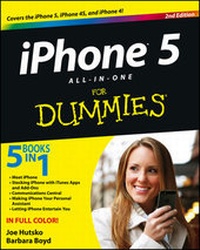
iPhone 5 All-in-One For Dummies
2nd Edition
Published on 29. January 2013
Book
Paperback/Softback
544 pages
978-1-118-40794-3 (ISBN)
Description
Outsmart the smartest smartphone around: the iPhone 5!
If you want to rock the hottest smartphone in town, get this great guide and find out how to get the very most out of the incredible iPhone. Five, full-color minibooks cover everything you want to know: iPhone basics, how to load your phone with add-ons and amazing apps, using the Siri Personal Assistant to keep your life on track, letting iPhone entertain you, and much more. It's over 600 pages packed with the latest on the latest, including iOS 6. Find a wealth of great ways to use your iPhone at home, at work, or on the go with this fun and easy guide.
* Covers the iPhone 5, iPhone 4S, and iPhone 4
* Five minibooks: Meet the iPhone, Stocking the iPhone with iTunes Apps and Add-Ons, Communications Central, Making Your iPhone Your Personal Assistant, and Letting iPhone Entertain You, walk you through all aspects of using your iPhone
* Gets you up to speed with the latest iPhone features and functions including the iOS 6 update
* Explains how to make phone and FaceTime video calls; exchange e-mails, text and multimedia messages; surf the web; buy apps; shoot and share videos; use Maps to get from Point A to Point B; and much more
* Shares valuable tips on troubleshooting, syncing your device with iCloud, connecting on the go, and keeping your iPhone happy
Whether you're an iPhone newbie or already a savvy smartphone star, you'll find something you can use in iPhone 5 All-in-One For Dummies, 2nd Edition.
If you want to rock the hottest smartphone in town, get this great guide and find out how to get the very most out of the incredible iPhone. Five, full-color minibooks cover everything you want to know: iPhone basics, how to load your phone with add-ons and amazing apps, using the Siri Personal Assistant to keep your life on track, letting iPhone entertain you, and much more. It's over 600 pages packed with the latest on the latest, including iOS 6. Find a wealth of great ways to use your iPhone at home, at work, or on the go with this fun and easy guide.
* Covers the iPhone 5, iPhone 4S, and iPhone 4
* Five minibooks: Meet the iPhone, Stocking the iPhone with iTunes Apps and Add-Ons, Communications Central, Making Your iPhone Your Personal Assistant, and Letting iPhone Entertain You, walk you through all aspects of using your iPhone
* Gets you up to speed with the latest iPhone features and functions including the iOS 6 update
* Explains how to make phone and FaceTime video calls; exchange e-mails, text and multimedia messages; surf the web; buy apps; shoot and share videos; use Maps to get from Point A to Point B; and much more
* Shares valuable tips on troubleshooting, syncing your device with iCloud, connecting on the go, and keeping your iPhone happy
Whether you're an iPhone newbie or already a savvy smartphone star, you'll find something you can use in iPhone 5 All-in-One For Dummies, 2nd Edition.
More details
Other editions
New editions
Joe Hutsko | Barbara Boyd
iPhone All-in-One For Dummies
Book
12/2013
3rd Edition
Wiley
€32.90
Article exhausted; check for reprint
Previous edition
Joe Hutsko | Barbara Boyd
iPhone 4S All-in-One For Dummies
Book
02/2012
1st Edition
Wiley
€32.90
Article exhausted; check for reprint
Persons
Joe Hutsko worked at Apple from 1984 to 1988. Since then, he has been writing about computers, gadgets, video games, trends, and hi-tech movers and shakers for numerous publications and websites. Barbara Boyd worked at Apple from 1985 to 1990 and currently writes about food, gardens, travel, and technology.
Content
Introduction 1
Book I: Meet iPhone 7
Chapter 1: Exploring the Many Faces of iPhone 9
Chapter 2: Activating and Understanding Your iPhone 21
Chapter 3: Controlling the Multitouch and Voice Recognition Interfaces 47
Chapter 4: Touring iPhone's Preloaded Apps and Settings 75
Chapter 5: Anticipating and Tackling iPhone Troubles 101
Book II: Stocking iPhone with iTunes Apps and Add-ons 113
Chapter 1: Syncing and Backing Up Your iPhone 115
Chapter 2: Apps 411: Browsing, Installing, and Managing Apps 153
Chapter 3: Enhancing and Protecting iPhone with Add-ons 171
Book III: Communications Central: Calls, Messages, and the Web 185
Chapter 1: Managing Phone and FaceTime Video Calls 187
Chapter 2: Sending and Receiving Text and Multimedia Messages 225
Chapter 3: Surfing the Web with Safari 245
Chapter 4: E-mailing Every Which Way You Can 281
Book IV: Making iPhone Your Personal Assistant 317
Chapter 1: Perfecting Your People Skills with Contacts 319
Chapter 2: Managing Your Time with Calendar, Reminders, and Clock 343
Chapter 3: Tapping into Maps, Compass, Passbook, Weather, Calculator, and Stocks 377
Chapter 4: Creating and Sharing Notes and Voice Memos 403
Book V: Letting iPhone Entertain You: Photos, Video, Music, and More 419
Chapter 1: Capturing and Sharing Photos and Videos with Camera 421
Chapter 2: Acquiring and Browsing Music, Videos, Movies, and More 447
Chapter 3: Listening to Music and Audio 465
Chapter 4: Watching Videos and iTunes U 489
Bonus Chapters: Apps for Every Type of Task BC1
Bonus Chapter 1: Getting Things Done for Everyone BC1
Bonus Chapter 2: The (More) Serious Business Partner BC9
Bonus Chapter 3: Improving Communication and Social Networking BC17
Bonus Chapter 4: Getting Creative BC23
Bonus Chapter 5: The Well-Informed Reader and Listener BC31
Bonus Chapter 6: Maximizing Leisure, Health, Home, and Travel BC37
Index 505
Book I: Meet iPhone 7
Chapter 1: Exploring the Many Faces of iPhone 9
Chapter 2: Activating and Understanding Your iPhone 21
Chapter 3: Controlling the Multitouch and Voice Recognition Interfaces 47
Chapter 4: Touring iPhone's Preloaded Apps and Settings 75
Chapter 5: Anticipating and Tackling iPhone Troubles 101
Book II: Stocking iPhone with iTunes Apps and Add-ons 113
Chapter 1: Syncing and Backing Up Your iPhone 115
Chapter 2: Apps 411: Browsing, Installing, and Managing Apps 153
Chapter 3: Enhancing and Protecting iPhone with Add-ons 171
Book III: Communications Central: Calls, Messages, and the Web 185
Chapter 1: Managing Phone and FaceTime Video Calls 187
Chapter 2: Sending and Receiving Text and Multimedia Messages 225
Chapter 3: Surfing the Web with Safari 245
Chapter 4: E-mailing Every Which Way You Can 281
Book IV: Making iPhone Your Personal Assistant 317
Chapter 1: Perfecting Your People Skills with Contacts 319
Chapter 2: Managing Your Time with Calendar, Reminders, and Clock 343
Chapter 3: Tapping into Maps, Compass, Passbook, Weather, Calculator, and Stocks 377
Chapter 4: Creating and Sharing Notes and Voice Memos 403
Book V: Letting iPhone Entertain You: Photos, Video, Music, and More 419
Chapter 1: Capturing and Sharing Photos and Videos with Camera 421
Chapter 2: Acquiring and Browsing Music, Videos, Movies, and More 447
Chapter 3: Listening to Music and Audio 465
Chapter 4: Watching Videos and iTunes U 489
Bonus Chapters: Apps for Every Type of Task BC1
Bonus Chapter 1: Getting Things Done for Everyone BC1
Bonus Chapter 2: The (More) Serious Business Partner BC9
Bonus Chapter 3: Improving Communication and Social Networking BC17
Bonus Chapter 4: Getting Creative BC23
Bonus Chapter 5: The Well-Informed Reader and Listener BC31
Bonus Chapter 6: Maximizing Leisure, Health, Home, and Travel BC37
Index 505