

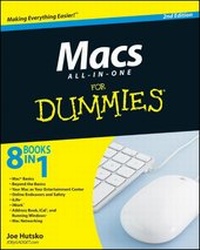
Macs All-in-One For Dummies
2nd Edition
Published on 4. December 2009
Book
Paperback/Softback
816 pages
978-0-470-53798-5 (ISBN)
Description
Seven content-rich minibooks cover the key features and tools of your Mac
Macs are easy to use, but this guide helps you take advantage of all the cool features and make the most of your Mac. Fully updated, it covers the newest operating system, Mac OS X Snow Leopard, as well as iLife '09, iWork '09, and much more.
Minibooks include Mac Basics; Photos, Music, and Movies; Browsing the Internet; Working with iLife and iWork; Other Mac Programs; Timesaving Tips with a Mac; and Mac Networking.
* Ideal for those switching to a Mac from a PC as well as for Mac users who are upgrading
* Helps you set up and customize your Mac and get to know the Mac way
* Explains how to get online, surf with Safari, and send and receive e-mail
* Covers working with photos, music, and movies, as well as crunching numbers and creating presentations with iWork
* Explores setting up a network, running Windows on a Mac via Bootcamp, and automating your Mac
* Provides troubleshooting tips and advice on protecting your Mac
Macs All-in-One For Dummies, 2nd Edition gives you the full scoop on using all the cool Mac features.
Macs are easy to use, but this guide helps you take advantage of all the cool features and make the most of your Mac. Fully updated, it covers the newest operating system, Mac OS X Snow Leopard, as well as iLife '09, iWork '09, and much more.
Minibooks include Mac Basics; Photos, Music, and Movies; Browsing the Internet; Working with iLife and iWork; Other Mac Programs; Timesaving Tips with a Mac; and Mac Networking.
* Ideal for those switching to a Mac from a PC as well as for Mac users who are upgrading
* Helps you set up and customize your Mac and get to know the Mac way
* Explains how to get online, surf with Safari, and send and receive e-mail
* Covers working with photos, music, and movies, as well as crunching numbers and creating presentations with iWork
* Explores setting up a network, running Windows on a Mac via Bootcamp, and automating your Mac
* Provides troubleshooting tips and advice on protecting your Mac
Macs All-in-One For Dummies, 2nd Edition gives you the full scoop on using all the cool Mac features.
More details
Edition
2., Auflage
Language
English
Place of publication
Chichester
United Kingdom
Publishing group
John Wiley and Sons Ltd
Target group
Professional and scholarly
Edition type
Revised edition
Illustrations
Illustrations
Dimensions
Height: 23.3 cm
Width: 18.7 cm
Thickness: 42 mm
Weight
1170 gr
ISBN-13
978-0-470-53798-5 (9780470537985)
Schweitzer Classification
Other editions
New editions
Joe Hutsko | Barbara Boyd
Macs All-in-One For Dummies
Book
03/2012
3rd Edition
Wiley
€32.90
Article exhausted; check for reprint
Previous edition
Wallace Wang
Macs All-in-One Desk Reference For Dummies
Book
02/2008
1st Edition
Wiley
€24.90
Article exhausted; check for reprint
Person
Joe Hutsko worked at Apple from 1984 to 1988, and has been writing about technology products and subjects ever since. His articles about computers, gadgets, and high-tech entertainment have appeared in The New York Times, Fortune, Macworld, TV Guide and Newsweek. He is also the author of Green Gadgets For Dummies.
Content
Introduction.
Book I: Mac Basics.
Chapter 1: Getting to Know Your Mac.
Chapter 2: Starting Up, Sleeping, and Shutting Down.
Chapter 3: Getting Acquainted with the Mac User Interface.
Chapter 4: Running, Installing, and Uninstalling Programs.
Chapter 5: Working with Files and Folders.
Chapter 6: Customizing Your Mac and Adjusting Settings.
Book II: Beyond the Basics.
Chapter 1: Doing More with Dashboard Widgets.
Chapter 2: Protecting Your Data with Time Machine and Other Programs.
Chapter 3: Syncing Your Mobile Phone or PDA with iSync.
Chapter 4: Automating Your Mac.
Chapter 5: Maintenance and Troubleshooting.
Book III: Your Mac as Your Entertainment Center.
Chapter 1: Tuning In to Music, Audio, and iTunes.
Chapter 2: Importing, Viewing, and Organizing Photos.
Chapter 3: Watching Videos and Movies on Your Mac.
Chapter 4: Using a Mac Remote to Control Programs and Using Front Row for Music, Movies, and Photos.
Chapter 5: Having Fun with a Mac.
Book IV: Online Endeavors and Safety.
Chapter 1: Connecting to the Internet and Browsing the Web.
Chapter 2: Sending and Receiving E-Mail.
Chapter 3: Instant Messaging and Video Chatting with iChat.
Chapter 4: Protecting Your Mac against Threats.
Book V: iLife.
Chapter 1: Viewing and Organizing Photos with iPhoto.
Chapter 2: Making Movies with iMovie.
Chapter 3: Burning DVDs with iDVD.
Chapter 4: Making Music with GarageBand.
Chapter 5: Building Web Sites with iWeb.
Book VI: iWork.
Chapter 1: Creating Documents with Pages.
Chapter 2: Presenting with Keynote.
Chapter 3: Crunching with Numbers.
Book VII: Address Book, iCal, and Running Windows.
Chapter 1: Managing Contacts with Address Book.
Chapter 2: Staying on Schedule with iCal.
Chapter 3: Running Windows on a Mac.
Book VIII: Mac Networking.
Chapter 1: Networking Your Macs.
Chapter 2: Sharing Files and Resources on a Network.
Chapter 3: Connecting to Bluetooth Wireless Devices and Networks.
Appendix: Brushing Up on Painting and Drawing.
Index.
Book I: Mac Basics.
Chapter 1: Getting to Know Your Mac.
Chapter 2: Starting Up, Sleeping, and Shutting Down.
Chapter 3: Getting Acquainted with the Mac User Interface.
Chapter 4: Running, Installing, and Uninstalling Programs.
Chapter 5: Working with Files and Folders.
Chapter 6: Customizing Your Mac and Adjusting Settings.
Book II: Beyond the Basics.
Chapter 1: Doing More with Dashboard Widgets.
Chapter 2: Protecting Your Data with Time Machine and Other Programs.
Chapter 3: Syncing Your Mobile Phone or PDA with iSync.
Chapter 4: Automating Your Mac.
Chapter 5: Maintenance and Troubleshooting.
Book III: Your Mac as Your Entertainment Center.
Chapter 1: Tuning In to Music, Audio, and iTunes.
Chapter 2: Importing, Viewing, and Organizing Photos.
Chapter 3: Watching Videos and Movies on Your Mac.
Chapter 4: Using a Mac Remote to Control Programs and Using Front Row for Music, Movies, and Photos.
Chapter 5: Having Fun with a Mac.
Book IV: Online Endeavors and Safety.
Chapter 1: Connecting to the Internet and Browsing the Web.
Chapter 2: Sending and Receiving E-Mail.
Chapter 3: Instant Messaging and Video Chatting with iChat.
Chapter 4: Protecting Your Mac against Threats.
Book V: iLife.
Chapter 1: Viewing and Organizing Photos with iPhoto.
Chapter 2: Making Movies with iMovie.
Chapter 3: Burning DVDs with iDVD.
Chapter 4: Making Music with GarageBand.
Chapter 5: Building Web Sites with iWeb.
Book VI: iWork.
Chapter 1: Creating Documents with Pages.
Chapter 2: Presenting with Keynote.
Chapter 3: Crunching with Numbers.
Book VII: Address Book, iCal, and Running Windows.
Chapter 1: Managing Contacts with Address Book.
Chapter 2: Staying on Schedule with iCal.
Chapter 3: Running Windows on a Mac.
Book VIII: Mac Networking.
Chapter 1: Networking Your Macs.
Chapter 2: Sharing Files and Resources on a Network.
Chapter 3: Connecting to Bluetooth Wireless Devices and Networks.
Appendix: Brushing Up on Painting and Drawing.
Index.