

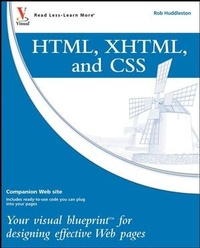
HTML, XHTML, and CSS
Your visual blueprint for designing effective Web pages
1st Edition
Published on 30. May 2008
Book
Paperback/Softback
370 pages
978-0-470-27436-1 (ISBN)
Description
HTML, XHTML, and CSS
Welcome to the only guidebook series that takes a visual approach to professional-level computer topics. Open the book and you'll discover step-by-step screen shots that demonstrate over 150 key HTML, XHTML, and CSS techniques, including:
* Creating a link to a page on the Web
* Laying out pages using Cascading Style Sheets
* Adding background images to page elements
* Adding a table to a page
* Making complex tables accessible
* Creating a form
* Replacing headers with images
* Creating tabbed navigation
* Submitting your site to search engines
* Adding JavaScript(r) to a page
* High-resolution screen shots demonstrate each task
* Succinct explanations walk you through step by step
* Two-page lessons break big topics into bite-sized modules
* "Apply It" and "Extra" sidebars highlight useful tips
Welcome to the only guidebook series that takes a visual approach to professional-level computer topics. Open the book and you'll discover step-by-step screen shots that demonstrate over 150 key HTML, XHTML, and CSS techniques, including:
* Creating a link to a page on the Web
* Laying out pages using Cascading Style Sheets
* Adding background images to page elements
* Adding a table to a page
* Making complex tables accessible
* Creating a form
* Replacing headers with images
* Creating tabbed navigation
* Submitting your site to search engines
* Adding JavaScript(r) to a page
* High-resolution screen shots demonstrate each task
* Succinct explanations walk you through step by step
* Two-page lessons break big topics into bite-sized modules
* "Apply It" and "Extra" sidebars highlight useful tips
More details
Series
Edition
1., Auflage
Language
English
Place of publication
Chichester
United Kingdom
Publishing group
John Wiley and Sons Ltd
Target group
Professional and scholarly
Illustrations
ill
Dimensions
Height: 23.1 cm
Width: 18.7 cm
Thickness: 22 mm
Weight
743 gr
ISBN-13
978-0-470-27436-1 (9780470274361)
Schweitzer Classification
Other editions
New editions

Book
11/2011
Wiley
€36.90
Article is exhausted; no reprint
Additional editions

E-Book
04/2009
Visual
€27.30
Available for download
Person
Rob Huddleston has been developing Web pages and applications since 1994, and has been an instructor since 1999, teaching Web and graphic design to thousands of students. His clients have included the United States Bureau of Land Management; the United States Patent and Trademark Office; the State of California and many other federal, city and county agencies; the United States Army and Air Force; Fortune 500 companies such as AT&T, Wells Fargo, Safeway, and Coca-Cola; software companies including Oracle, Intuit, and Autodesk; the University of California, San Francisco State University, the University of Southern California; and hundreds of small businesses and non-profit agencies. Rob is an Adobe Certified Instructor, Certified Expert, and Certified Developer, is an Adobe User Group Manager, and was named as an Adobe Community Expert for his volunteer work answering user questions in online forums. Rob lives in northern California with his wife and two children.
Rob is the author of XML: Your visual blueprint to creating expert websites using XML, CSS, XHTML, and XSLT, published by Wiley Publishing in 2007. You can visit Rob's blog at www.robhuddleston.com.
Rob is the author of XML: Your visual blueprint to creating expert websites using XML, CSS, XHTML, and XSLT, published by Wiley Publishing in 2007. You can visit Rob's blog at www.robhuddleston.com.
Content
How to Use This Book.
1 Introducing Html and Xhtml.
2 Introducing Html Basics.
3 Creating Hyperlinks.
4 Working with Images.
5 Using Tables.
6 Using Lists.
7 Formatting the Text on Your Page.
8 Applying More Formatting to Your Page.
9 Working with Other CSS Selectors.
10 Laying Out Your Page.
11 Adding Forms.
12 Working with JavaScript.
13 Making Your Site Accessible.
14 Adding Specialized Markup.
15 Creating an RSS Feed.
16 Using Content From Other Sources.
17 Getting Your Site Listed on Search Engines.
18 Testing and Validating Web Pages.
19 Publishing Your Site.
Appendix A: XHTML Reference.
Appendix B: CSS Reference.
Appendix C: Web Accessibility Guideline Reference.
Index.
1 Introducing Html and Xhtml.
2 Introducing Html Basics.
3 Creating Hyperlinks.
4 Working with Images.
5 Using Tables.
6 Using Lists.
7 Formatting the Text on Your Page.
8 Applying More Formatting to Your Page.
9 Working with Other CSS Selectors.
10 Laying Out Your Page.
11 Adding Forms.
12 Working with JavaScript.
13 Making Your Site Accessible.
14 Adding Specialized Markup.
15 Creating an RSS Feed.
16 Using Content From Other Sources.
17 Getting Your Site Listed on Search Engines.
18 Testing and Validating Web Pages.
19 Publishing Your Site.
Appendix A: XHTML Reference.
Appendix B: CSS Reference.
Appendix C: Web Accessibility Guideline Reference.
Index.