

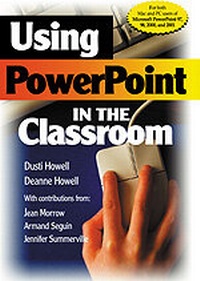
Using PowerPoint in the Classroom
1st Edition
Published on 16. April 2002
Book
Hardback
104 pages
978-0-7619-7881-7 (ISBN)
Description
`Corwin Press has produced an impressive little series of guides to three of the most used pieces of ICT Software: Microsoft PowerPoint, EXCEL and Word. These books, aimed at both the beginner and the intermediate user, are easy to follow, aided by excellent screen-shot graphics. They would make a welcome addition to any school library or classroom' - School Librarian
Microsoft PowerPoint is a wonderfully advanced and remarkably easy-to-understand presentation tool that teachers can use in a hundred different ways, and this book tells you how to do this. Step-by-step instructions begin with the basics and include:
- developing a custom school template
- creating a looping slideshow
- adding student narration to showcase student work
- application ideas for the classroom teacher
- application ideas for students.
. . . and more, from creating graphs and charts to adding animation. Using PowerPoint in the Classroom brings together the expertise of PowerPoint power-users and the multi-year experience of educators to create educational innovations and teacher-centered solutions that can work at every level . . . and beyond. This is the PowerPoint book for you-whether you are an absolute beginner or an advanced authority, or somewhere in between!
For PowerPoint 97, 98, 2000 and 2001
Windows and Mac included.
Microsoft PowerPoint is a wonderfully advanced and remarkably easy-to-understand presentation tool that teachers can use in a hundred different ways, and this book tells you how to do this. Step-by-step instructions begin with the basics and include:
- developing a custom school template
- creating a looping slideshow
- adding student narration to showcase student work
- application ideas for the classroom teacher
- application ideas for students.
. . . and more, from creating graphs and charts to adding animation. Using PowerPoint in the Classroom brings together the expertise of PowerPoint power-users and the multi-year experience of educators to create educational innovations and teacher-centered solutions that can work at every level . . . and beyond. This is the PowerPoint book for you-whether you are an absolute beginner or an advanced authority, or somewhere in between!
For PowerPoint 97, 98, 2000 and 2001
Windows and Mac included.
Reviews / Votes
"Easy to read and understand! Straight-to-the point graphics from the software help make it non threatening to beginners while providing intermediate users with step-by-step instructions needed for more advanced learners." -- Ellen Thompson, Teacher "This updated second edition of a teacher's winning classic offers both PC and Mac-compatible screenshots and instructions for the newest version of PowerPoint to cover all the basics of effective presentation design and delivery. With Using Powerpoint In The Classroom classroom teachers can learn to create more effective PowerPoint presentations with a reference which links Powerpoint attributes to classroom objectives. Chapters offer step-by-step examples taken from real classrooms to illustrate the process." -- The Midwest Book Review * The Education Shelf *More details
Language
English
Place of publication
Thousand Oaks
United States
Publishing group
SAGE Publications Inc
Target group
Professional and scholarly
Dimensions
Height: 229 mm
Width: 152 mm
Weight
279 gr
ISBN-13
978-0-7619-7881-7 (9780761978817)
Copyright in bibliographic data and cover images is held by Nielsen Book Services Limited or by the publishers or by their respective licensors: all rights reserved.
Schweitzer Classification
Other editions
New editions
Dusti D. Howell | Deanne K. Howell | Marcus D. Childress
Using PowerPoint in the Classroom
Book
07/2006
2nd Edition
Corwin Press Inc
€70.75
Article exhausted; check different version
Content
Preface
About the Authors
1. Introduction to Microsoft Powerpoint
2. Creating a New Slide Show
3. Adding Graphs and Graphics
4. Special Effects
5. Presentation Delivery
6. Classroom Applications
Index
About the Authors
1. Introduction to Microsoft Powerpoint
2. Creating a New Slide Show
3. Adding Graphs and Graphics
4. Special Effects
5. Presentation Delivery
6. Classroom Applications
Index